EasyManua.ls Logo

Philips LC3631 - Functional Overview

Philips LC3631
44 pages
Print Icon
To Next Page IconTo Next Page
To Previous Page IconTo Previous Page
Loading...
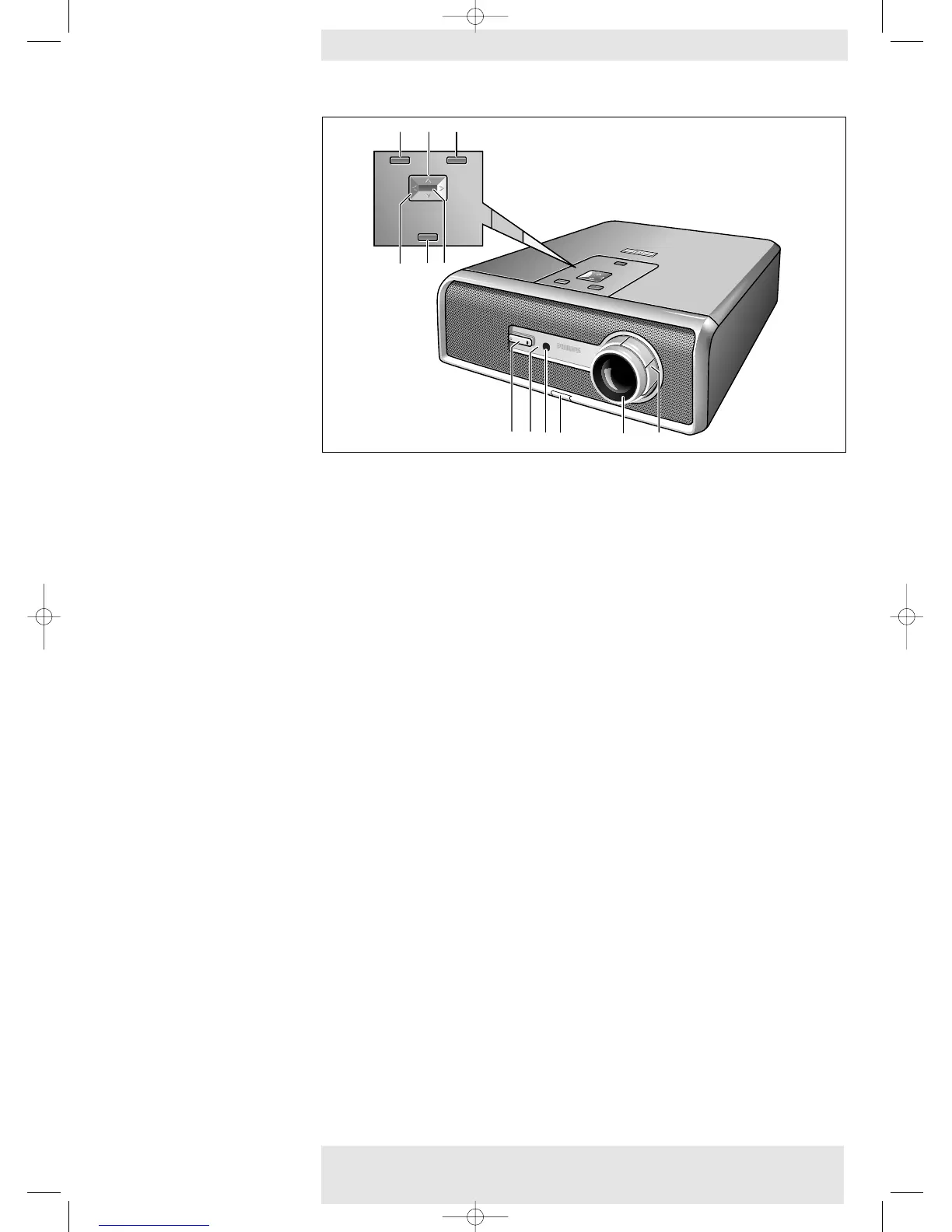
When the menu is active the Cursor Control controls the menu cursor to navigate through the
On Screen Display (OSD) menu.The cursor control works with up/down and left/right button
operation.
Cursor Control @
Philips Home Cinema Projector 11 English User guide LC 6281 / LC 6285
2. Functional overview Controls <
V
O
L
U
M
E
+
V
O
L
U
M
E
-
S
O
U
R
C
E
PIC
TUR
E S
IZE
-
P
ICT
URE SIZE
+
M
ENU
O
K
V
O
L
U
M
E
+
V
O
L
U
M
E
-
S
O
U
R
C
E
PI
CTU
RE
S
IZE
-
PIC
TUR
E SIZ
E +
ME
NU
O
K
STA
NDBY
/ON
MENU
PICTURE SIZE PICTURE SIZE +
VOLUME +
VOLUME
SOURCE
OK
MENU
PICTURE SIZE PICTURE SIZE +
VOLUME +
VOLUME
SOURCE
OK
7 8 9
!
3
4
0
2
1
5
6
@
XP LC6281/6285 EVA English 01-08-2003 17:51 Pagina 11

Table of Contents

Other manuals for Philips LC3631

Related product manuals