<
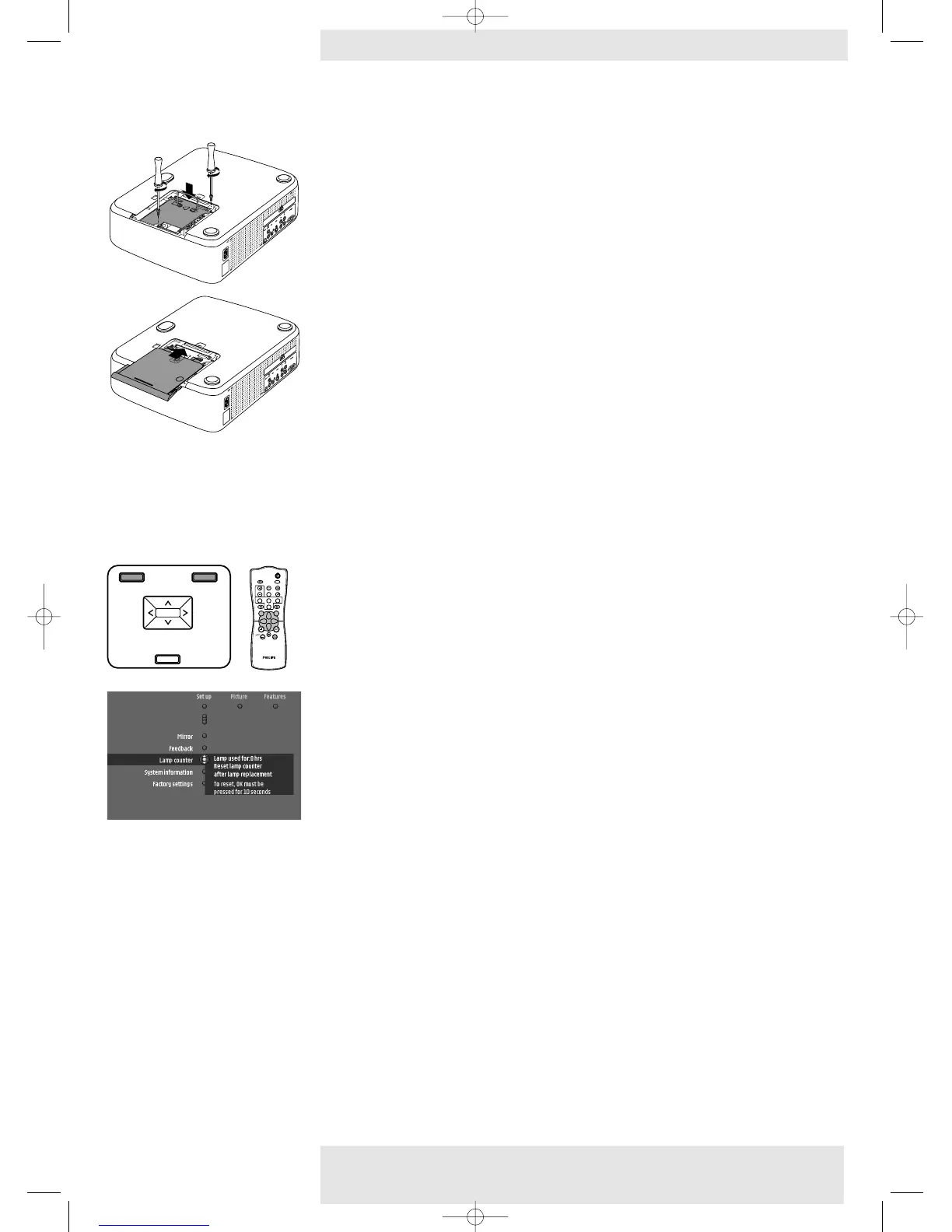
9 Tighten screws B again.
10 Put the lamp door back in place.
11 Insert the mains lead into both the projector Mains inlet socket and the wall socket.
12 Press the Standby button to switch on the projector.
13 Reset the lamp life time (see ‘Resetting the lamplife time’).
14 Dispose of the old lamp in special chemical disposal bins.
1 Press Menu.
– The menu bar appears on the screen.
2 Use Cursor Control to select Lamp counter in the ‘Set up’ menu.
4 Press OK for 10 seconds to reset the lamp counter.
5 If required, select another item you wish to adjust or press Menu to exit.
Lamp replacement
Resetting the lamplife
time
Philips Home Cinema Projector 38 English User guide LC 6281 / LC 6285
6. Maintenance
MENU
PICTURE SIZE – PICTURE SIZE +
VOLUME +
VOLUME –
SOURCE
OK
MENU
PICTURE SIZE – PICTURE SIZE +
VOLUME +
VOLUME –
OK
SOURCE
OKMENU
MUTE
ZOOM
VIDEO
FREEZE
AV MUTE
STAND BY
S-VIDEO
MIRROR
SMART PICTURE
COMPONENT
PICTURE SIZE
PICTURE FORMAT
MULTIMEDIA
INFO
KEYSTONE
CHILD LOCK
XP LC6281/6285 EVA English 01-08-2003 17:52 Pagina 38










 To Next Page