<
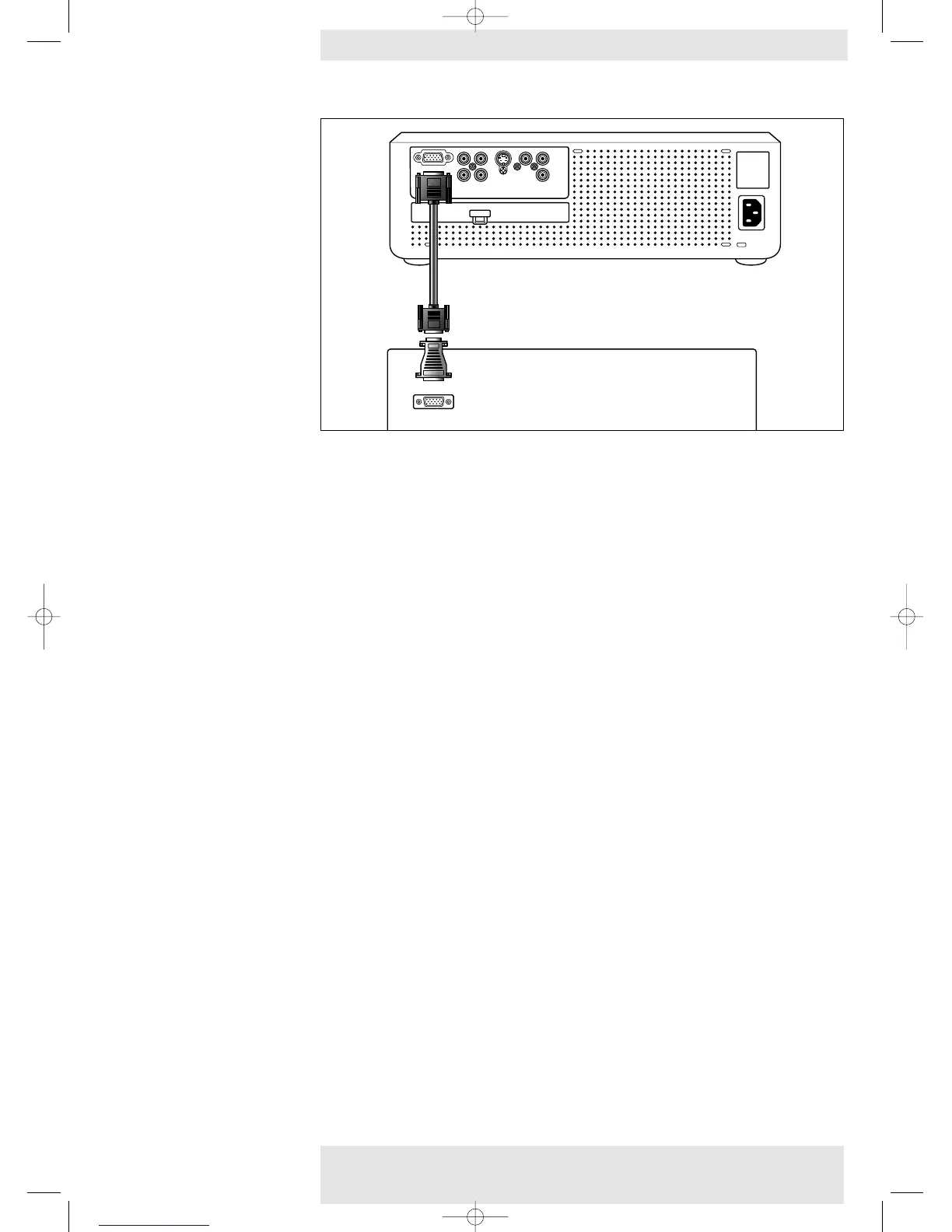
PC/Macintosh
• Connect the Data (out) socket of the computer to the Multimedia socket of the projector
and secure the plugs by tightening the thumb screws.
For this, use the VGA cable supplied (1).
The data output of IBM compatible PCs can be connected directly to the projector using standard data
cables.When connecting the projector to a Macintosh computer equipped with a 2 row, 15 pin
connector a VGA/MAC adaptor (available at your PC store) is required. If your computer is equipped
with a 3 row connector no adaptor is needed.
Philips Home Cinema Projector 24 English User guide LC 6281 / LC 6285
4. Installation










 To Next Page