Media playback 13
• If music media player is selected,
only the playable music files can be
displayed.
4 Select a music file and press OK to play
music.
5 The playback control icons are displayed
at the bottom of the projection screen.
You can access the following playback
functions.
• Pause or resume play
• Fast search backward or forward
• Select a previous or next music file
• Stop play
• Select a play mode: repeat one/repeat
all
• Mark two points to repeat play
• Mute or restore volume
• Access playlist
• Access current file information
Or during music playback, press on the
remote control to start, pause or resume
playback. Press / on the remote
control to skip to the previous/next music
file.
6 Select a control function and press OK
to trigger the control. To exit a particular
mode, press .
Photo playback
Supported file formats
The following file formats are supported:
.jpeg/.bmp/.png/.gif
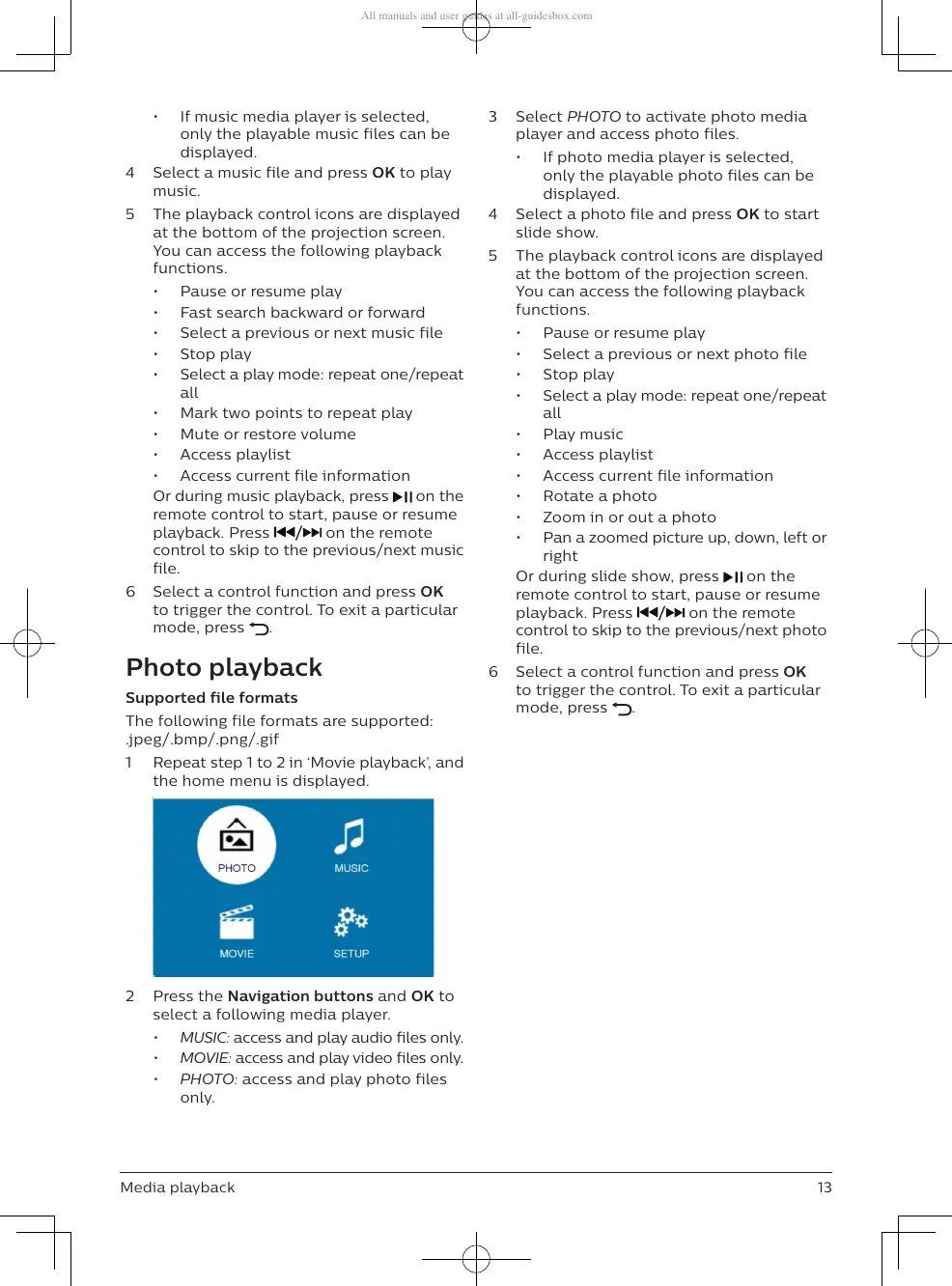
1 Repeat step 1 to 2 in ‘Movie playback’, and
the home menu is displayed.
2 Press the Navigation buttons and OK to
select a following media player.
• MUSIC: access and play audio files only.
• MOVIE: access and play video files only.
• PHOTO: access and play photo files
only.
3 Select PHOTO to activate photo media
player and access photo files.
• If photo media player is selected,
only the playable photo files can be
displayed.
4 Select a photo file and press OK to start
slide show.
5 The playback control icons are displayed
at the bottom of the projection screen.
You can access the following playback
functions.
• Pause or resume play
• Select a previous or next photo file
• Stop play
• Select a play mode: repeat one/repeat
all
• Play music
• Access playlist
• Access current file information
• Rotate a photo
• Zoom in or out a photo
• Pan a zoomed picture up, down, left or
right
Or during slide show, press on the
remote control to start, pause or resume
playback. Press / on the remote
control to skip to the previous/next photo
file.
6 Select a control function and press OK
to trigger the control. To exit a particular
mode, press .


 To Next Page
 Loading...