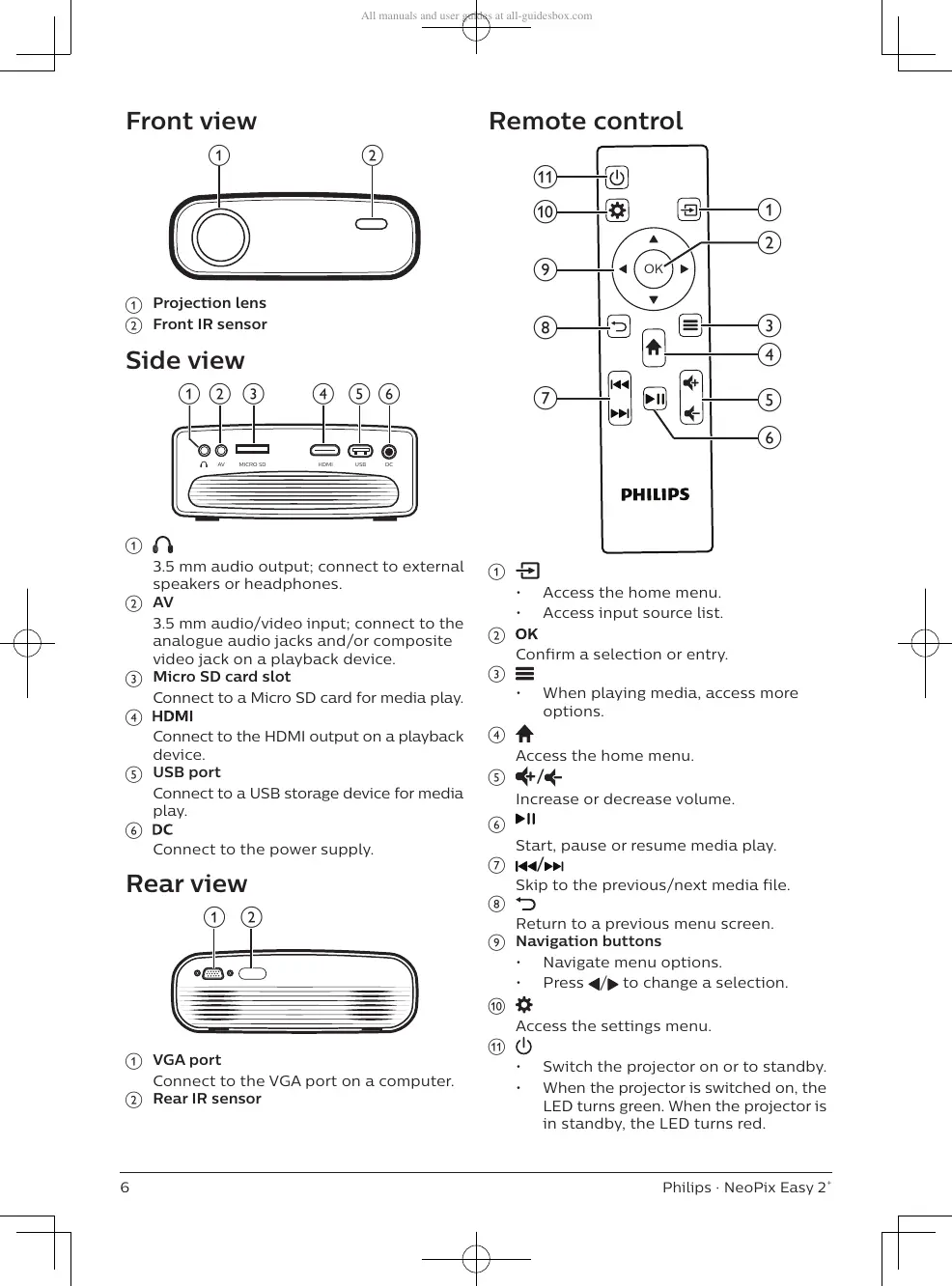
a
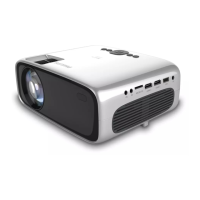
3.5 mm audio output; connect to external
speakers or headphones.
b
AV
3.5 mm audio/video input; connect to the
analogue audio jacks and/or composite
video jack on a playback device.
c
Micro SD card slot
Connect to a Micro SD card for media play.
d
Connect to the HDMI output on a playback
device.
e
USB port
Connect to a USB storage device for media
play.
f
Connect to the power supply.
Rear view
a
• Access the home menu.
• Access input source list.
b
Confirm a selection or entry.
c
• When playing media, access more
options.
d
Access the home menu.
e
/
Increase or decrease volume.
f
Start, pause or resume media play.
g
/
Skip to the previous/next media file.
h
Return to a previous menu screen.
i
Navigation buttons
• Navigate menu options.
• Press / to change a selection.
j
Access the settings menu.
k
• Switch the projector on or to standby.
• When the projector is switched on, the
LED turns green. When the projector is
in standby, the LED turns red.











 To Next Page