EasyManua.ls Logo

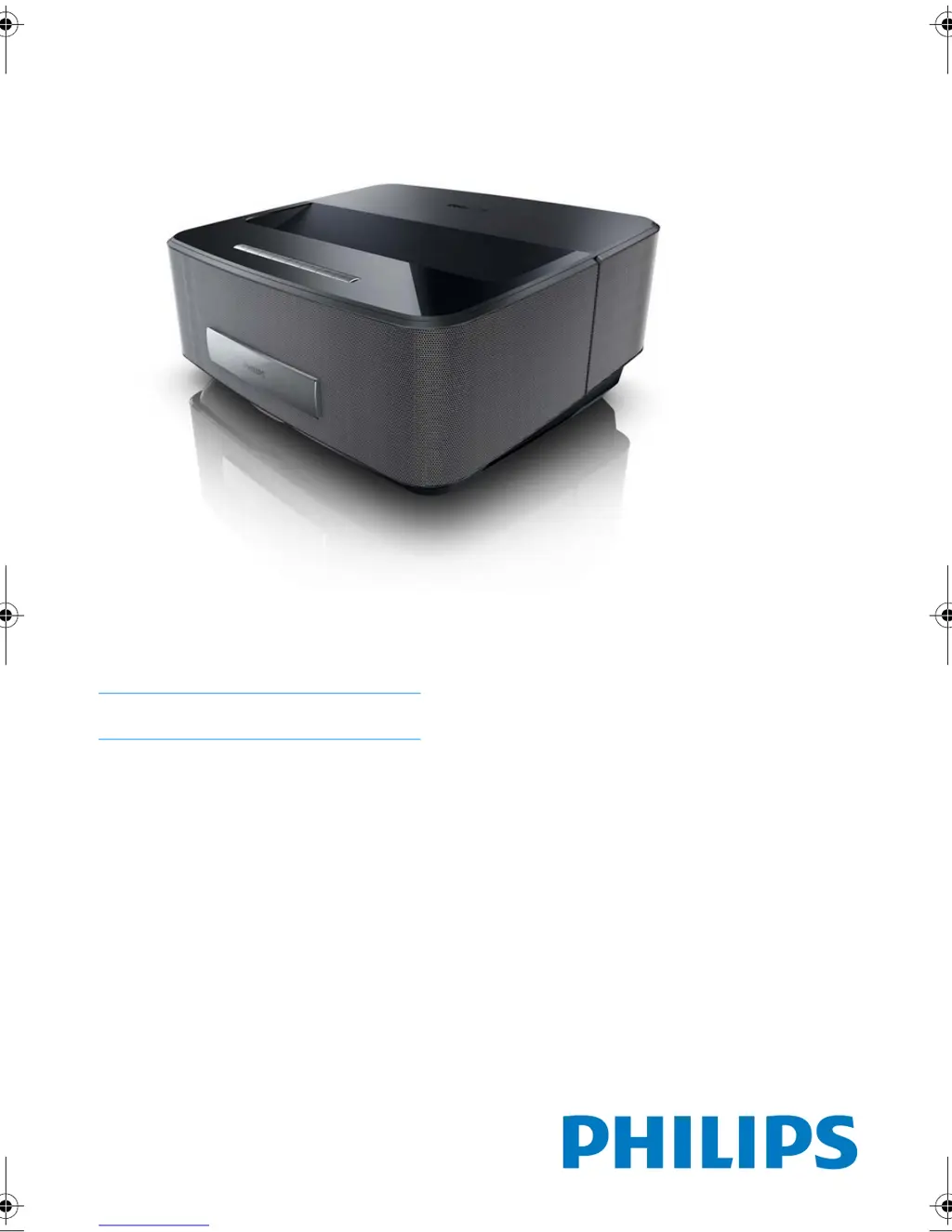
Philips Screeneo HDP1550 - User Manual

Philips Screeneo HDP1550
38 pages
Print Icon
To Next Page IconTo Next Page
Loading...
EN
Screeneo
User Manual
Register your product and get support at
www.philips.com/welcome
HDP1550
HDP1550TV
HDP1590
HDP1590TV
LU UST.book Page 1 Jeudi, 26. décembre 2013 9:48 09

Table of Contents

Questions and Answers

Summary

General Safety Information

Setting Up the Device Safely

Guidelines for safe placement and initial setup of the projector.

Automatic Device Temperature Control

Explains the projector's thermal management system and overheating warnings.

Device Repair Guidelines

Instructions regarding device repair and authorized service centers.

Power Supply Safety Precautions

Important precautions for connecting and using the power supply.

Product Overview

Remote Control Operation

Details the functions and buttons of the projector's remote control.

Initial Operation

Setting Up the Projector

Steps for positioning and connecting the projector for initial use.

Connecting Power Supply

Instructions for safely connecting the projector to a power source.

Initial Installation and Setup

Guide for first-time setup, including language and date/time settings.

Connecting Playback Devices

HDMI Output Connection

Connects devices with HDMI output to the projector.

WiFiDisplay (Miracast) Setup

Guides on how to use Miracast for wireless screen mirroring.

Network Connectivity

LAN Network Setup

Steps for connecting the projector to a wired network (LAN).

Wireless Network Setup (WLAN)

Guides for connecting the projector to a wireless network.

Wi-Fi Protected Setup (WPS)

Explains how to use WPS for secure and easy wireless network connection.

WiFi Hotspot Activation

Steps to activate the projector's WiFi hotspot feature.

Bluetooth Connectivity

Activating Bluetooth Connection

Steps to turn on and make the projector discoverable via Bluetooth.

Bluetooth Speaker Functionality

How to use the projector as a Bluetooth speaker for audio playback.

Media Playback

Navigation and Playback Controls

Explains remote control keys for navigating media files and playback.

Video Playback Guide

Guides on playing video files from various sources.

Photo Playback Guide

Guides on displaying photo files from various sources.

Digital TV Playback

Initial TV Setup

Guides through the first-time TV channel scan and setup.

System Settings

Service and Maintenance

Firmware Update Procedure

Instructions for updating the projector's firmware using a memory card.

Troubleshooting

Troubleshooting Common Issues

Addresses various problems like device shutdown, image quality, and connectivity.

Summary

General Safety Information

Setting Up the Device Safely

Guidelines for safe placement and initial setup of the projector.

Automatic Device Temperature Control

Explains the projector's thermal management system and overheating warnings.

Device Repair Guidelines

Instructions regarding device repair and authorized service centers.

Power Supply Safety Precautions

Important precautions for connecting and using the power supply.

Product Overview

Remote Control Operation

Details the functions and buttons of the projector's remote control.

Initial Operation

Setting Up the Projector

Steps for positioning and connecting the projector for initial use.

Connecting Power Supply

Instructions for safely connecting the projector to a power source.

Initial Installation and Setup

Guide for first-time setup, including language and date/time settings.

Connecting Playback Devices

HDMI Output Connection

Connects devices with HDMI output to the projector.

WiFiDisplay (Miracast) Setup

Guides on how to use Miracast for wireless screen mirroring.

Network Connectivity

LAN Network Setup

Steps for connecting the projector to a wired network (LAN).

Wireless Network Setup (WLAN)

Guides for connecting the projector to a wireless network.

Wi-Fi Protected Setup (WPS)

Explains how to use WPS for secure and easy wireless network connection.

WiFi Hotspot Activation

Steps to activate the projector's WiFi hotspot feature.

Bluetooth Connectivity

Activating Bluetooth Connection

Steps to turn on and make the projector discoverable via Bluetooth.

Bluetooth Speaker Functionality

How to use the projector as a Bluetooth speaker for audio playback.

Media Playback

Navigation and Playback Controls

Explains remote control keys for navigating media files and playback.

Video Playback Guide

Guides on playing video files from various sources.

Photo Playback Guide

Guides on displaying photo files from various sources.

Digital TV Playback

Initial TV Setup

Guides through the first-time TV channel scan and setup.

System Settings

Service and Maintenance

Firmware Update Procedure

Instructions for updating the projector's firmware using a memory card.

Troubleshooting

Troubleshooting Common Issues

Addresses various problems like device shutdown, image quality, and connectivity.

Philips Screeneo HDP1550 Specifications

General IconGeneral
Brightness1500 lumens
Contrast Ratio10000:1
Lamp Life30000 hours
Display TechnologyDLP
Speakers2 x 10W
Weight2.5 kg
Projection TechnologyDLP
Light SourceLED
Light Source Life30000 hours
Screen Size50" to 100"
ConnectivityWi-Fi
Projection Size50-100 inch
Input PortsHDMI, USB, VGA, AV, Audio Out

Related product manuals