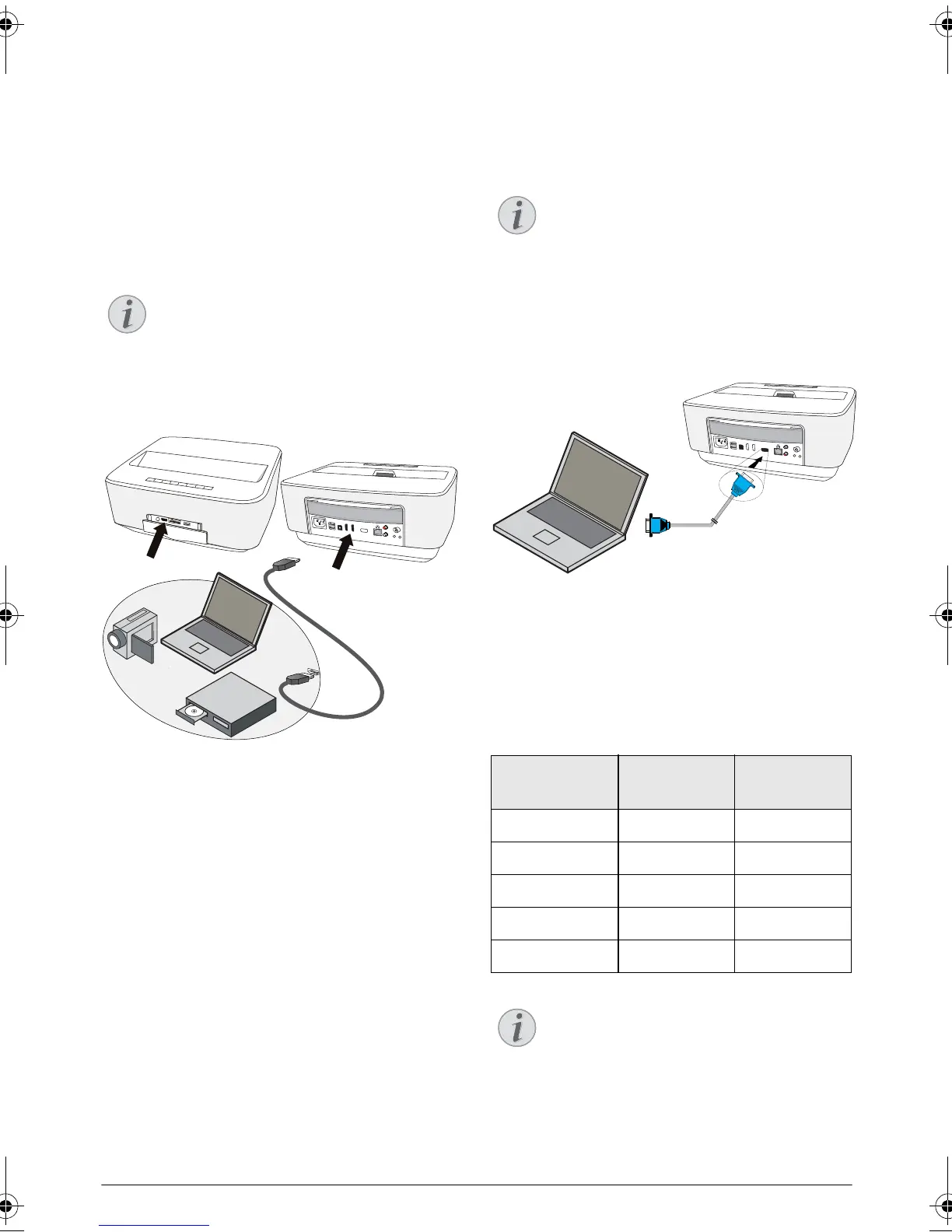
Connect to the Playback Device 13
4 Connect to the Playback Device
Supplied cables
HDMI cable
Connecting to Devices with
HDMI Output
Use the HDMI cable to connect the projector to a com-
puter, laptop or others devices.
1 Switch the device on using the on/off key.
2 Connect the cable to the projector's HDMI socket.
3 Connect the cable to the HDMI socket of the play-
back device.
4 From the main menu, select HDMI 1,2 or 3 depend-
ing on the external device is connected.
Connecting to a Computer
(VGA)
Use the VGA cable (not included) to connect the pro-
jector to a computer, laptop, or some PDAs. The pro-
jector supports the following resolutions: VGA/SVGA/
XGA. For best results, please check the best resolution.
1 Switch the device on using the on/off key.
2 Connect the VGA cable to the projector's VGA
socket.
3 Connect the VGA plug to the VGA socket of the
computer.
4 Adjust the computer's resolution to the correct set-
ting and switch the VGA signal to an external moni-
tor. The following resolutions are supported:
5 From the main menu, select VGA.
Use the HDMI socket 1 or 2 to connect the
projector to a DVD player when a 3D signal
is broadcasted.
PHILIPS
PHILIPS
VGA
1
2
S/PDIF
OPTICAL
AUDIO
OUT
TRIG
OUT
AV
IN
L
R
HDMI 3
HDMI 1 & HDM 2
Many laptops do not activate the external
video output automatically when you connect
a second display such as a projector. Check
your laptop's manual to find out how to acti
-
vate the external video output.
Resolution Image
refresh rate
VGA 640 x 480 60 Hz
SVGA 800 x 600 60 Hz
XGA 1024 x 768 60 Hz
WXGA 1280 x 768 60 Hz
FULL HD 1920 x 1080 60 Hz
Screen Resolution
For best results, please check the best resolu-
tion.
PHILIPS
VGA
1
2
S/PDIF
OPTICAL
AUDIO
OUT
TRIG
OUT
AV
IN
L
R
VGA
LU UST.book Page 13 Jeudi, 26. décembre 2013 9:48 09















 To Next Page