Overview 7
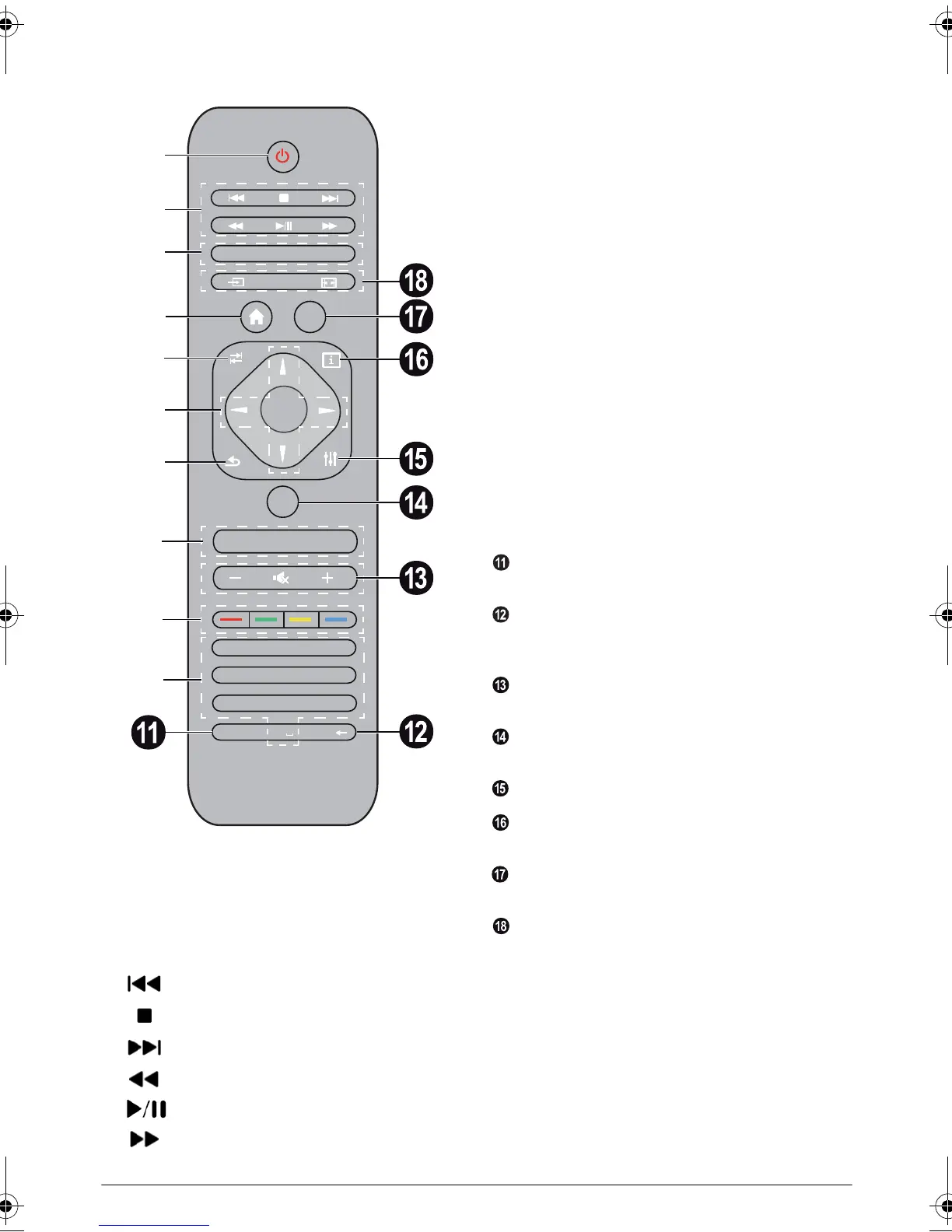
Remote Control
1 Long press: Power off the projector. To power the
projector on use the
B key on the control panel.
Short press: ECO mode on / off
2 Playback keys
– Skip backward (music only)
– To stop playback
– Skip forward (music only)
– To rewind
– To start / pause playback
– To fast-forward
3 EPG –To display the electronic program guide.
3D – To display the 3D menu.
Favorite – To display the favourite list in DVB-T
mode.
4 To display the home menu.
5 TAB key or Toggle between TV and Radio chan-
nels in DVB-T mode and browsing the Internet
without external keyboard.
6 Navigation keys
– Confirms selection
/, À/Á – Navigation keys / navigate the
menu / modify settings.
7 EXIT – One menu step back, one directory level
back / cancelling a function.
8 PAGE/CH- PAGE/CH+ –To select the previous
channel/page or the next channel/page.
9 Color keys - On-screen options.
Number keys and text keypad.
Short press for numbers and long press to
switch
"letters"
SUB/SHIFT – To display subtitles in DVB-T mode
or shift key in input mode.
TTX/ – To display Teletext pages when availa-
ble in DVB-T mode or backspace key in input
mode.
– / + – To adjust the volume level (to decrease/
increase and to mute the sound).
RECALL – To recall the last function or the last
channel viewed in DVB-T mode.
OPTIONS – To call the option menu.
INFO – To display program information on current
program in DVB-T mode.
MENU – To display the settings menu in DVB-T
mode.
SOURCE – To display the list of input connections.
SMART SETTINGS – To display the Smart set-
tings menu
FORMAT – To change the aspect ratio.
78 9
45 6
12 3
0
TUV WXYZPQRS
GHI JKL MNO
. @ ABC DEF
SUB/SHIFT
PAGE/CH -
EXIT
OPTIONS
TAB
INFO
SOURCE
FORMAT
SETTING
MENU
EPG 3D
FAVORITE
PHILIPS
OK
RECALL
PAGE/CH +
TTX/
SMART
a
b
c
e
d
f
g
h
i
j
LU UST.book Page 7 Jeudi, 26. décembre 2013 9:48 09















 To Next Page