Bluetooth 21
7 Bluetooth
Activating the Bluetooth
connection
1 Switch the device on using the on/off key.
2 After the initial screen, the main menu appears.
3 Use the navigation keys to select Settings.
4 Confirm with .
5 Using / select Wireless and Networks.
6 Confirm with .
7 Using / select Bluetooth.
8 Confirm with .
9 Use / to select on.
10 Confirm with .
The projector is now visible for the near external Blue-
tooth devices.
Setting up Bluetooth
parameters
1 Switch the device on using the on/off key.
2 After the initial screen, the main menu appears.
3 Use the navigation keys to select Settings.
4 Confirm with .
5 Using / select Wireless and Networks.
6 Confirm with .
7 Using / select Bluetooth.
8 Confirm with .
9 Using / select the desired setting.
10 Confirm with .
11 Modify the desired settings.
Bluetooth speaker
The projector can be used as Bluetooth speaker. In this
mode, you can play music from smartphones or tablets.
The projector can only connect to, and play audio from
one device at a time.
Activating Bluetooth speaker
1 Switch the device on using the on/off key.
2 After the initial screen, the main menu appears.
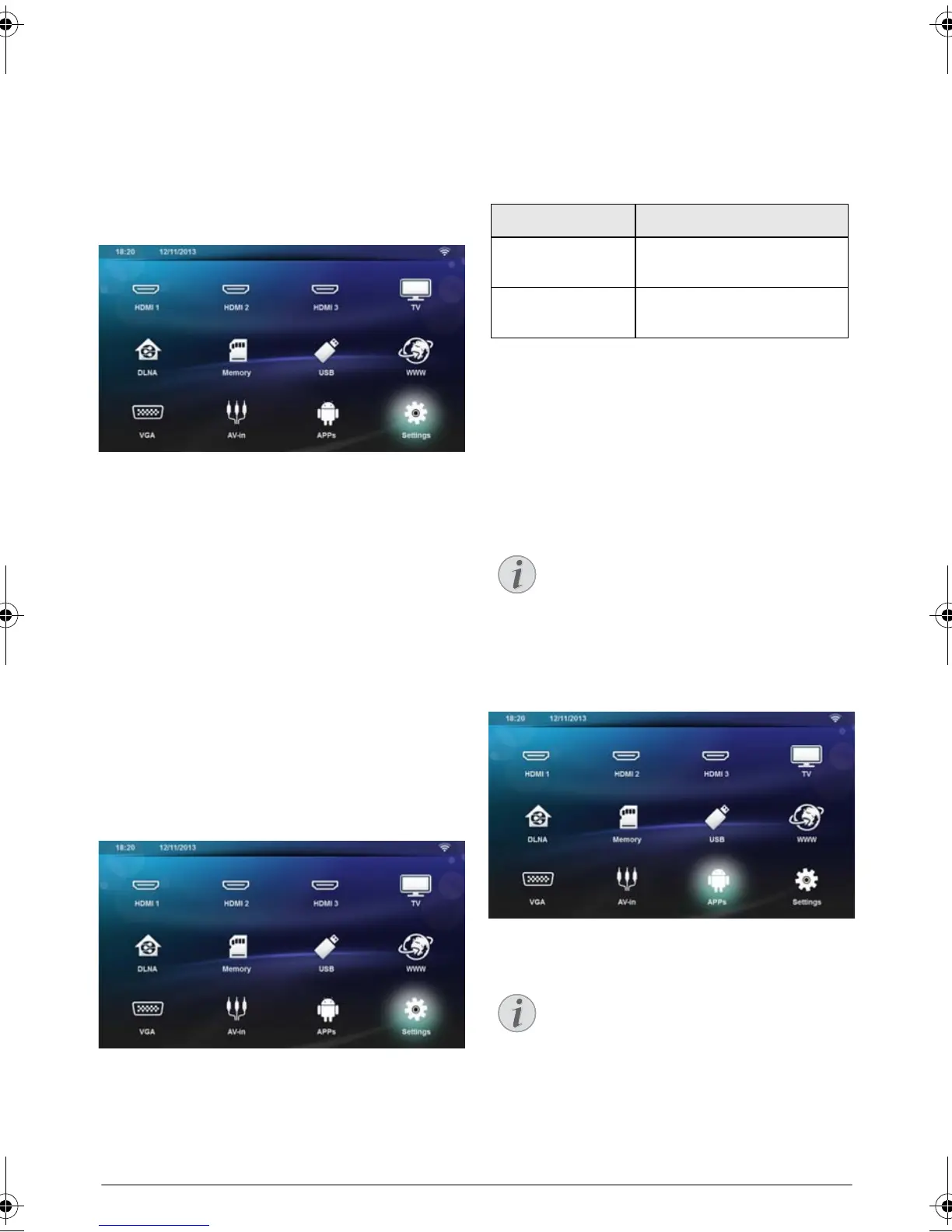
3 Depending on model, use the navigation keys to
select BT Speaker or APPs>BT Speaker.
4 Confirm with OK.
Menu Description
Select device The list shows all paired devic-
es.
Paired device To unconnect or unpair the
paired device.
Bluetooth speaker connection!
Depending on the model of your device, the
bluetooth speaker can be activated from the
main menu (BT Speaker icon) or from the
APPs menu.
Remote control
You can also use the SOURCE or
OPTIONS key of the remote control.
Press the SOURCE key and select BT
Speaker or press OPTIONS key then
select SOURCE and BT Speaker.
LU UST.book Page 21 Jeudi, 26. décembre 2013 9:48 09















 To Next Page