14
EN
Tip
•
If the air quality light is in blue or in deep purple
color, this means the air quality is good or
excellent, and you can select a lower fan speed.
Silent mode
In silent mode, the air lter operates very
quietly.
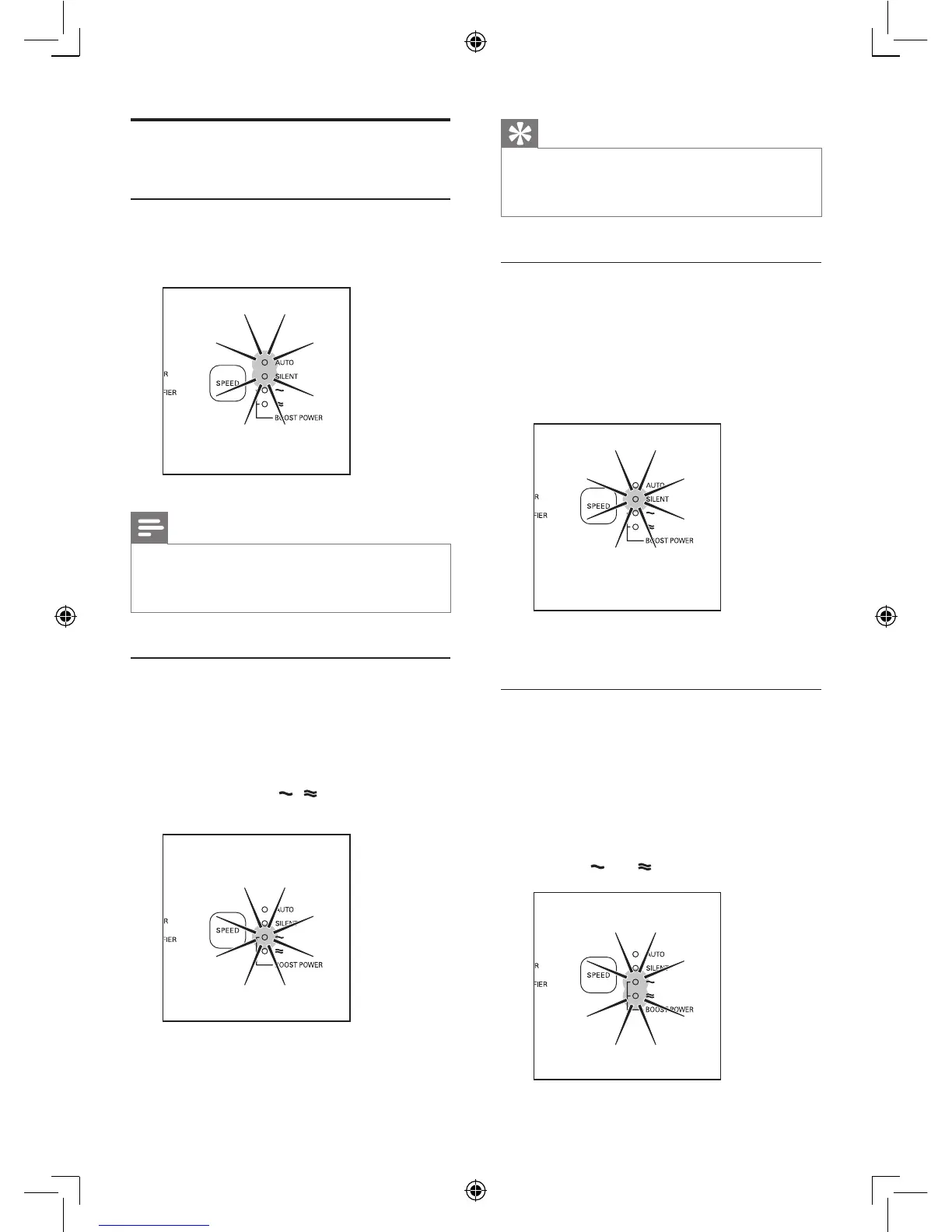
1 Press the SPEED button to select the silent
mode.
» The SILENT light goes on.
To change to another fan speed, press the
SPEED button.
Boost power mode
If the air quality light is in red or purple color,
this means the air quality is bad or fair. You
can select boost power mode to clean the air
quickly.
1 Press the SPEED button to select the
boost power mode.
» The
and lights are on.
Change the fan speed
Auto
1 Press the SPEED button to select AUTO
mode.
Note
• In auto mode, you can set the desired humidity
level (40%, 50%, 60% in your room (see chapter
‘Set the humidity level’).
Manual
You can manually select the desired fan speed,
which overrides the auto mode.
1 Press the SPEED button once or more
times to select the desired fan speed
(AUTO, SILENT,
, or BOOST
POWER).














 To Next Page