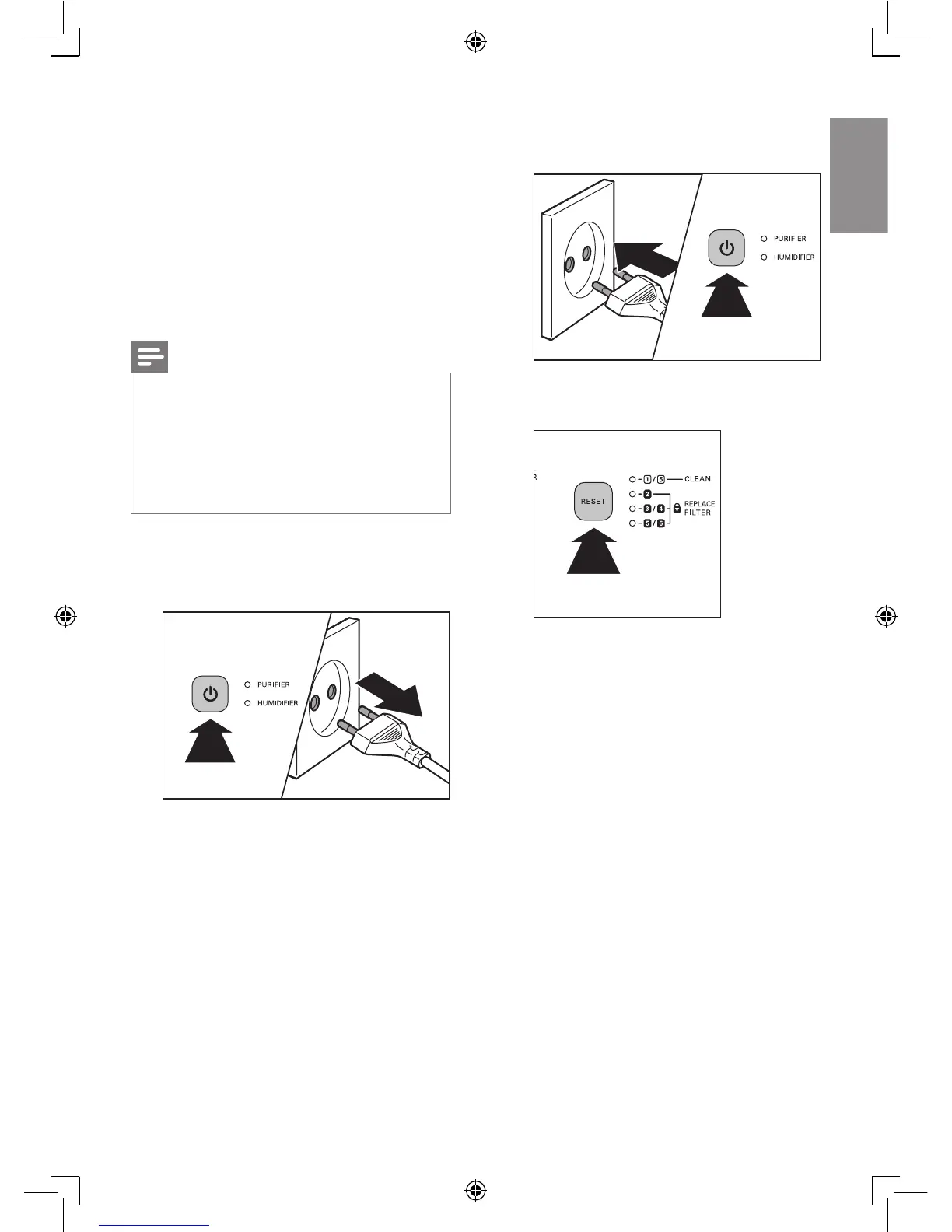
8 Reset the filter
lifetime counter
When you replace the lters, it is important
that you also reset the lter lifetime counter
afterwards. This allows the appliance to be in
sync with the lter lifetime.
Note
• Reset the appliance when it is plugged in and
switched on.
• Only replace the respective lters when you see
the respective lter lights ash.
• After replacing the lters, the respective lter
light still ashes or continuous on until you reset
the lter lifetime counter.
After you have replaced the lter, reset the lter
time:
1 Switch off the appliance and unplug it.
2 Replace the lter (see the chapter
‘Replacing the lters’).
3 Put the plug in the power socket and
switch on the appliance again.
4 Press and hold the RESET button for two
seconds.














 To Next Page