OPERATION : DMX OPERATION
3
02.9687.0001 C 31 October 2013 35
DMX Operation
This section is contains individual DMX channel maps for each luminaire covered in this manual -
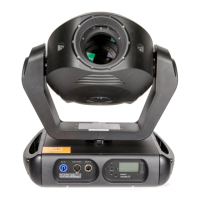
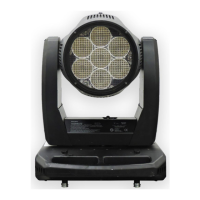
VL440 Spot, VL770 Spot, and VL880 Spot. Refer to the corresponding DMX channel map for your
fixture.
• VL440 Spot Channel Mapping
• VL770 Spot Channel Mapping
• VL880 Spot Channel Mapping
Iris Operation
Important Notes and Warnings
• Operating fixtures with either Iris 1 or Iris 2 using a software prior to 08/08/12 will cause the iris
to close too far, which will result in damage to the iris and this damage will not be covered under
the warranty.
• If iris closes very small, you have an older version of software and MUST update to the software
released 08/08/12 or later.
• If iris is not set to the correct iris setting, you will experience the following symptoms:
Iris Selection / Configuration Operation
• This option has been added as described in software technical bulletin LSW-069. LSW-069 Stated
- Installation of this software to all VL440 spot, VL770 spot, and VL880 spot luminaires
manufactured prior to 7/20/12 will be effected that their iris will not close as much as previous
software versions. VL770 spot and VL880 spot luminaires manufactured after 7/20/12 will close
further, but not as far. A long term solution to close the original irises is forthcoming.
• All VL440/VL770/VL880 spot luminaires manufactured prior to 07/20/12 and all VL440 spot
luminaires (manufactured prior to and after 07/20/12) are built using iris assembly 22.9687.0230.
These iris assemblies are described in the menu selection as "IRIS 1".
• All VL770/VL880 spot luminaires manufactured after 07/20/12 are built using iris assembly
22.9687.0235. These iris assemblies are described in the menu selection as "IRIS 2".
• Users now have, in this software release, a menu option to set their fixture to the appropriate iris
setting so all VL440/VL770/VL880 fixtures operate in the same manner during iris opening/
closing operation.
Iris Installed Iris Setting Symptom
Iris 1 Iris 2
There will be a delay before the iris will begin to close and
the iris will not close as far.
Iris 2 Iris 1 The iris will not go completely out of the gate.










 To Next Page