VARI❋LITE - VL440 / VL770 / VL880 LUMINAIRE USER’S MANUAL
60 31 October 2013 02.9687.0001 C
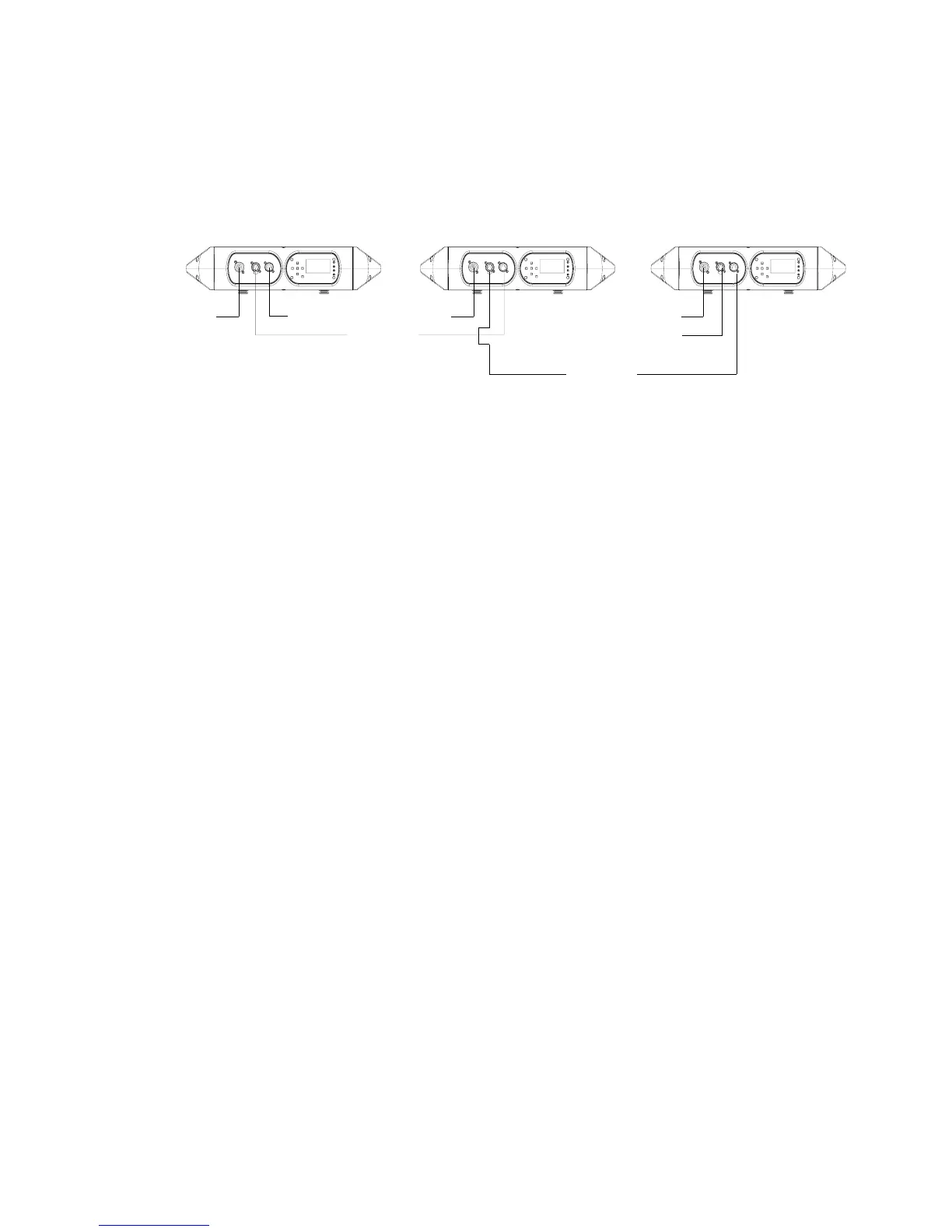
A DMX termination connector is used in this process. Refer to page 17 for more information regarding
the construction of this connector.
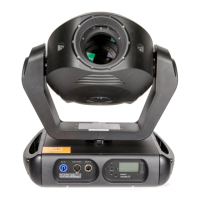
Figure 3-5: Software Transfer Setup
Transfer Procedure
This procedure is used to transfer software versions between luminaires.
Step 1. At last luminaire, install DMX termination connector into DATA THRU XLR connector.
Step 2. At master luminaire (first in chain) Menu Display, press [Menu].
Step 3. Press [Up] / [Down] arrows until Fixture appears.
Step 4. Press [Up] / [Down] arrows until Download appears. Press [Enter].
Step 5. OK? will be displayed. Press [Enter] to accept.
Step 6. Download will proceed. (Download will take 4-5 seconds.) The number of blocks displayed
will be less in a luminaire-to-luminaire download than in a PC-to-luminaire download for
the same software version.
Step 7. Once download is complete, luminaire will automatically recalibrate. Once recalibration is
complete, reset (recalibrate again) luminaire.
Verify software version at luminaire:
Step 1. At Menu Display, press [Menu].
Step 2. Press [Up] / [Down] arrows until Fixture appears. Press [Enter].
Step 3. Press [Up] / [Down] arrows until Version appears. Press [Enter].
The first half of the version will be displayed as a date (MM/DD/YY). For example, 03/18/
03 (March 18, 2003).
Press [Enter] to display second half of version. This will be displayed as a time (HH:MM).
(For example, 16.36 = 4:36 pm)
Master luminaire containing
software version to download
Luminaire 1
requiring update
Luminaire 2
requiring update
Data In
Termination
Data Thru
AC In AC In AC In
Data Thru








 To Next Page