EasyManua.ls Logo

Philips VR 665 - 5. Direct Recording Operations; Initiating Direct Recording

Philips VR 665
34 pages
Print Icon
To Next Page IconTo Next Page
To Previous Page IconTo Previous Page
Loading...
5.
HOW
DO
i
RECORD
DIRECTLY?
The
easiest
way
to
record
is
to
record
a
TV
pro¬
gramme
that
is
currently
being
transmitted.
Q
Insert
a
c
assette
or
switch
the
video
recorder
on
with
the
I
stop
u
|
button.
©
Use
the
1
+
I
or
I
~
I
button
to
select
the
programme
number
from
which
you
wish
to
record,
e.g.
'POT.
p
n
i
rrna
nn
nr
u
i
_i
i
LII
uli
ua
Q
When
you
w
i
s
h
to
start
recording,
press
the
I
record]
button
on
your
set.
'REC'
appears
in
the
video
recorder
display.
The
video
recorder
will
record
the
required
TV
programme.
p
n
i
nrr
nn
in
U
f
MLL
uu
tu
Some
general
notes:
*
Programme
numbers
'ET
and
'E2'
are
provided
for
recording
from
external
sources
(via
the
I
i
external/euro
av
)
l
or
12
EXTERNAL/DECODER
21
scart
socket).
*
Whilst
a
recording
is
being
made
you
cannot
switch
to
another
TV
channel
on
the
video
recorder.
*
If
you
wish
to
re
c
o
r
d
at
a
different
speed
(SP/LP),
press
the
I
SP/LP
I
button
on
your
remote
control.
'LP'
appears
in
the
display.
*
If
you
have
forgotten
to
load
a
cassette,
the
warning
'NO
CASS'
will
appear.
*
If
you
have
accidentally
loaded
a
cassette
with
erase
protection,
the
warning
'PROTECTED'
will
appear.
The
cassette
will
be
automatically
ejected.
*
If
the
end
of
the
cassette
is
reached
during
recording,
the
cassette
will
be
automatically
ejected.
The
set
will
then
switch
to
standby
after
a
few
minutes.
Erase
protection
Q
To
stop
recording,
press
the
I
stopm
I
button.
Note:
*
If
you
do
not
want
to
record
to
the
end
of
the
cassette,
press
the
I
record]
button
on
your
remote
control
again.
The
display
shows
at
what
time
the
recording
will
s
top.
With
ea
c
h
subsequent
press
of
the
I
record]
button
you
can
add
30
minutes
to
this
time.
If
you
have
pressed
too
many
times,
you
can
return
to
the
normal
recording
status
by
pressing
the
I
CLEAR
|
button
(remote
control).
As
soon
as
the
end
time
is
reached,
the
set
will
switch
off
automatically.
Can
I
switch
off
the
TV
set
during
recording?
Yes!
Your
video
recorder
has
its
own
receiver
which
enables
it
to
record
TV
programmes.
This
means
that
you
can
use
the
TV
set
independently
of
the
video
recorder
whilst
recording.
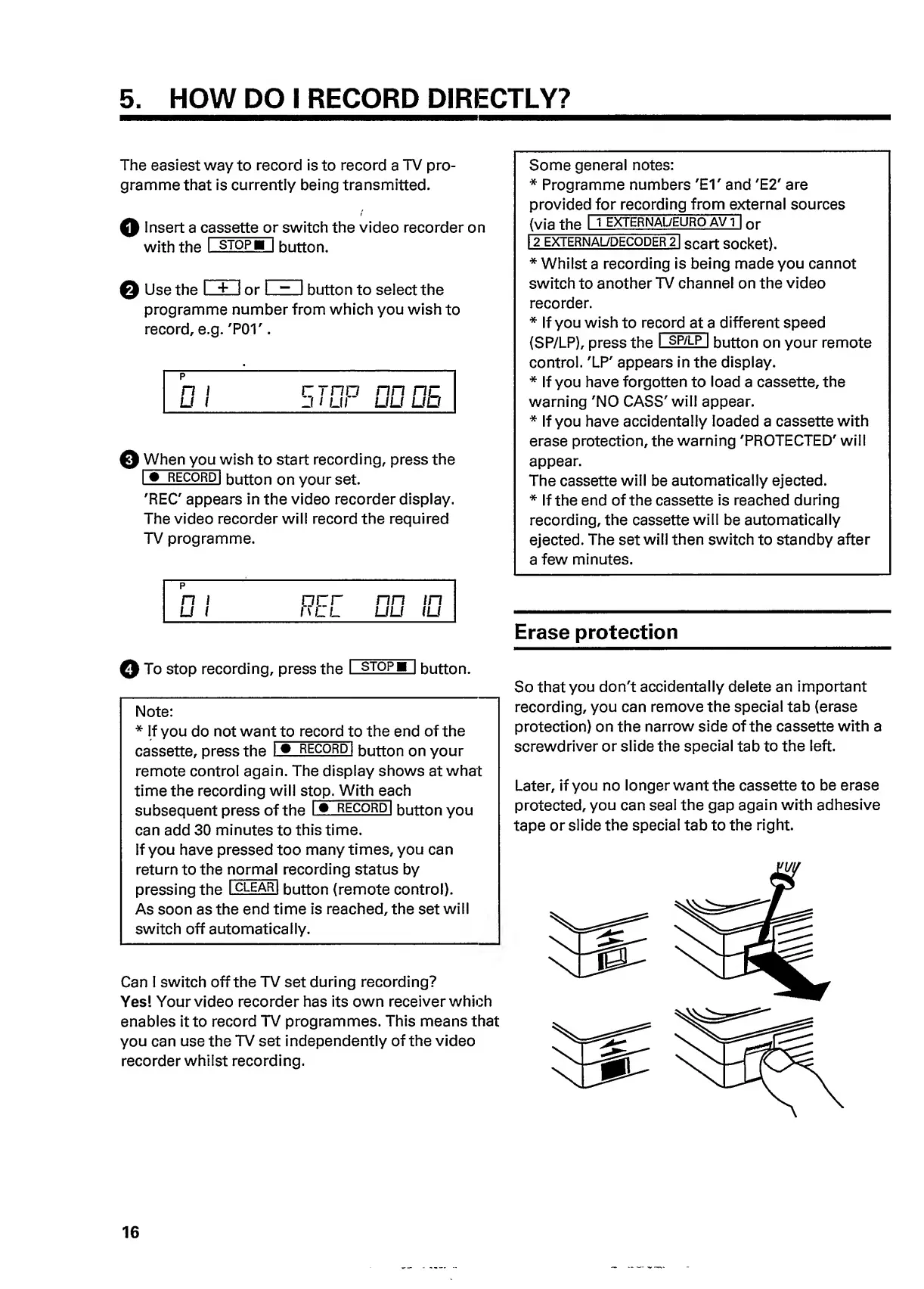
So
that
you
don't
accidentally
delete
an
important
recording,
you
can
remove
the
special
tab
(erase
protection)
on
the
narrow
side
of
the
cassette
with
a
screwdriver
or
slide
the
special
tab
to
the
left.
Later,
if
you
no
longer
want
the
cassette
to
be
erase
protected,
you
can
seal
the
gap
again
with
adhesive
tape
or
slide
the
special
tab
to
the
right.
16

Related product manuals