EasyManua.ls Logo

Philips VR 665 - 2. Installation and Setup; Aerial Connection Procedure

Philips VR 665
34 pages
Print Icon
To Next Page IconTo Next Page
To Previous Page IconTo Previous Page
Loading...
2.
INSTALLATION.
HOW
DO
I
INSTALL
THE
VIDEO
RECORDER?
How
to
insert
the
batteries
into
the
Connecting
to
the
aerial
remote
control
|ยง|
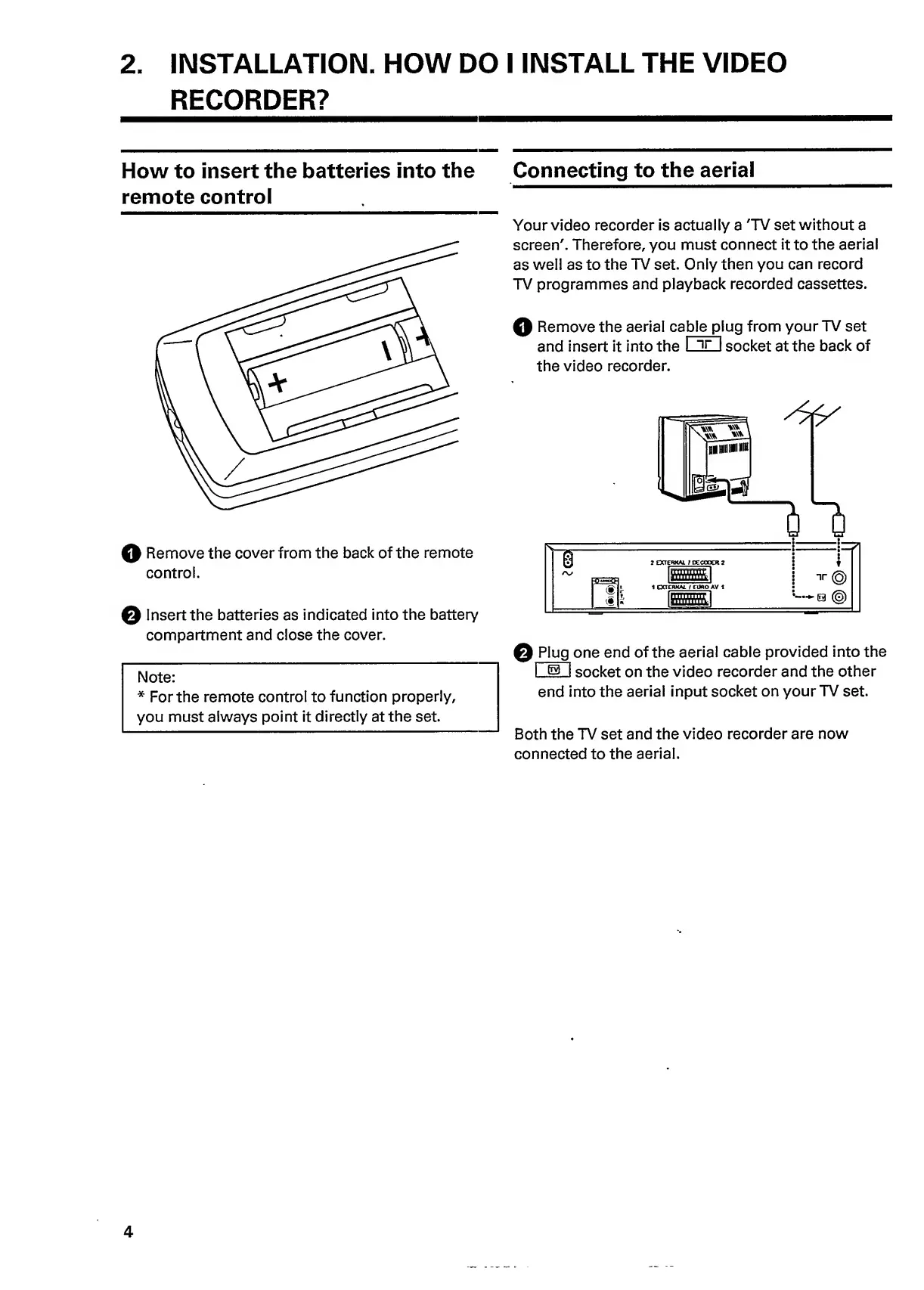
Remove
the
cover
from
the
back
of
the
remote
control.
Q
Insert
the
batteries
as
indicated
into
the
battery
compartment
and
close
the
cover.
Note:
*
For
the
remote
control
to
function
properly,
you
must
always
point
it
directly
at
the
set.
Your
video
recorder
is
actually
a
'TV
set
without
a
screen'.
Therefore,
you
must
connect
it
to
the
aerial
as
well
as
to
the
TV
set.
Only
then
you
can
record
TV
programmes
and
playback
recorded
cassettes.
Q
Remove
the
aerial
ca
b
l
e
p
l
u
g
from
your
TV
set
and
insert
it
into
the
I
ir
I
socket
at
the
back
of
the
video
recorder.
Q
Plug
one
end
of
the
aerial
cable
provided
into
the
I
63
I
socket
on
the
video
recorder
and
the
other
end
into
the
aerial
input
socket
on
your
TV
set.
Both
the
TV
set
and
the
video
recorder
are
now
connected
to
the
aerial.
4

Related product manuals