EasyManua.ls Logo

Philips VR 665 - Connecting a Decoder or Other Additional; Connecting to a Satellite Receiver; Emergency Interrupt

Philips VR 665
34 pages
Print Icon
To Next Page IconTo Next Page
To Previous Page IconTo Previous Page
Loading...
Saving
energy
Connecting
to
a
satellite
receiver
You
can
choose
between
two
methods
of
switching
off.
1.
To
save
ene
r
gy
-
switch
off
using
the
I
STANDBY
(!)
|
button
on
the
video
recorder.
The
clock
time
disappears
off
the
display.
2.
N
o
r
mal
method
of
switching
off
-
switch
off
using
the
I
standby6
|
button
on
the
remote
control.
The
clock
time
remains
displayed.
Connecting
a
decoder
or
other
additional
equipment
You
can
also
connect
additional
equipment
to
the
12
external/decoderTI
socket,
for
instance,
a
CD-Interactive,
satellite
receiver
or
camcorder.
Some
TV
broadcasters
transmit
encoded
television
programmes
which
you
can
only
see
with
a
purchased
or
rented
decoder.
You
can
connect
such
a
decoder
(descrambler)
to
this
set.
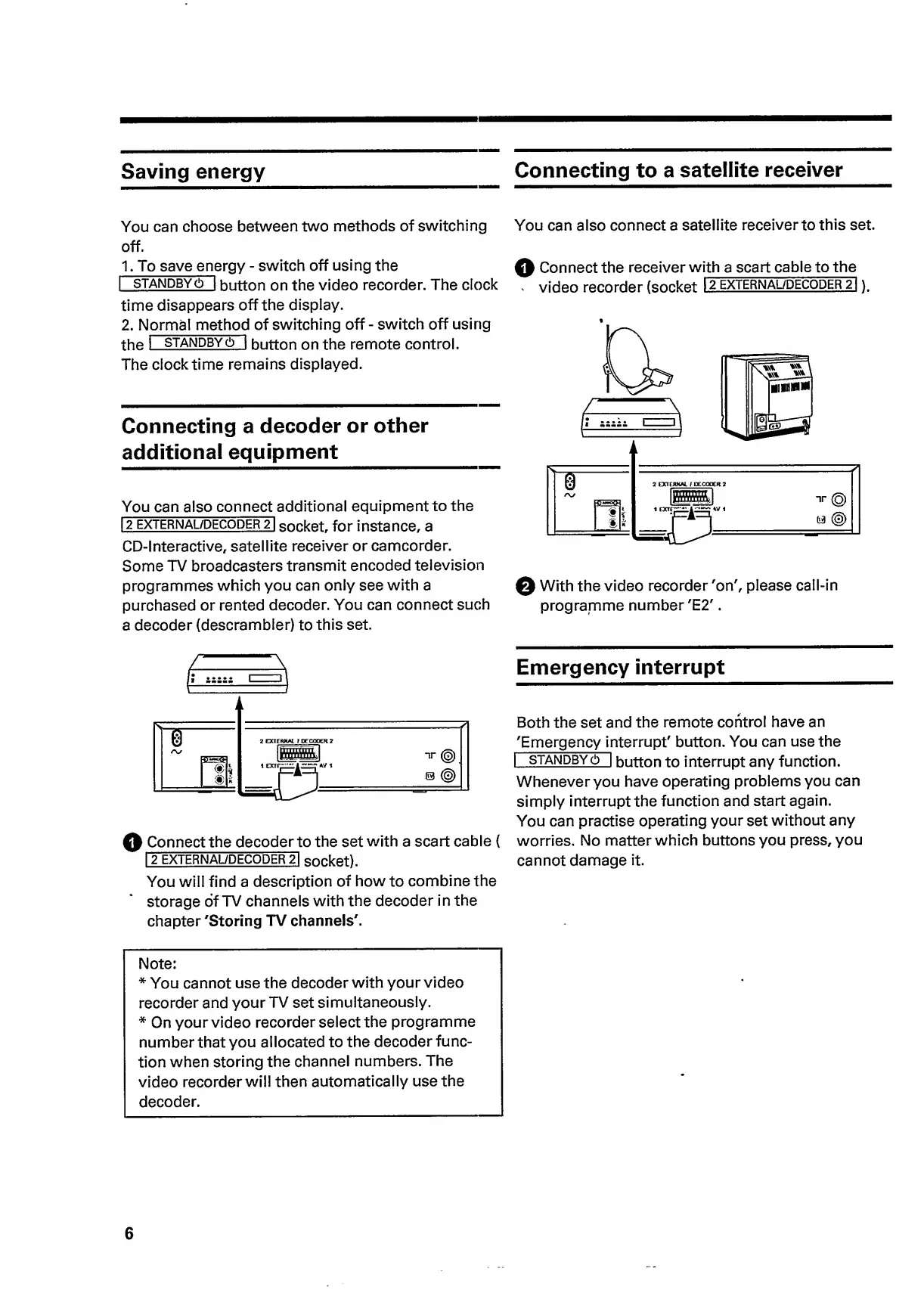
You
can
also
connect
a
satellite
receiver
to
this
set.
Q
Connect
the
receiver
w
i
th
a
scart
cable
to
the
'
video
recorder
(socket
12
external/decoder
21
)
,
Q
With
the
video
recorder
'on',
please
call-in
programme
number
'E2'.
Q
Connect
the
decoder
to
the
set
with
a
scart
cable
(
1
2
EXTERNAL/DECODER
21
socket).
You
will
find
a
description
of
how
to
combine
the
storage
of
TV
channels
with
the
decoder
in
the
chapter
'Storing
TV
channels'.
Emergency
interrupt
Both
the
set
and
the
remote
control
have
an
'Emergency
in
terrupt'
button.
You
can
use
the
I
standby
(!)
I
button
to
interrupt
any
function.
Whenever
you
have
operating
problems
you
can
simply
interrupt
the
function
and
start
again.
You
can
practise
operating
your
set
without
any
worries.
No
matter
which
buttons
you
press,
you
cannot
damage
it.
Note:
*
You
cannot
use
the
decoder
with
your
video
recorder
and
your
TV
set
simultaneously.
*
On
your
video
recorder
select
the
programme
number
that
you
allocated
to
the
decoder
func¬
tion
when
storing
the
channel
numbers.
The
video
recorder
will
then
automatically
use
the
decoder.
6

Related product manuals