EasyManua.ls Logo

Philips VR 665 - System Settings and Configuration; Setting the Clock and Date

Philips VR 665
34 pages
Print Icon
To Next Page IconTo Next Page
To Previous Page IconTo Previous Page
Loading...
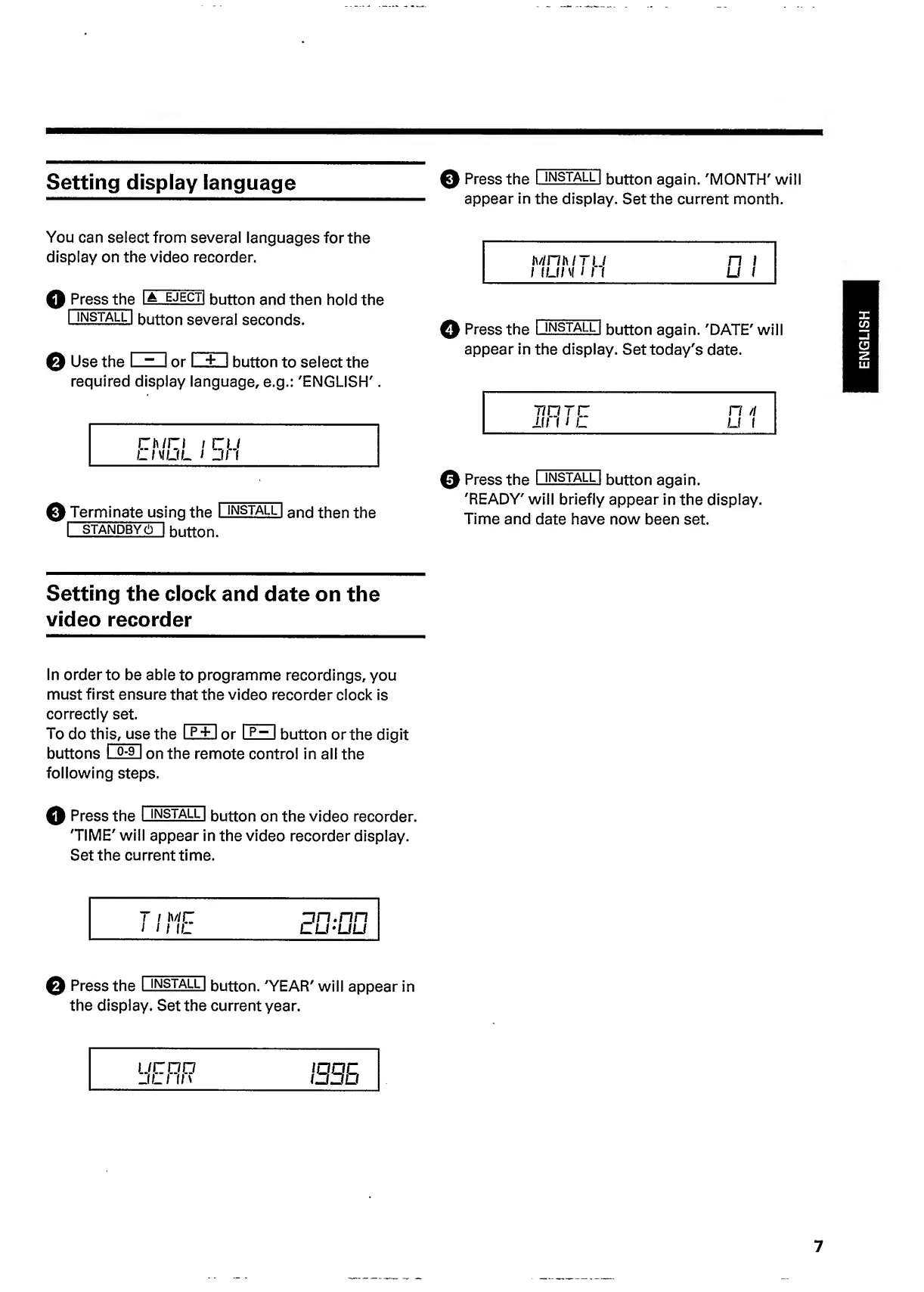
Setting
display
language
©
Press
the
I
INSTALL
I
button
again.
'MONTH'
will
.
.
.
appear
in
the
display.
Set
the
current
month.
You
can
select
from
several
languages
for
the
display
on
the
video
recorder.
Q
Press
the
lA
ejecti
button
and
then
hold
the
|
install
|
button
several
seconds.
0
Use
the
<
~
I
or
l_±.
I
button
to
select
the
required
display
language,
e.g.:
'ENGLISH'.
0
Terminate
using
the
I
install
I
a
n
d
then
the
I
STANDBY
(!)
~|
button.
MnhlTIJ
n
i
1
ILK
V
III
U
1
0
Press
the
I
install
I
button
again.
'DATE'
will
appear
in
the
display.
Set
today's
date.
T7DTC
111
I
i
L
n
n
U
I
0
Press
the
I
install
|
button
again.
'READY'
will
briefly
appear
in
the
display.
Time
and
date
have
now
been
set.
Setting
the
clock
and
date
on
the
video
recorder
In
order
to
be
able
to
programme
recordings,
you
must
first
ensure
that
the
video
recorder
clock
is
correctly
set.
To
do
th
i
s
,
us
e
the
I
p
+
1
or
I
p
~
I
button
or
the
digit
buttons
I
°~
9
I
on
the
remote
control
in
all
the
following
steps.
0
Press
the
I
install
|
button
on
the
video
recorder.
'TIME'
will
appear
in
the
video
recorder
display.
Set
the
current
time.
0
Press
the
I
install
I
button.
'YEAR'
will
appear
in
the
display.
Set
the
current
year.
UCDO
JL
I
II
\
1335
7
ENGLISH

Related product manuals