EasyManua.ls Logo

Philips VR 665 - Page 23

Philips VR 665
34 pages
Print Icon
To Next Page IconTo Next Page
To Previous Page IconTo Previous Page
Loading...
Please
note:
*
It
is
possible
to
programme
a
recording
31
days
(one
month)
in
advance.
If,
for
example,
today
is
the
02nd
of
March
and
you
programme
the
date
as
'01',
the
recording
will
be
made
on
the
01st
of
April.
For
a
TV
programme
starting
at
midnight,
i.e.
at
00:00,
enter
the
date
of
the
following
day
as
the
recording
date.
0
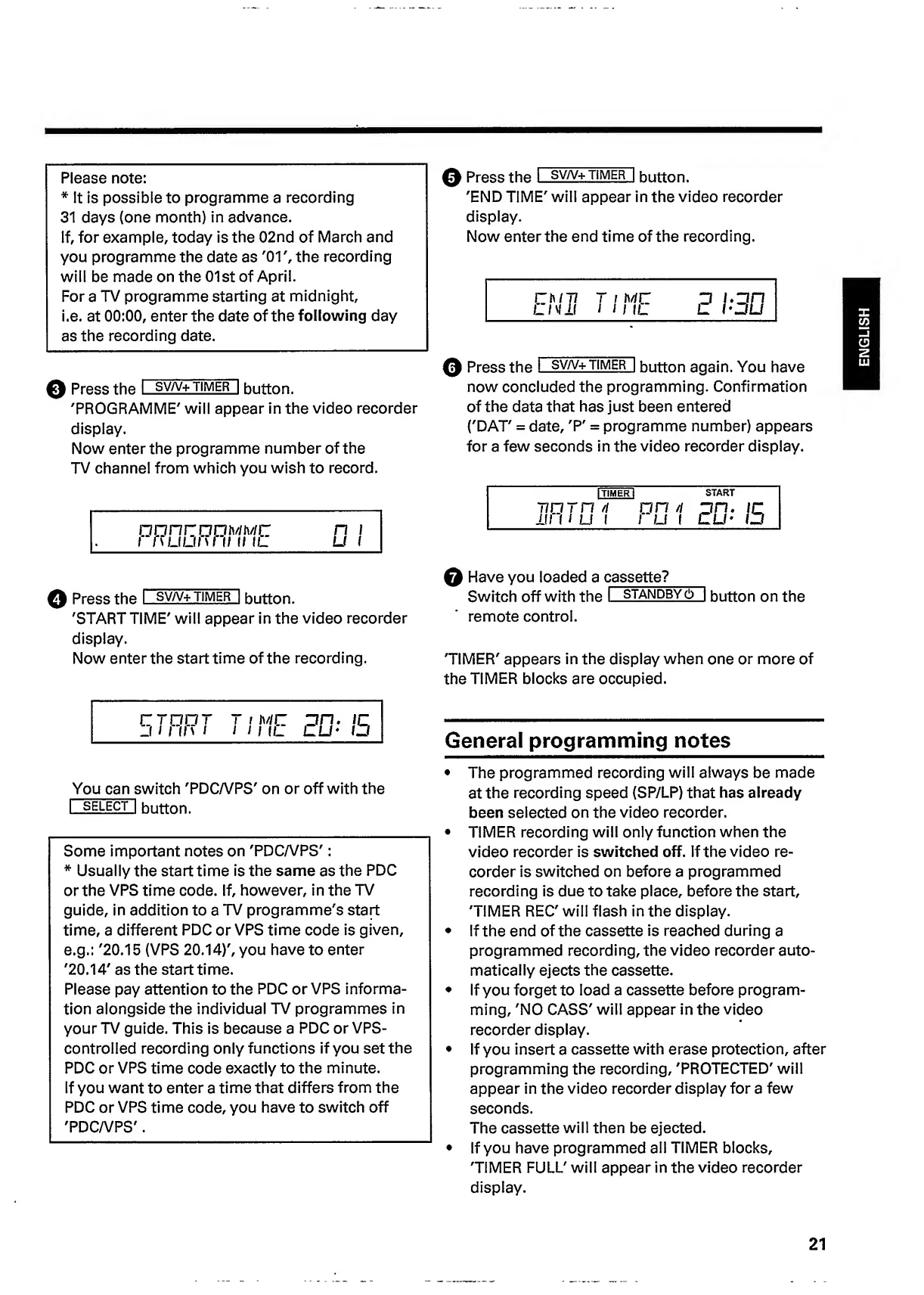
Press
the
I
sv/v+
timer
|
button.
'PROGRAMME'
will
appear
in
the
video
recorder
display.
Now
enter
the
programme
number
of
the
TV
channel
from
which
you
wish
to
record.
OUfl
fZOOMMO
I
fWJLI/W
II
II
IL
n
u
0
Press
the
I
sv/v+
t
i
m
e
r
|
button.
'STARTTIME'
will
appear
in
the
video
recorder
display.
Now
enter
the
start
time
of
the
recording.
rraor
J
I
I
ll
s
i
T
i
nc
I
I
I
IL
on.
ir
OU-
ID
You
can
s
witch
'PDC/VPS'
on
or
off
with
the
I
SELECT
I
button.
Some
important
notes
on
'PDCA/PS':
*
Usually
the
start
time
is
the
same
as
the
PDC
or
the
VPS
time
code.
If,
however,
in
the
TV
guide,
in
addition
to
a
TV
programme's
start
time,
a
different
PDC
or
VPS
time
code
is
given,
e.g.:
'20.15
(VPS
20.14)',
you
have
to
enter
'20.14'
as
the
start
time.
Please
pay
attention
to
the
PDC
or
VPS
informa¬
tion
alongside
the
individual
TV
programmes
in
your
TV
guide.
This
is
because
a
PDC
or
VPS-
controlled
recording
only
functions
if
you
set
the
PDC
or
VPS
time
code
exactly
to
the
minute.
If
you
want
to
enter
a
time
that
differs
from
the
PDC
or
VPS
time
code,
you
have
to
switch
off
'PDCA/PS'.
0
Press
the
I
sv/v+
t
imer
|
button.
'END
TIME'
will
appear
in
the
video
recorder
display.
Now
enter
the
end
time
of
the
recording.
0
Press
the
I
sv/v+
timer
|
button
again.
You
have
now
concluded
the
programming.
Confirmation
of
the
data
that
has
just
been
entered
('DAT'
=
date
,=
programme
number)
appears
for
a
few
seconds
in
the
video
recorder
display.
|
TIMER!
START
nurn
/i
nn
n
On.
iq
111
u
U
1
1
U
1
DU'
ID
0
Have
you
loaded
a
cassette?
Switch
off
with
the
I
standby
(!)
|
button
on
the
remote
control.
'TIMER'
appears
in
the
display
when
one
or
more
of
the
TIMER
blocks
are
occupied.
General
programming
notes
The
programmed
recording
will
always
be
made
at
the
recording
speed
(SP/LP)
that
has
already
been
selected
on
the
video
recorder.
TIMER
recording
will
only
function
when
the
video
recorder
is
switched
off.
If
the
video
re¬
corder
is
switched
on
before
a
programmed
recording
is
due
to
take
place,
before
the
start,
'TIMER
REC'
will
flash
in
the
display.
If
the
end
of
the
cassette
is
reached
during
a
programmed
recording,
the
video
recorder
auto¬
matically
ejects
the
cassette.
If
you
forget
to
load
a
cassette
before
program¬
ming,
'NO
CASS'
will
appear
in
the
video
recorder
display.
If
you
insert
a
cassette
with
erase
protection,
after
programming
the
recording,
'PROTECTED'
will
appear
in
the
video
recorder
display
for
a
few
seconds.
The
cassette
will
then
be
ejected.
If
you
have
programmed
all
TIMER
blocks,
'TIMER
FULL'
will
appear
in
the
video
recorder
display.
21
ENGLISH

Related product manuals