58
EN
1)The remote controller has been matched with the Smart Meeting Recorder at the
factory; if the user uses a new remote controller or the remote controller has an
error, it has to be matched again. Click “My Settings” on the main menu screen to
enter “Remote Controller Pairing” for code pairing. See Section 5.12.2 in Section
5.12 “My Settings” for the detailed code pairing method.
2) There are two remote controllers – remote controllers 1 and 2, for which one
language can be set respectively for automatic identification and translation.
Before speaking, please press down and hold the microphone button on remote
controller; after the speech is completed, please release the microphone button.
When using the externally-connected wired microphone or the built-in micro-
phone of remote controller, the automatic identification of voice inputted via dif-
ferent microphone as well as the automatic changeover between original contents
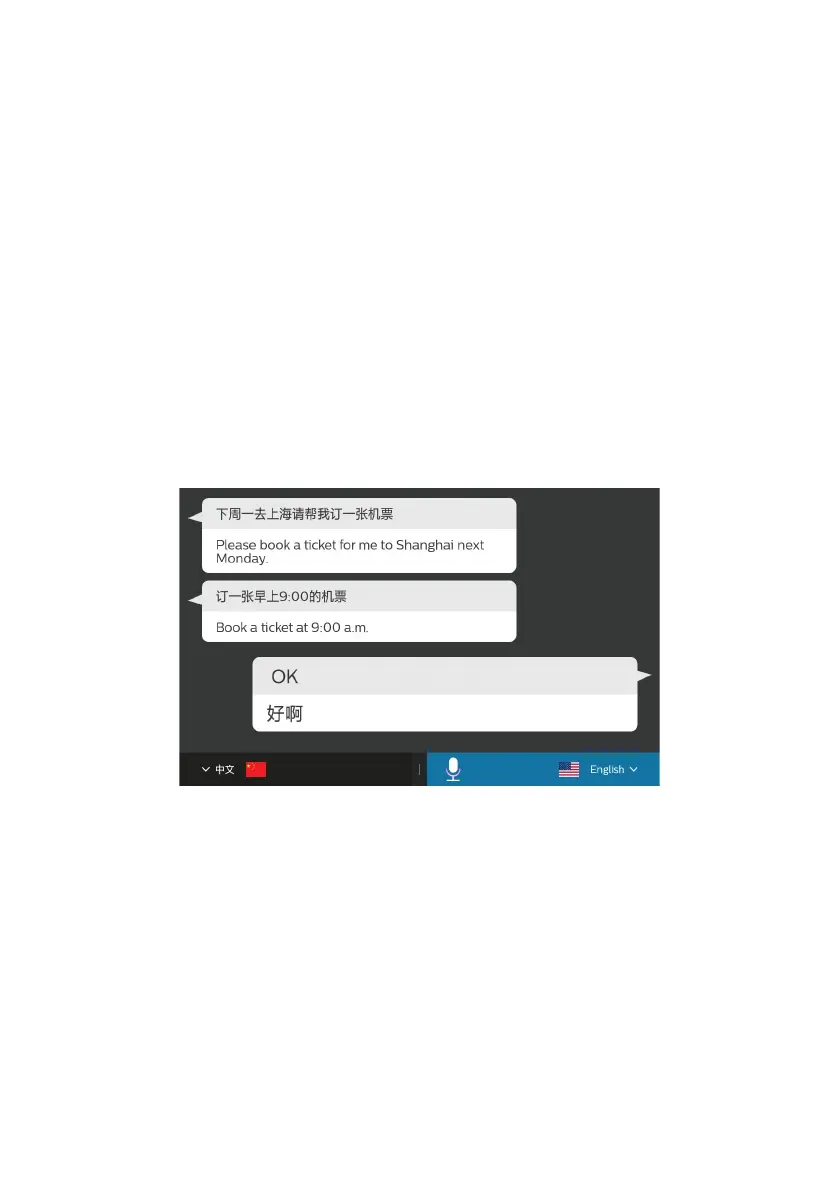
and interpreted contents can be carried out on commercial interpretation page, as
indicated in the figure below:










 To Next Page