English
EN
59
Note
1.The commercial interpretation function has sound-playing mode and
no-sound-playing mode. In the sound-playing mode, the interpreted
contents will be played. In the no-sound-playing mode, the interpreted
contents will only be displayed on screen.
2. In the input mode via microphone of remote controller, if you want
to set the language to be identified as Chinese and set the language
interpreted as English, please long-press the microphone button on
remote controller 1 and speak Chinese towards the microphone, and
then the language will be changed to Chinese automatically; similarly,
long-press the microphone button on remote controller 2 and speak
English towards the microphone, and then the language will be changed
to English automatically without any clicking operation on screen.
5.4 Loudspeaker
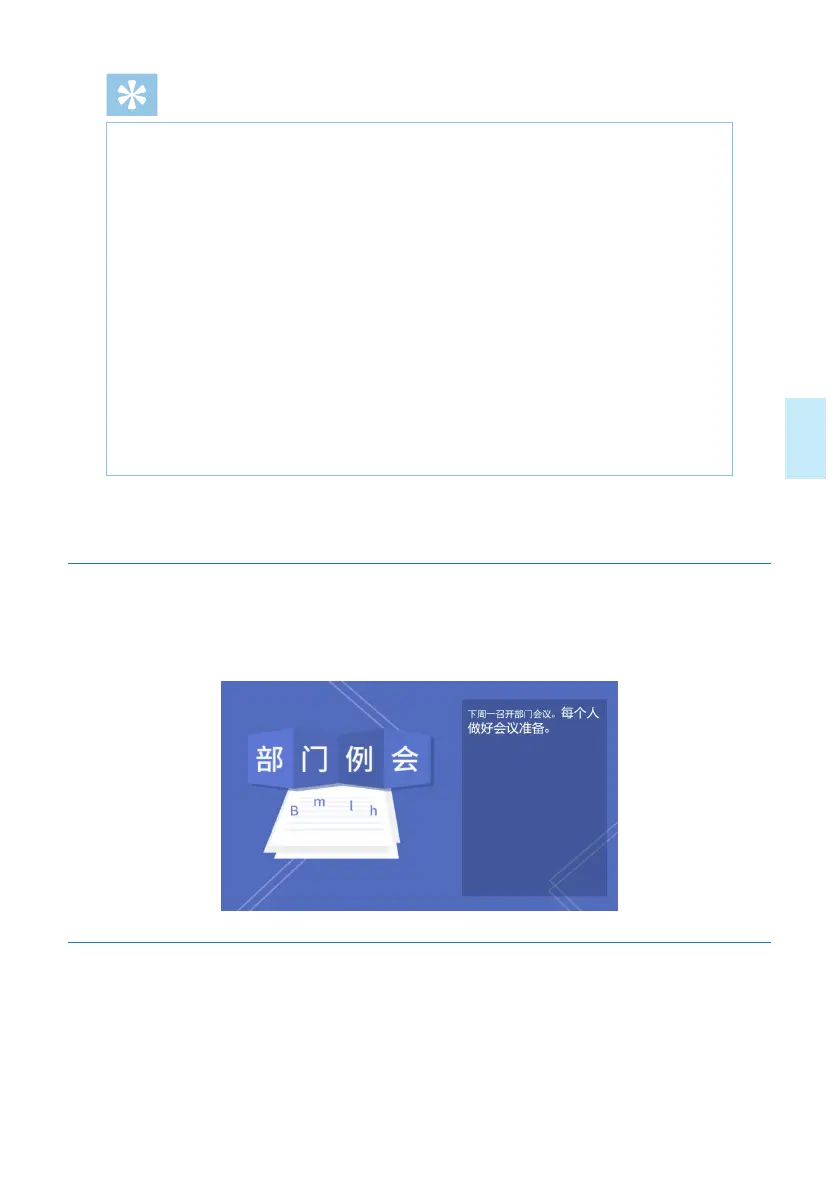
Smart Meeting Recorder has the loudspeaker function, sound amplification and text
display can be realized on the loudspeaker screen, as indicated in the figure below:
5.4.1 Setting of Background
Click anywhere on the screen, the Menu will pop up below the screen, click the "Set
background" button to enter the settings background interface.The system oers the
option of no background (white by default), themed background and self-defined back-
ground (1,024x600 pixels), as indicated in the figure below:










 To Next Page