English
EN
51
5 Introduction to Functions
5.1 File Management
In the file management function of Smart Meeting Recorder , the files will be archived
by PPT, PDF, WORD, EXCEL, audio, video, picture and others. You can directly open
a file by clicking the corresponding file icon. In order to better display the contents of
file, you can connect a projector or large-screen display equipment.
5.1.1 Connection with Projector
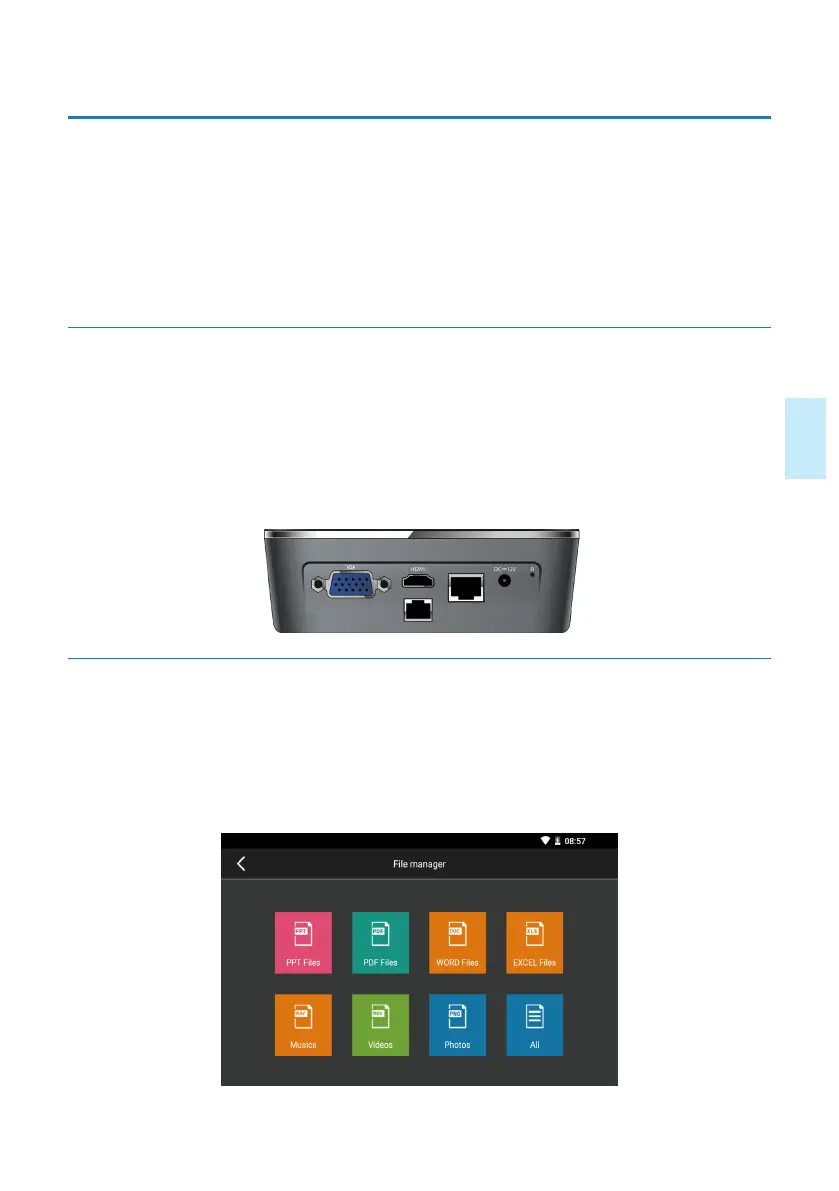
The Smart Meeting Recorder device supports the video output via two ports (VGA
port and HDMI port), so that the projector or large-screen display equipment can be
connected conveniently. Please connect projector or large-screen display equipment to
special port, As indicated in the figure below:
5.1.2 File Management
PPT
,
PDF
,
WORD, EXCEL
,
Audio
,
Video
,
Picture
,
“all” features can list the
relevant type files of this machine or USB flash device, respectively. When opening the
file, you can use the remote control microphone or wired microphone to perform the
speech at the same time. As indicated in the figure below:










 To Next Page