English
EN
71
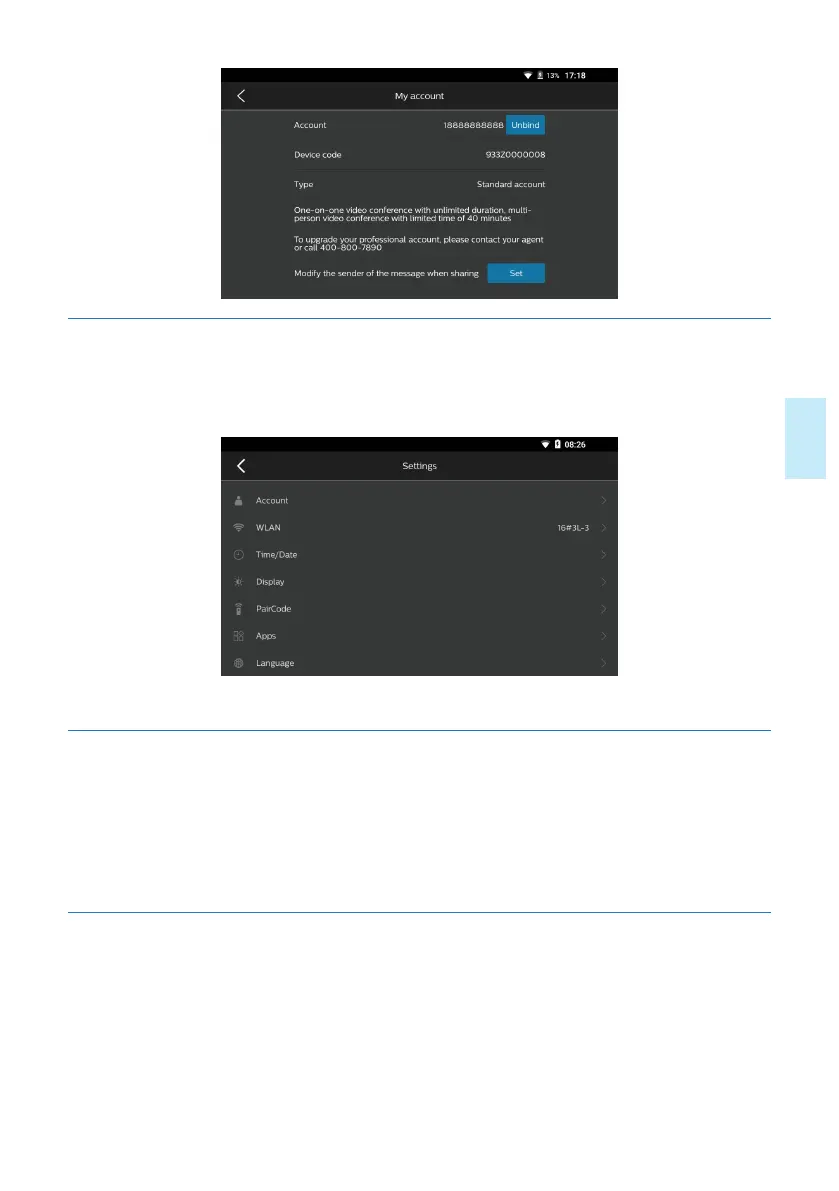
5.12 My Setting
In “My Settings”, you can set the account number, WLAN, time/date, display, remote
controller pairing, application, language, etc., as indicated in the figure below:
5.12.1 Advice for First Conguration
When you use Smart Meeting Recorder for the first time, you’re advised to set the
WLAN or enter the wired network directly, and then complete account registration
using your mobile phone number or mail account.
5.12.2 Matching for Remote Controller
On the menu page, click the option “matching menu for remote controller” to enter
the matching page, where you can view whether the remote controller is matched or
carry out matching for remote controller. Under the circumstance that the remote
controller is matched, the status bar below will display “Connected”; if the remote
controller is not matched or is in dormant state, the status bar will display “Discon-










 To Next Page