66
EN
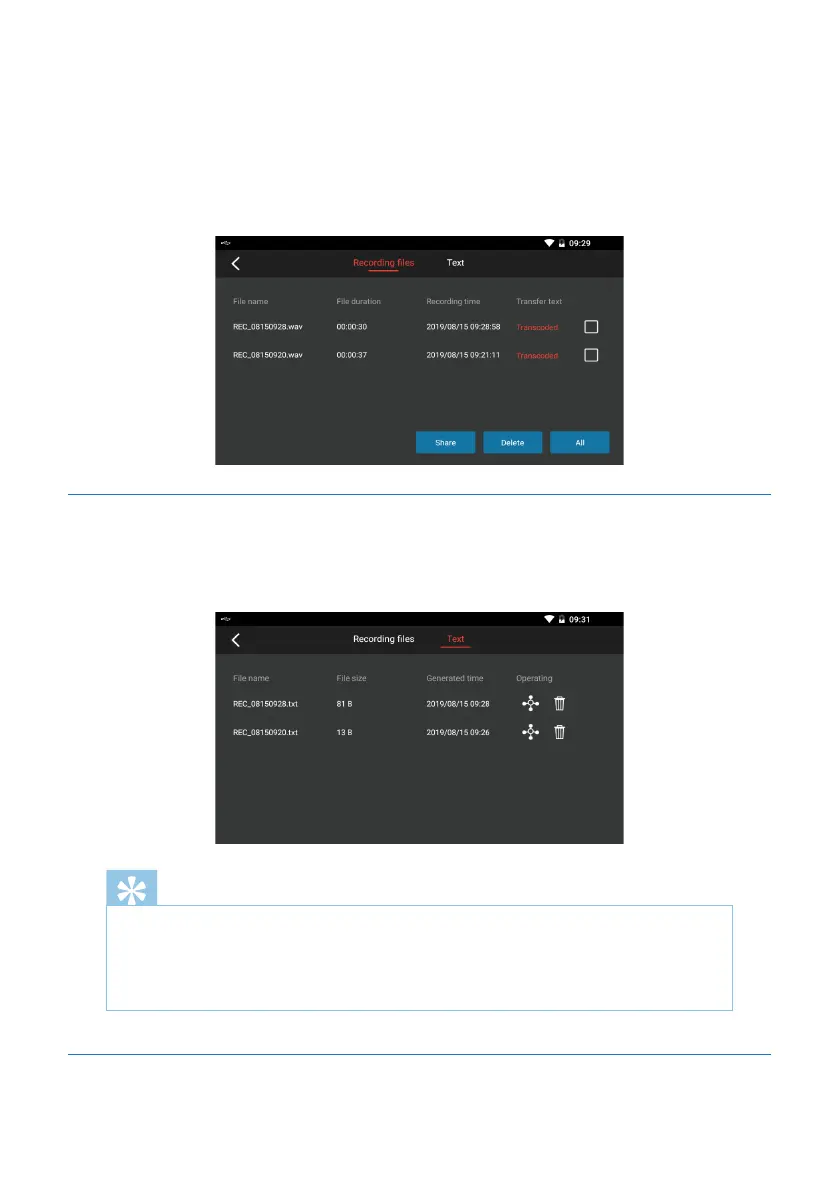
1) Display the file name, recording time and conversion state respectively by reading
all audio files in the recording memory.
2) When the word “completed” is displayed for a recording file, this means that such
audio has been converted, and you can also click it to view or re-convert the text.
3) You can click the icon “Share” or “Delete” respectively to share or delete the audio
files in batch, as indicated in the figure below:
5.6.3 Converted Text
You can click a line to view and edit the contents of converted text, and can also share
and delete the text.
Note
1. When the recording sign appears, this means that recording begins, and
then the recording operation can be carried out.
2. During recording, the sound-to-text function is not available.
5.7 Screen Projection for Mobile Phone










 To Next Page