70
EN
Click the icon “Browser” on the page to enter the Google browser. You can directly
search the desired contents and information.
5.10 App Store
“App Store” on the main screen oers some apps suitable for this product. The user
may download and use apps as necessary.
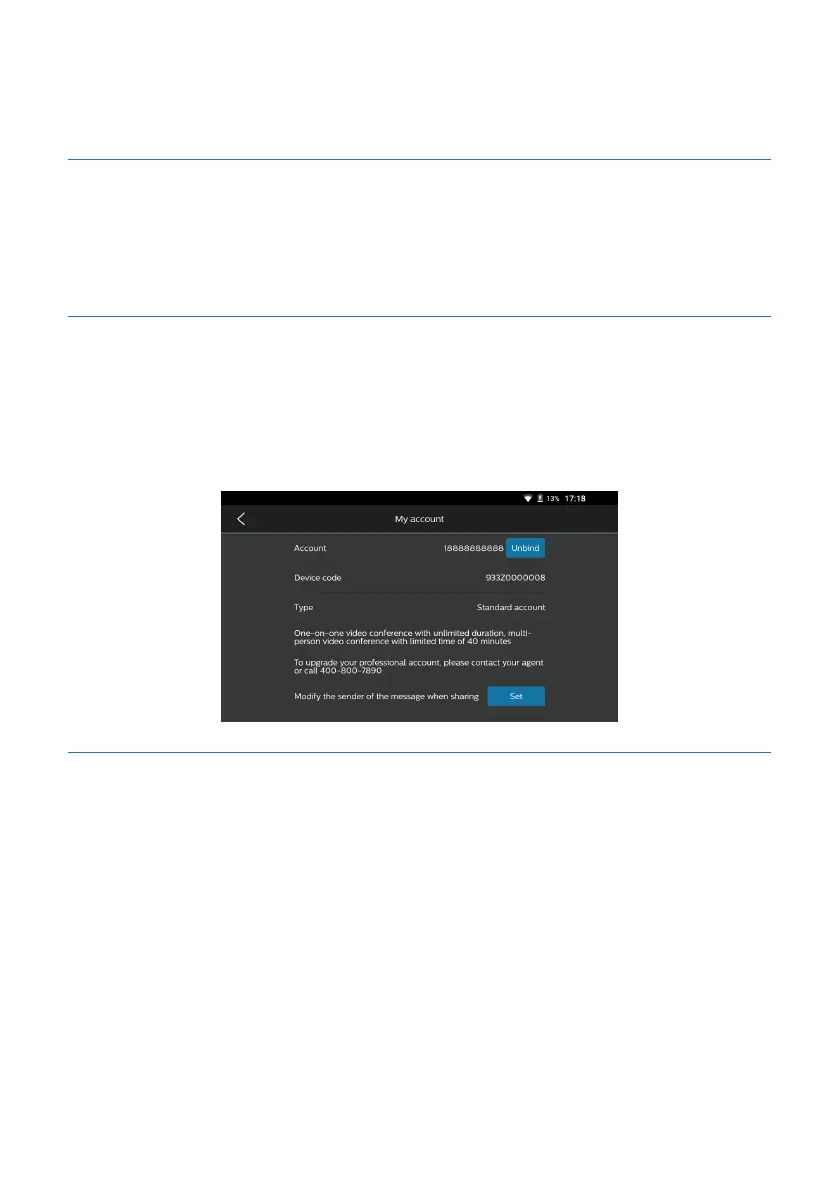
5.11 My Account
Click the icon “My Settings” on the main screen, and then click the account to enter
My Account screen, on which you can view details of the account (account number,
device code and account type), as indicated in the figure below:
5.11.1 Account upgrading
To upgrade to a professional account, please contact the dealer or dial the after-sales
service hotline 400-800-7890. After successful upgrading, you can view details of the
account (account number, device code, account type, and eective period and days of
account), as indicated in the figure below:










 To Next Page