60
EN
5.4.2 Smart Recognition Assistant
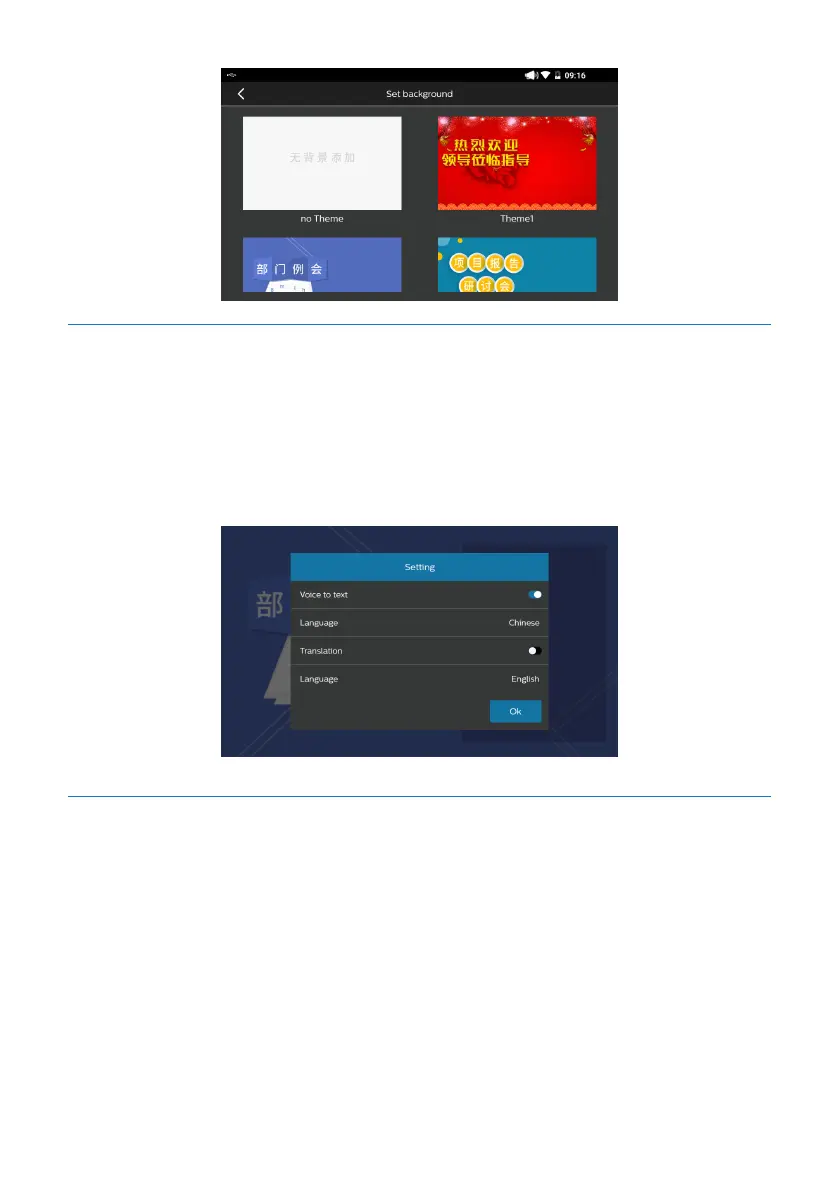
Click any location on screen, and then a menu will pop up on bottom of screen. Click
the smart recognition assistant button, and then the smart recognition assistant will
pop up. The user can select whether to turn on the voice-to-text function, and can
also select whether to turn on the smart interpretation function and change the lan-
guage to be identified, as indicated in the figure below:
5.4.3 Historical Text
Click any point of the screen, and a menu will pop up in the lower part of the screen.
Click “Historical Text”, and the user may edit, share and delete any saved text, as indi-
cated in the figure below:










 To Next Page