2 Basic Orientation
Basic Orientation
LIFEPAK 20 Defibrillator/Monitor Operating Instructions 2-15
©2002–2013 Physio-Control, Inc.
System Connector
For LIFEPAK 20 devices that do not have a CodeManagement Module attached, the system
connector is used to transfer setup information to another LIFEPAK 20 device or connect to LIFENET
®
Device Agent. For LIFEPAK 20 devices that have a CodeManagement Module attached, the system
connector is used to connect to LIFENET Device Agent.
ECG/SYNC Connector
The ECG/SYNC connector provides remote synchronization and real-time ECG output to a third party
monitor.
CO2 Exhaust Port
The CO2 exhaust port connects to a scavenger system when monitoring EtCO2 during use of
anesthetics.
Side View of CodeManagement Module
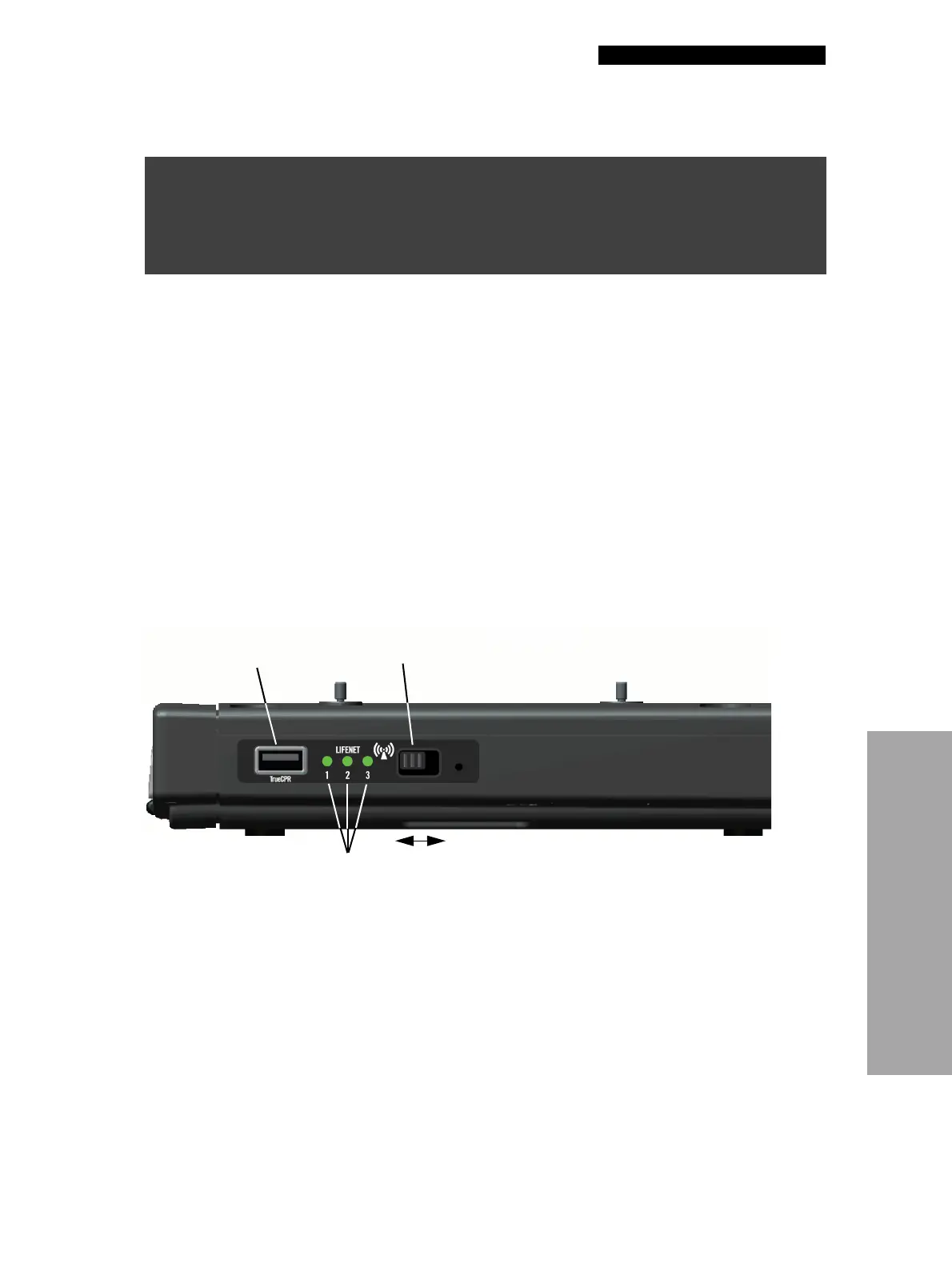
The CodeManagement Module has the following indicators and connectors on the right side.
Figure 2-17 Side View of CodeManagement Module
The following paragraphs provide additional information about the side view.
TrueCPR Device Port
The TrueCPR device port is used to transfer data from the TrueCPR™ Coaching Device to the
LIFENET System. Only the TrueCPR device should be connected to this port. Refer to Data Transfer
from TrueCPR Device, page 6-13.
Note: The TrueCPR device may not be available in all countries. Contact your local
Physio-Control representative for more information.
WARNING!
Shock hazard.
All equipment connected to the system or ECG/sync connector must be battery powered or
electrically isolated from AC power according to EN 60601-1. For more information, contact
Physio-Control Technical Support.
TrueCPR
device port
Wireless
indicators
Wireless
On/Off switch
On
Off




 To Next Page