Monitoring
3-2 LIFEPAK 20 Defibrillator/Monitor Operating Instructions
MONITORING THE ECG
The following subsections describe:
• ECG Monitoring Warning
• Selecting ECG Lead and Size
• Adjusting the Systole Tone Volume
• Monitoring ECG with Paddles Accessories
• Monitoring with the Patient ECG Cable
• Troubleshooting Tips for ECG Monitoring
ECG Monitoring Warning
Selecting ECG Lead and Size
There are two methods for selecting or changing the ECG lead. Both methods are available on your
LIFEPAK 20 defibrillator/monitor. The leads available depend on the ECG cable (3-wire or 5-wire)
connected to the device.
To change the ECG lead using the
LEAD button:
Note: If one or more lead sets are preconfigured, the menu will display the lead sets. Refer to
page 8-8 for information about configuring lead sets.
WARNING!
Possible misinterpretation of ECG data.
The frequency response of the monitor screen is intended only for basic ECG rhythm identification; it
does not provide the resolution required for diagnostic and ST segment interpretation. For diagnostic or
ST segment interpretation, or to enhance internal pacemaker pulse visibility, attach the ECG cable.
Then print the ECG rhythm in diagnostic frequency response (DIAG).
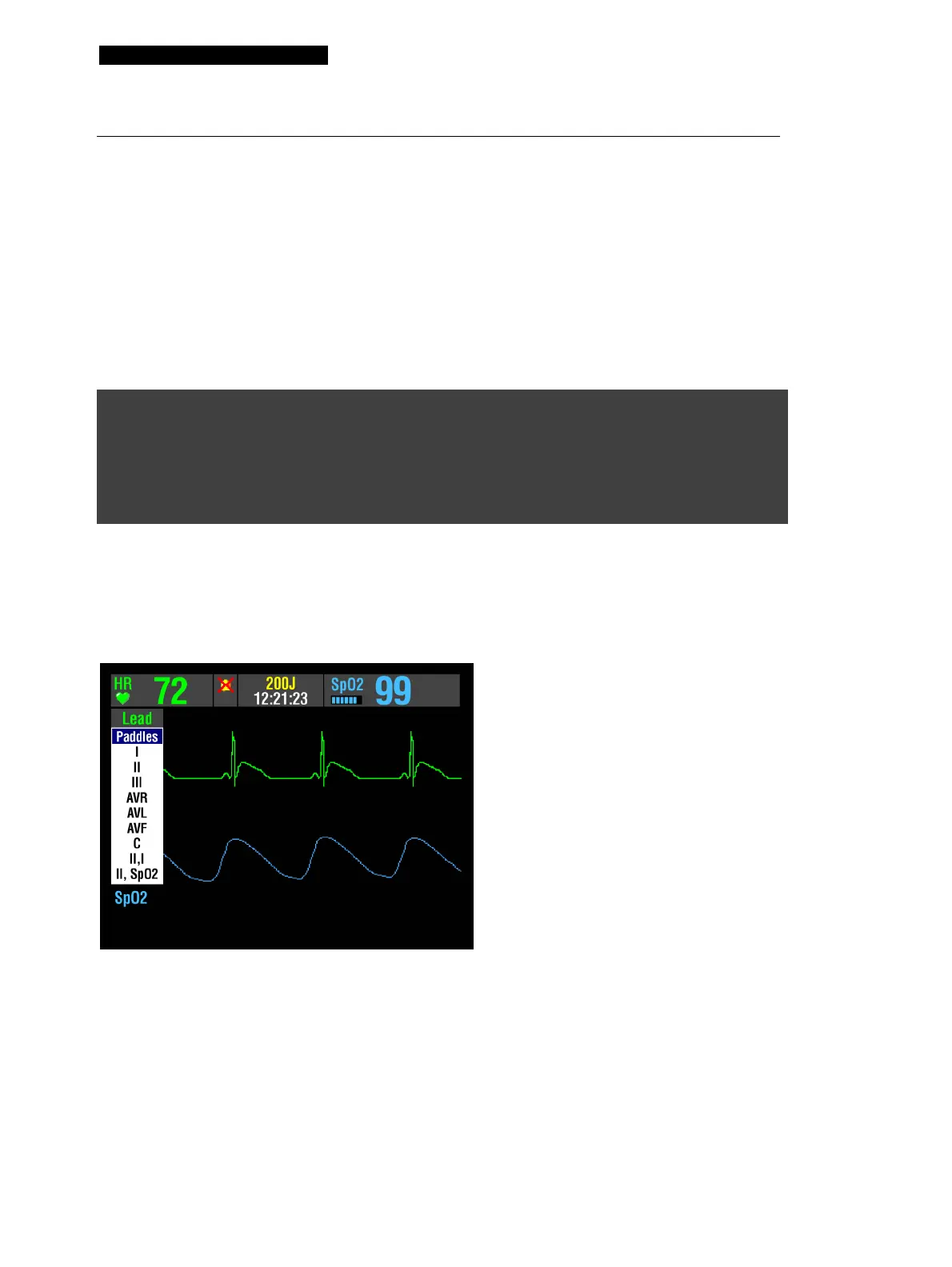
1 Press the LEAD button. If an ECG lead
appears, the lead automatically changes to
paddles. If paddles lead appears, the lead
automatically changes to lead II.
2 When the Lead menu appears, press the
LEAD button again or rotate the Speed Dial
to select another lead. The highlighted
selection shows the ECG lead.
Note: When the VF/VT alarm is on,
you are limited to paddles lead or
lead II in Channel 1. Refer to Setting
Alarms, page 2-17.



 To Next Page