2 Basic Orientation
Basic Orientation
LIFEPAK 20 Defibrillator/Monitor Operating Instructions 2-13
©2002–2013 Physio-Control, Inc.
Changing Printer Paper
Loading 50 mm Paper (MIN 804700)
The printer is equipped with an out-of-paper sensor to protect the printhead. The sensor automatically
turns off the printer if paper runs out or if the printer door is open.
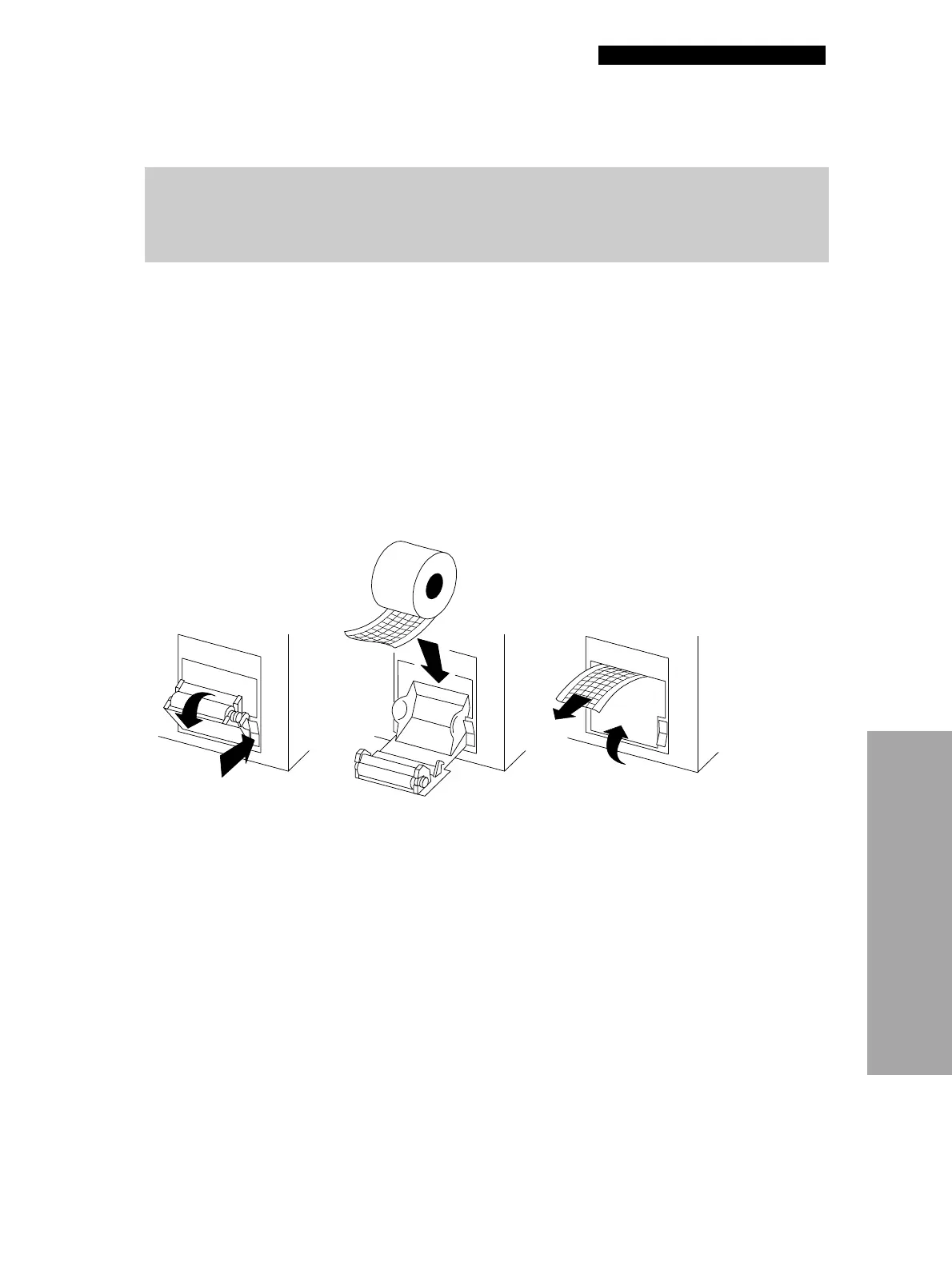
To load the paper:
1 Press the black button to open the printer door.
2 Remove the empty paper roll.
3 Insert the new paper roll, grid facing upward.
4 Pull out a short length of paper.
5 Push the printer door in to close.
Figure 2-14 illustrates the steps for loading 50 mm paper.
Figure 2-14 Printer
CAUTION!
Possible printer malfunction.
Using other manufacturers’ printer paper may cause the printer to function improperly and/or damage
the print head. Use only the printer paper specified in these operating instructions.



 To Next Page