Therapy
4-10 LIFEPAK 20 Defibrillator/Monitor Operating Instructions
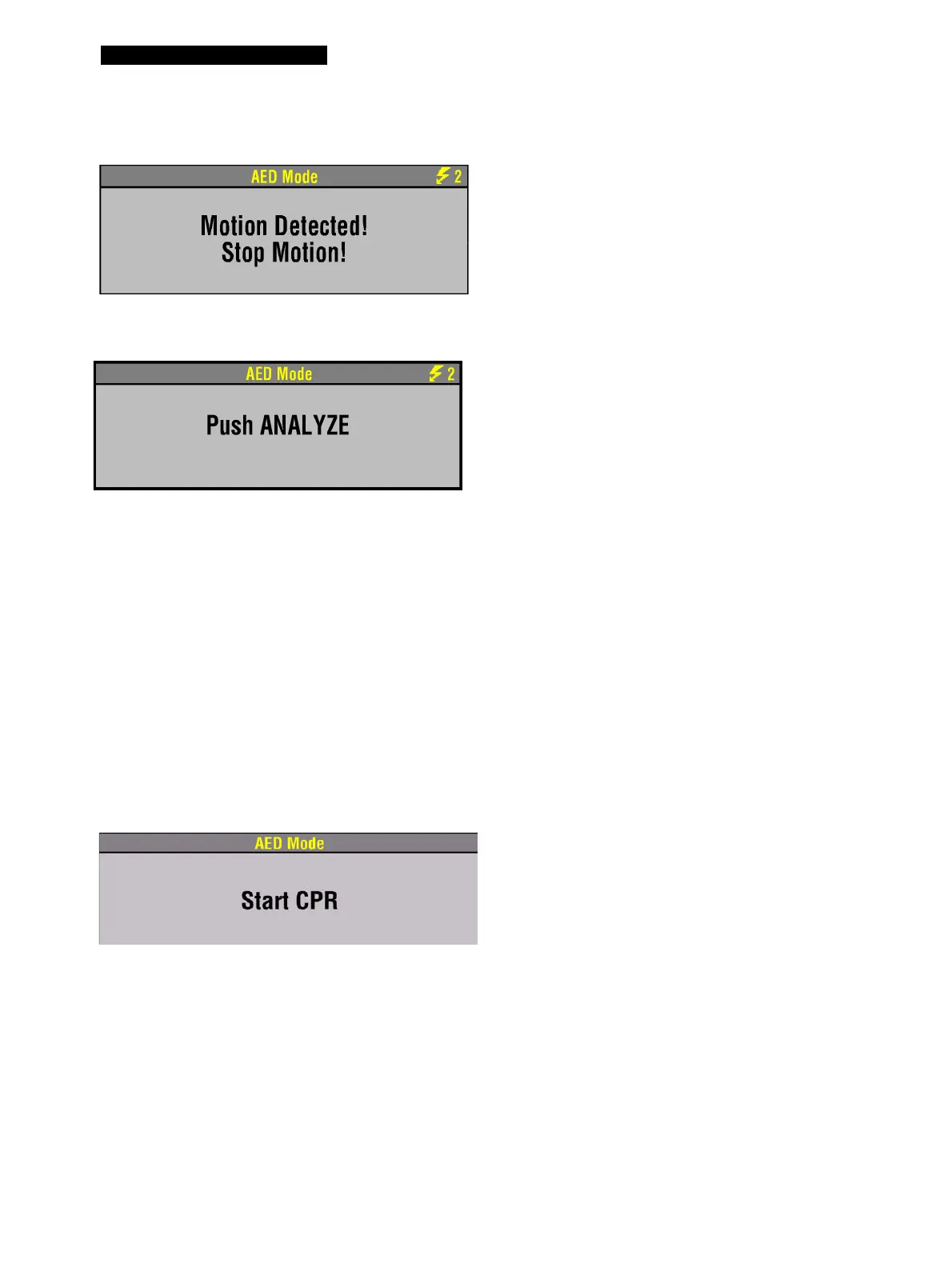
Motion Detected
Continuous Patient Surveillance System
Special AED Setup Options
The following descriptions of voice prompts and messages explain special cprMAX technology setup
options (refer to Appendix F).
Initial CPR - CPR First
When the
INITIAL CPR option is set to CPR FIRST, you will be prompted to START CPR immediately after
the AED is turned on.
If the motion is detected during the ECG
analysis, you will see and hear
MOTION
DETECTED, STOP MOTION
followed by a
warning tone. Analysis is inhibited up to 10
seconds. After 10 seconds, even if motion is
still present, the analysis proceeds to
completion. Refer to Table 4-1 for possible
motion causes and suggested solutions.
When the AED is not analyzing the ECG or
is in CPR Time, it continuously monitors the
ECG for a potentially shockable rhythm
(CPSS).
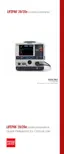
If the AED detects a shockable rhythm, you
will see and hear
PUSH ANALYZE, if AUTO
ANALYZE
is off.
You should:
1 Confirm the patient is unconscious,
pulseless, and not breathing normally.
2 Confirm no motion is present. Stop CPR.
3 Press
ANALYZE.
The AED begins to analyze the patient’s
ECG.
For information about changing the
defibrillation mode, refer to Section 8.
You will see and hear START CPR.



 To Next Page