phyFLEX
®
-i.MX 6
Click on the variable buffer.
You will probably see a different address on the buffer pointer. Remember which address is
shown in your case, you will need this address later.
3.2.5 Stepping through and Changing Variable Contents
In this section you will change the value of a variable. At the end of this part you will see
the effect of this change.
Select the count variable in the Variables window.
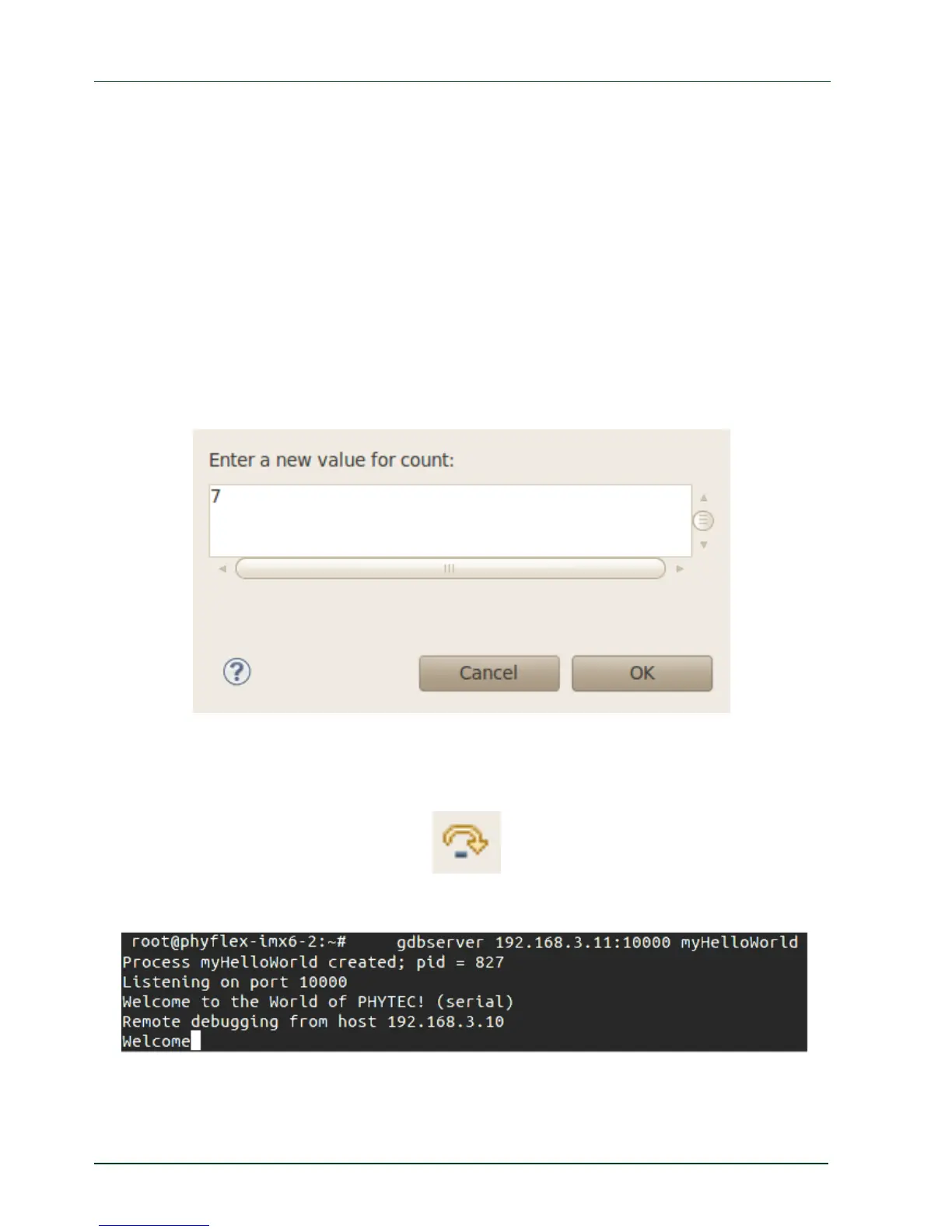
Right-click on count and select Change Value.
Change the value of count to
7 and click OK.
Open Microcom if the application is not already opened.
Go back to Eclipse.
Clic
k the Step Over button twice.
Switch to Microcom.
Because we changed the count variable to 7 only the first seven characters (Welcome) are
displayed in the Microcom console.
36
PHYTEC Messtechnik GmbH 2015 L-781e_7



 To Next Page