Quickstart Instructions
6.1.5 Set up Eclipse and Integrate Plug-ins
The instructions in this chapter
show how to
setup
Eclipse
and integrate the C/C++
plug
-in
.
Thus you will be able to assign your own programs, written in Eclipse, to the target.
First of all you have to create a workspace folder, in which you can save your Eclipse
projects.
In this example we create the workspace in the /opt/ directory as it is in the virtual
machine:
mkdir‐p/opt/prj_workspace/Eclipse
sudochmod–R777/opt/prj_workspace/
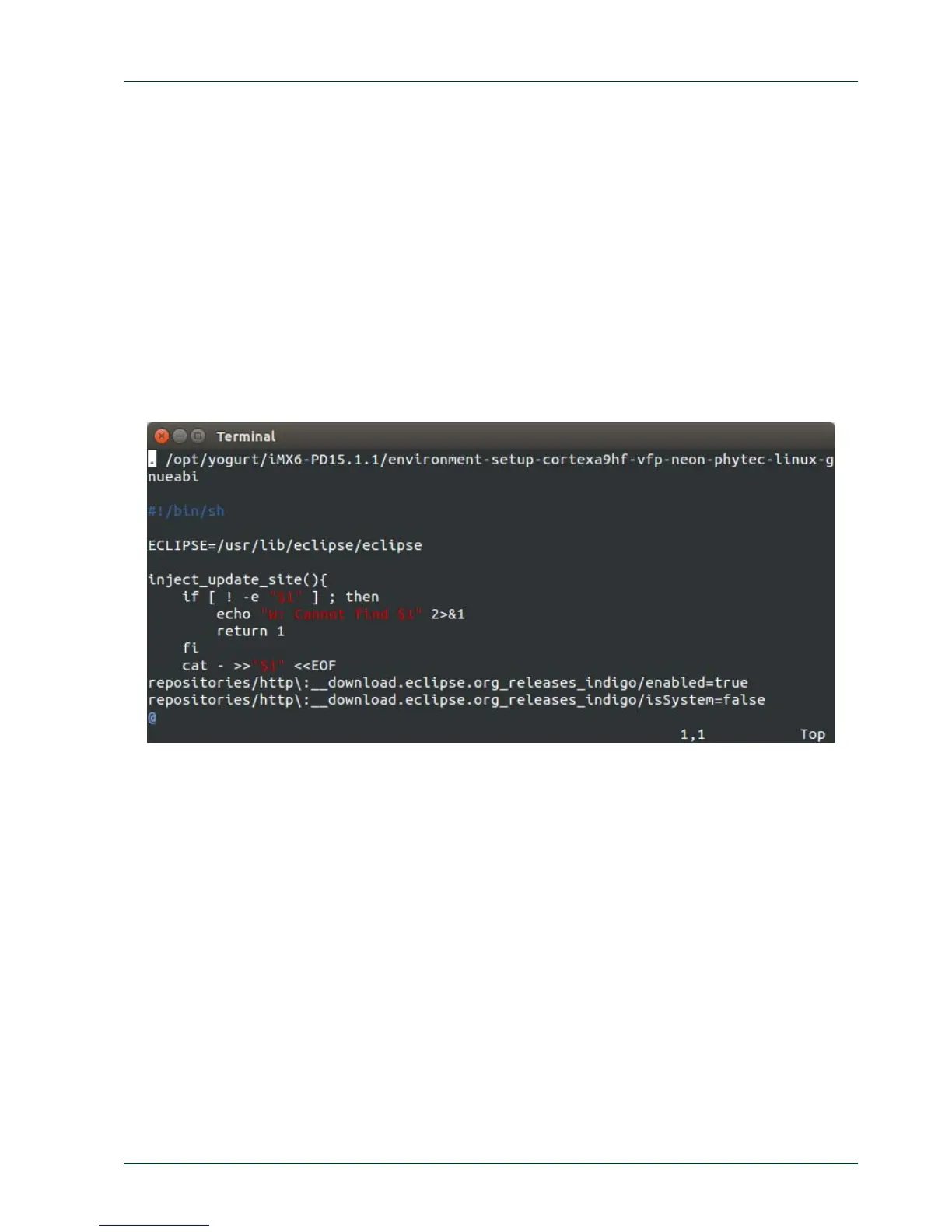
Before we start Eclipse we must set the correct environment to our SDK:
sudo vi/usr/bin/eclipse
Enter following line before #!/bin/sh:
./opt/yogurt/iMX6‐PD15.1.1/environment‐setup‐cortexa9hf‐vfp‐neon‐
phytec‐linux‐gnueabi
Afterwards open Eclipse and insert the path to the created workspace in the pop-up
window:
eclipse
Enter the path to the created workspace:
/opt/prj_workspace/Eclipse
PHYTEC Messtechnik GmbH 2015 L-781e_7 67



 To Next Page