Quickstart Instructions
3.2.6 Using the Memory Monitor
In the last section of this chapter you will use the memory monitor to control the content
at a memory address.
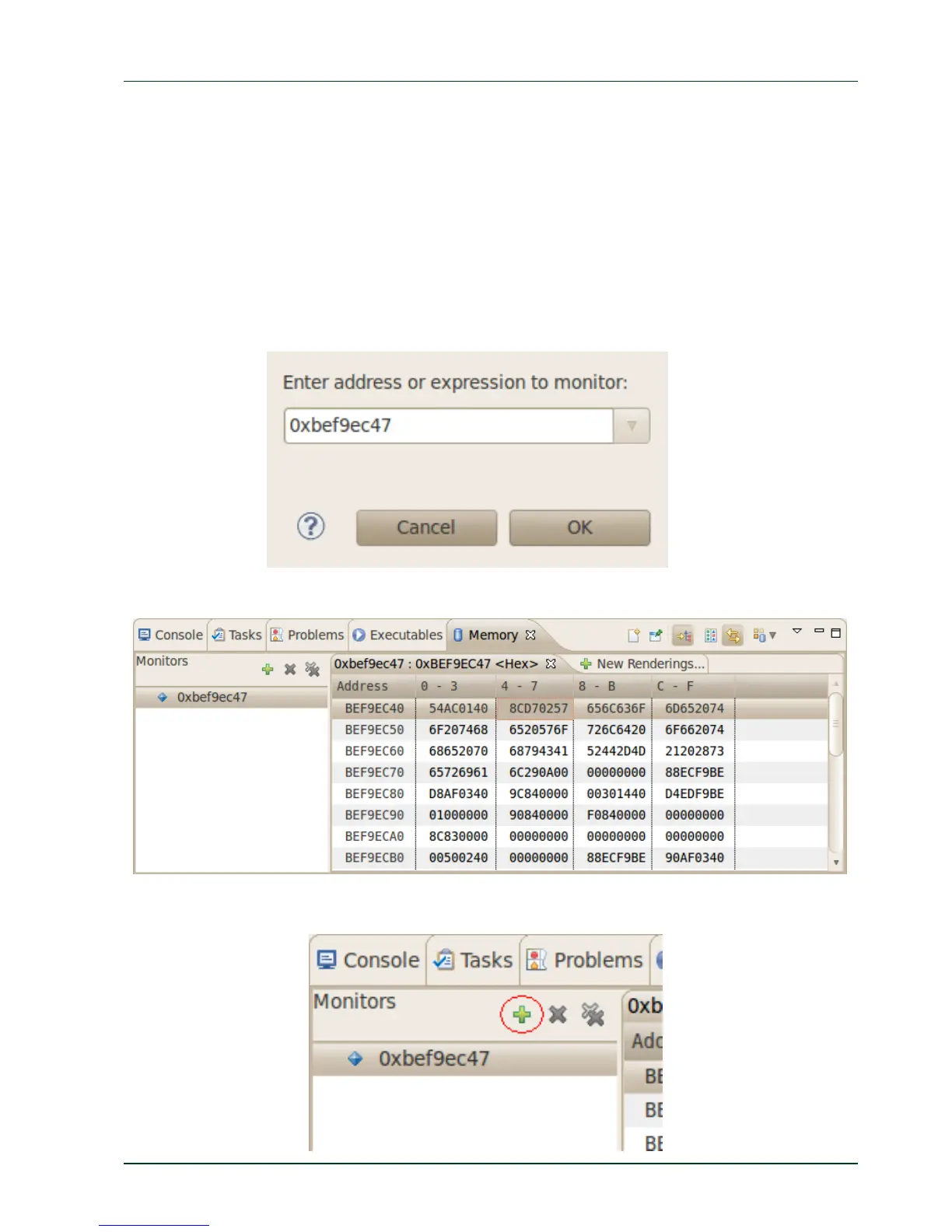
Select the Memory tab in the frame where you can find the Console.
Click + Add Memory Monitor.
Enter the address of the buffer and click OK. Remember that the variable's address
might be different on your system.
Change the size of the window.
Clic
k Add Rendering.
PHYTEC Messtechnik GmbH 2015 L-781e_7 37



 To Next Page