phyFLEX
®
-i.MX 6
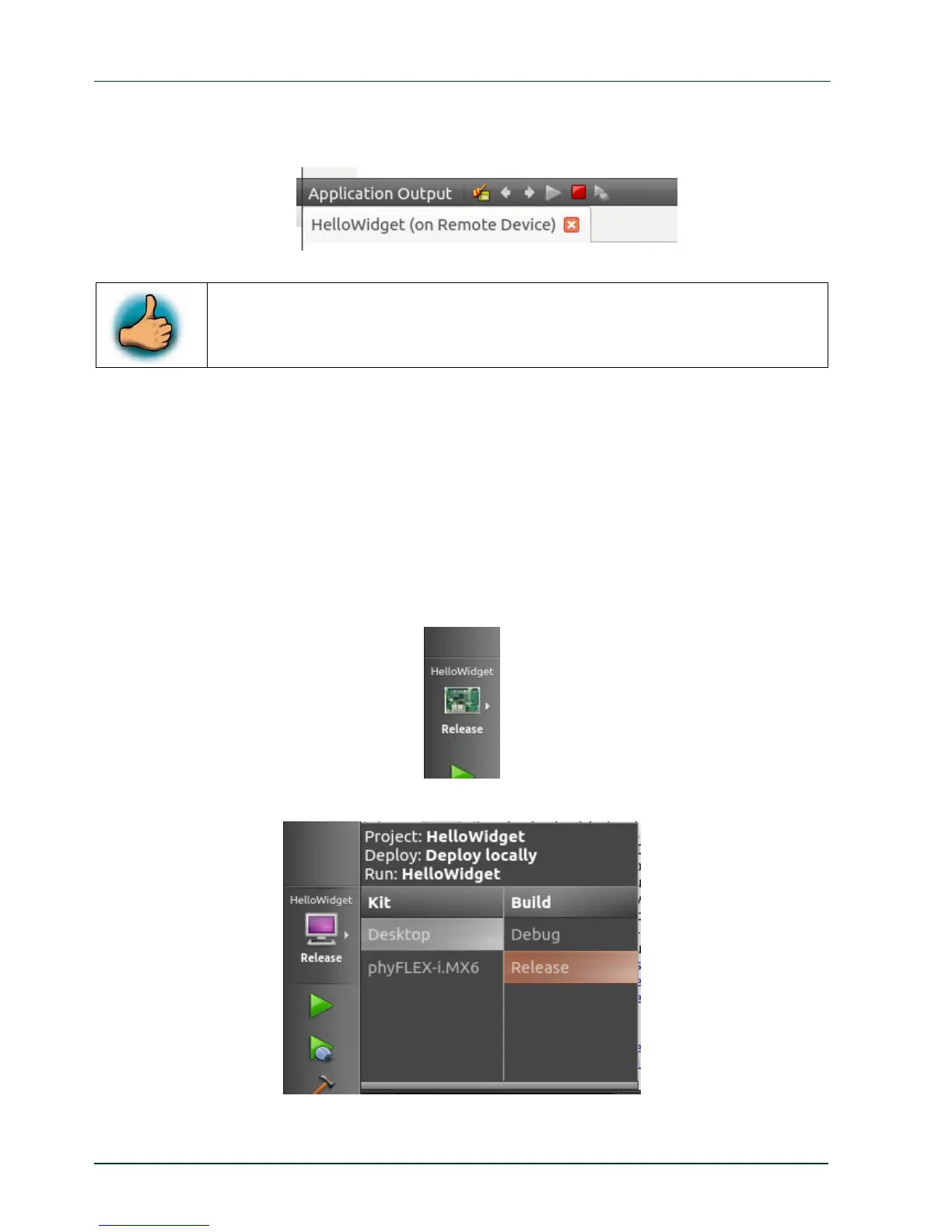
If you want to stop the application on the target switch back to the Application output
frame and click the red rectangle there.
You have successfully imported and built a Qt project with Qt Creator.
You have also learned how to download and execute your application on
the target.
4.5 Compile and Run the Demo Application on the Host
In some cases you do not want to compile and run the application on the target. For
example if the phyFLEX-i.MX6 is not connected to the host or if you only changed some
user interface relevant things and you do not want to copy the application and all the
necessary resources to the target. Running the demo application on the host is faster, but
features specific to the target do not work.
To change the target for downloading and running the application do following steps:
In the gray bar on the left click the button with the small phyFLEX-i.MX6 picture.
In the ope
ned context menu select Desktop as Kit and Release as Build.
48
PHYTEC Messtechnik GmbH 2015 L-781e_7



 To Next Page