Quickstart Instructions
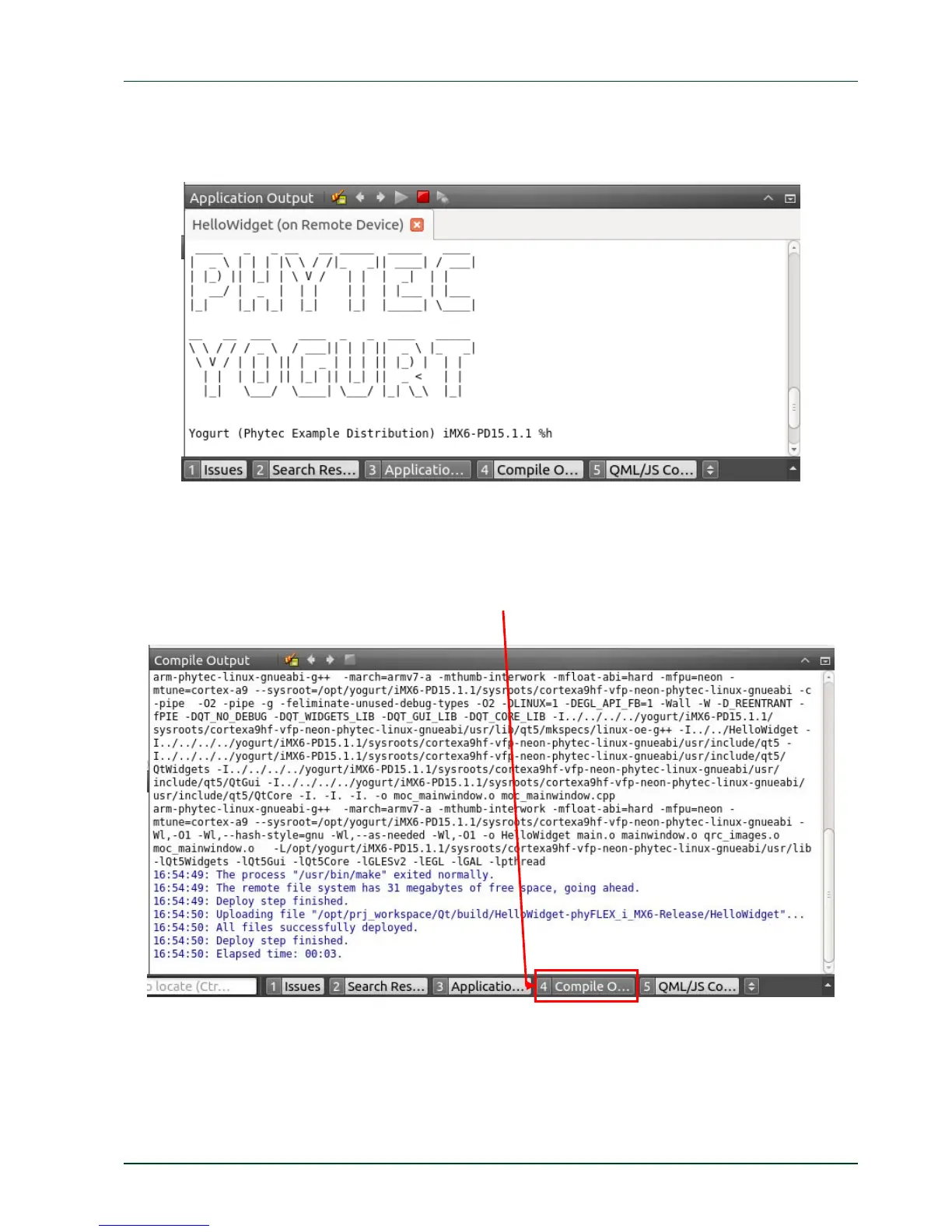
After the target is successfully deployed on to the target the Application Output frame is
shown in the frame under the mainwindow.cpp source code where you can see the prompt
from the phyFLEX-i.MX6.
PHYTEC Messtechnik GmbH 2015 L-781e_7 47
ication. Click the
big button with
he PHYTEC logo to enable and disable the Welcome label.
ifferent build steps click Compile output which can be found in the bottom
The Compile output frame is opened and you can scroll threw through the compile steps.
On the connected display you will see the HelloWidget appl
t
To see the d
menu bar.



 To Next Page