Quickstart Instructions
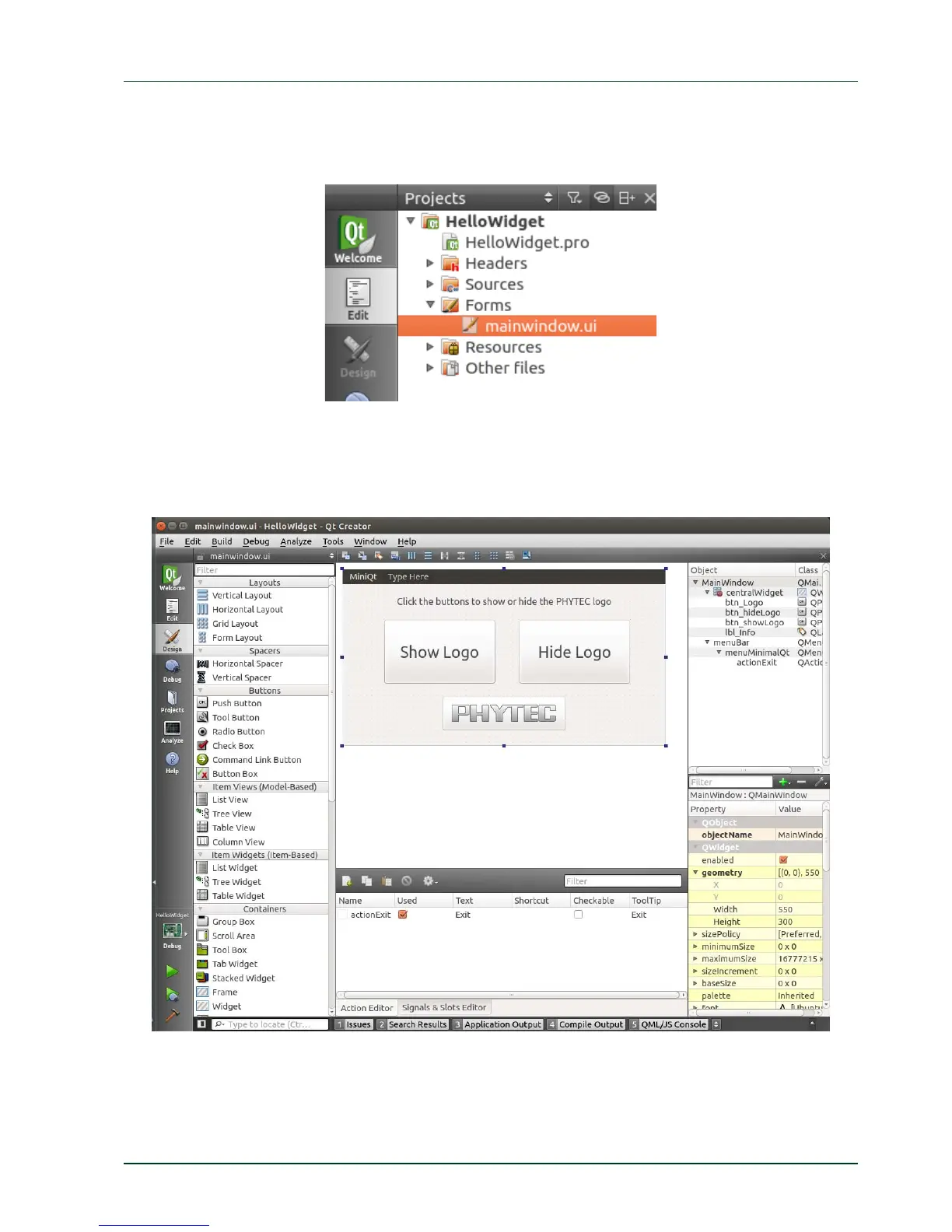
Expand the folder Forms under the project sidebar on
the left side and double-click
mainwindow.ui.
Qt Creator opens the design mode and you can see the design of our project, which has a
menu bar with an exit action under the menu item miniQT, one label and three buttons
including one with the PHYTEC logo inside.
PHYTEC Messtechnik GmbH 2015 L-781e_7 43



 To Next Page