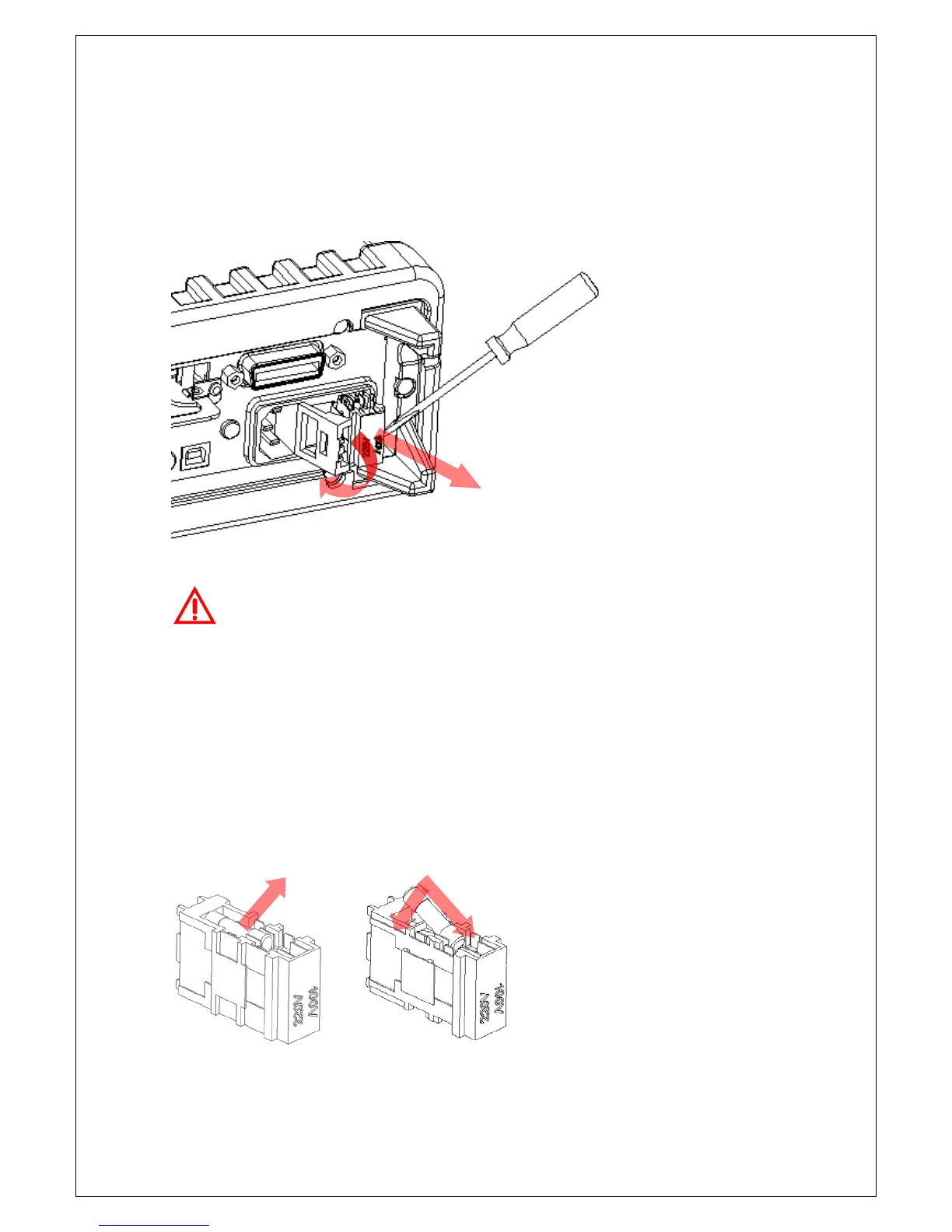
[Step 2]
Open the cap and remove the voltage setting selector from the right middle
seam as shown in Figure 2-10. (You might need a flat-blade screwdriver to
do so.)
Figure 2-10
Warning! For continued protection against fire or instrument damage,
only replace fuse with the same type and rating. If the instrument
repeatedly blows fuses, locate and correct the cause of the trouble before
replacing the fuse.
[Step 3]
Remove the broken fuse from the selector and replace a new one as shown
in Figure 2-11. You must replace the fuse with the same type or same
rating.
Figure 2-11



 To Next Page