[Step 6]
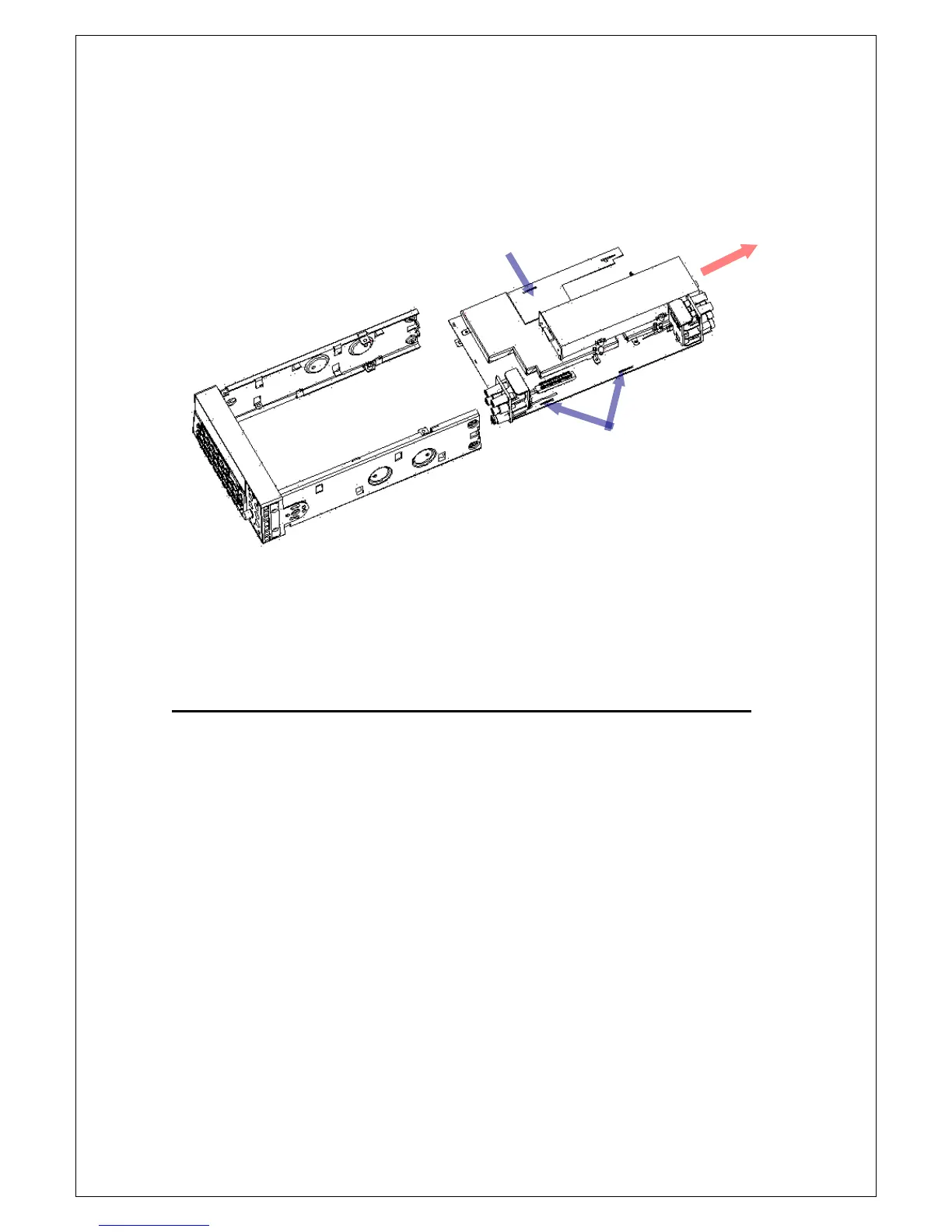
Pull the main board gently to make the fixed points leaving their positions.
Raise the board a little bit and then pull it out carefully as Figure 4-15.
Figure 4-15
NOTE: When you want to re-install the main board, please reverse the steps
shown above. Make sure all the parts are properly seated and secured.
4.4 Front Panel Disassembly
Follow the steps below to remove the front panel. This procedure assumes
that you removed the metal cover and main board already.
[Step 1]
Unscrew the input terminal heat conducting header and remove it as shown
in Figure 4-16.
Fixed point
Fixed point



 To Next Page