HUNTER-PRO 32 Intruder Alarm System - Installation Manual
33
4.4 Chime
Programming the “Chime” feature enables to control opening/closing
doors and windows by activating the keypad’s buzzer for two
seconds each time a door/window is opened. This feature is
especially useful when there are small children in the house, or in
shops.
NOTE:
The “Chime” feature is only enables when system is disarmed.
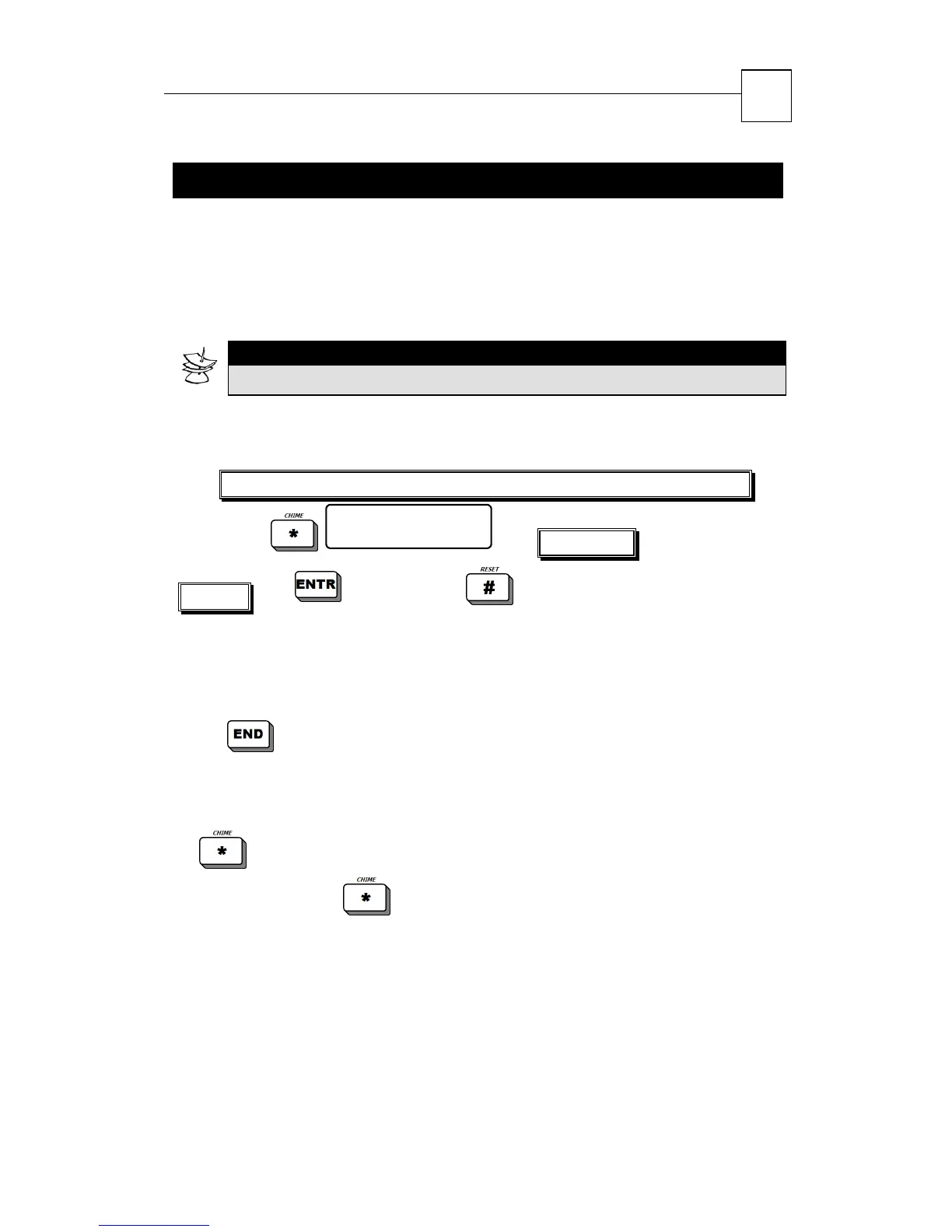
4.4.1 Programming Chime Zone
Master Code/Enabled User Code/Zero long press+User Code
Enter zone no: 1
Rel.-# Con.-ENTR
Enter zone
number to confirm or to release.
On the display the letter “C” shall appear above/below the zone
programmed to trigger the chime, and the screen will move to the
next zone.
Press
a number of times unit exiting to time/zone screen
4.4.2 Temporary Cancellation of Chime
Temporary cancellation of chime is valid for all zones:
Press and hold the
key to enable/disable the chime feature
according to the state in which the system is in; the display will show
one of the following messages:
Chime Active Chime Disables


 To Next Page