EasyManua.ls Logo

Pima CAPTAIN-i 4410061 - User Manual

Pima CAPTAIN-i 4410061
52 pages
Print Icon
To Next Page IconTo Next Page
Loading...
PIMA Electronic Systems Ltd.
www.pima-alarms.com
Part No:
4410061
XX en Rev: K
October 2008
CAPTAIN-i
6 ZONES INTRUDER ALARM SYSTEM
INSTALLATION GUIDE
System ver. 6.0

Table of Contents

Questions and Answers

  • C
    christopher47Aug 19, 2025
    What to do if my Pima Security System is not answering telephone calls?
    • R
      Robin GuzmanAug 19, 2025
      If your Pima Security System isn't answering calls, verify: * The telephone line is properly connected to the IN inputs on the terminal block. * In 'Config 1' the P for telephone is programmed with '+'. * The system is programmed to pick up after a reasonable number of rings.
  • G
    george96Aug 22, 2025
    What to do if the Pima Security System shows a 'Trouble' message?
    • M
      Michael Hood IIAug 22, 2025
      If your Pima Security System displays a 'Trouble' message, check the following: * Ensure a proper connection between the 'OUT' terminal block on the control panel and the input to the keypad via the yellow wire. * Verify the jumper at the back of the keypad is set over the leftmost and middle pins. * Check for low DC voltage indication if the PCB is connected without AC; if so, replace the battery. * Check for malfunction in the keypad and replace it if necessary. * If the problem persists, replace the control panel PCB.
  • J
    Jeffery BenjaminAug 25, 2025
    What to do if my Pima CAPTAIN-i 4410061 Security System has low DC?
    • J
      Justin MccormickAug 26, 2025
      If your Pima Security System indicates low DC, connect AC power. This failure often results from a prolonged AC failure. If the issue persists, consider replacing the battery.
  • M
    megangarrettAug 27, 2025
    Why is my Pima CAPTAIN-i 4410061 Security System not communicating to private telephone numbers?
    • L
      leekarenAug 28, 2025
      If your Pima Security System is failing to connect to private telephone numbers, ensure: * The telephone line is properly connected to the IN inputs on the terminal block. * In 'Config 1' the P for telephone is programmed with '+'. * At least one telephone number is programmed for private numbers. * Correct telephone numbers have been entered. * The correct dial method (pulse or tone) is selected. * A prefix (usually 9) is programmed if the system works through a switchboard.
  • K
    Kathleen WilsonAug 30, 2025
    How to fix AC line issue on Pima CAPTAIN-i 4410061?
    • S
      Sheryl SandovalAug 30, 2025
      To resolve an AC Line issue on your Pima Security System, first connect AC power. Also, check for a blown AC fuse (F4).
  • T
    Thomas SchmittSep 2, 2025
    What to do if my Pima Security System telephone shows a fault?
    • J
      Joanna MolinaSep 2, 2025
      To remove the telephone fault indication on your Pima Security System, arm and then disarm the system.
  • M
    Mark GonzalesSep 4, 2025
    What causes a Pima CAPTAIN-i 4410061 Security System zone activation not to trigger an alarm?
    • T
      tbryantSep 4, 2025
      If activating a zone on your Pima Security System doesn't cause an alarm, check that: * The zone is not temporarily or permanently bypassed. * The zone is programmed for the correct response (siren, relay, etc.). * The power supply is not low – AC or correct battery backup power supply. * Detectors are installed correctly and not malfunctioning.
  • T
    Tim WarrenSep 7, 2025
    Why is my Pima CAPTAIN-i 4410061 Security System battery not charging?
    • I
      iaustinSep 7, 2025
      If your Pima Security System battery is not charging, allow the battery to recharge for about 24 hours. If the fault persists, replace the battery.
  • S
    Scott ArroyoSep 12, 2025
    How to fix Pima Security System automatic arming not working?
    • F
      florescaitlynSep 12, 2025
      If automatic arming is not functioning on your Pima Security System, check that the clock is set to the correct time and that the automatic arming feature is activated. See the user’s manual for instructions.
  • R
    Robert ClarkeSep 13, 2025
    Why is my Pima Security System not communicating with the monitoring station via radio?
    • K
      Karla MaddenSep 13, 2025
      If your Pima Security System fails to communicate with the Monitoring Station via radio, check for: * Proper connection from the Captain-i PCB to the transmitter. * The station radio ID corresponds to the Monitoring Station. * The format is compatible with the one used in the Monitoring Station.

Summary

Chap 1. Introduction

1.2 Main features

Overview of the CAPTAIN-i system's key capabilities and functions.

1.4 The LCD Keypad

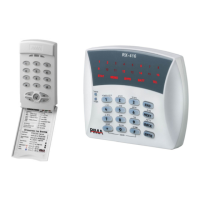
Describes the functions and display of the RXN-410 LCD keypad.

Chap 3. Connecting Accessories

3.1 Zone Inputs

Explains how to connect different types of detectors to the system's zones, including EOL configurations.

Chap 4. Programming Options

4.1 Remote Programming with COMAX

Outlines remote system programming using PIMA's COMAX software.

4.2 PRG-22: Local Programmer

Describes local programming using the PRG-22 programmer.

4.4 Programming with an LCD Keypad

Covers system operation and programming via the LCD keypad menus.

Chap 5. Programming

5.2 Communication Parameters

Configures how the system reports events to a Central Monitoring Station.

5.2.5 Subscriber ID for partitions and;or double report

Programs customer IDs for partitions and double reporting.

5.3 GSM-200

Details configuration and programming for the GSM-200 module.

5.3.3 Setting monitoring station telephone numbers

Programs up to four telephone numbers for the Monitoring Station.

5.4 Programming System Characteristics

Configures various system operational parameters.

5.4.8 System responses to faults and events

Defines system actions for various faults like AC fail or low battery.

5.4.9 Setting entry delay time

Sets the programmable entry delay time in seconds.

5.4.10 Setting exit delay time

Sets the programmable exit delay time in seconds.

5.5.1 Changing the Technician code

Explains how to change the default technician access code.

5.5.2 Defaulting the system

Describes how to restore all system parameters to factory defaults.

Chap 6. Faults and Troubleshooting

6.2 Faults Displayed on the LCD Keypad

Lists common faults and their indications on the LCD keypad.

6.3 Retrieving the Primary Code

Outlines the procedure to recover a forgotten primary code.

6.4 Troubleshooting

Detailed steps for diagnosing and resolving common system faults.

Telephone

Troubleshooting for no dial tone and communication failures with the telephone line.

Chap 7. Accessories

7.6 GSM-200 Cellular Transmitter

Details the GSM-200 for cellular network communication.

Appendix A - Default system parameters

Pima CAPTAIN-i 4410061 Specifications

General IconGeneral
BrandPima
ModelCAPTAIN-i 4410061
CategorySecurity System
LanguageEnglish

Related product manuals