87
FX-MG8156ZT,MG8156ZT-91,MG8317ZT,MG8317ZT-91
- How to remove the Pickup unit
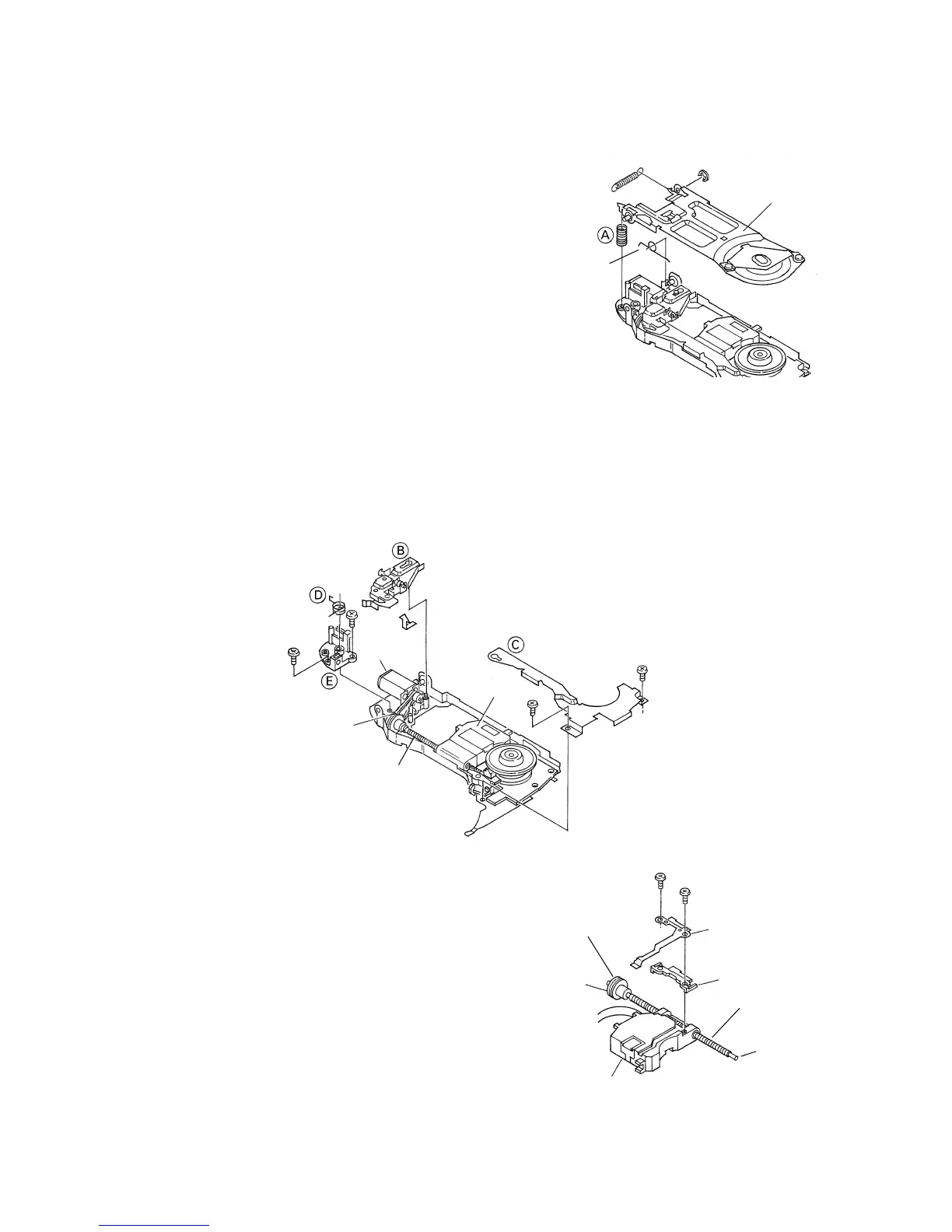
1. Remove the pulling spring, torsion spring and E-
shaped ring. Then remove the Clamper arm.
* The spring (A) will be removed with the Clamper
arm.
2. Slide the Clamp UP lever (B) to remove it.
3. Loosen the 2 screws. Remove the feed-screw cover
by sliding it.
4. Remove the feed-screw pressure spring (D).
5. Loosen the 2 screws. Remove the feed-screw holder
(E).
6. Remove the belt.
7. Remove the Pickup unit together with the feed screw.
* Be careful not to lose the shaft holders at the both
ends of the feed screw.
* Be careful not to damage the 2 flexible PCBs(for the
Pickup and motor) when separating them. The
flexible PCBs have been stuck each other with
double-sided adhesive tape.
Clamper arm
E-shaped ring
Pulling spring
Torsion spring
White
Black
Pickup
unit
Feed screw
Belt
Carriage
motor
Fig. 10
Fig. 11
8. Loosen the 2 screws. Remove the plate spring and
the rack.
9. Pull out the feed screw from the Pickup unit.
Rack
Plate spring
Feed screw
Pickup
unit
Grease (White: KD-1)
Grease (Yellow:
PG-641)
Fig. 12
Grease (Yellow:
PG-641)



 To Next Page