DA50S/DA55S/DA70S/DA75S AddressRight™ Printers Service Manual
5-19
Removal & Replacement • 5
DA70S/DA75S (WS71/WS76) Parts Removal
1. Remove lower operator side (see section 5.11).
2. Remove non-operator side cover (see section 5.11).
3. Remove main processor board assembly (see section 5.13).
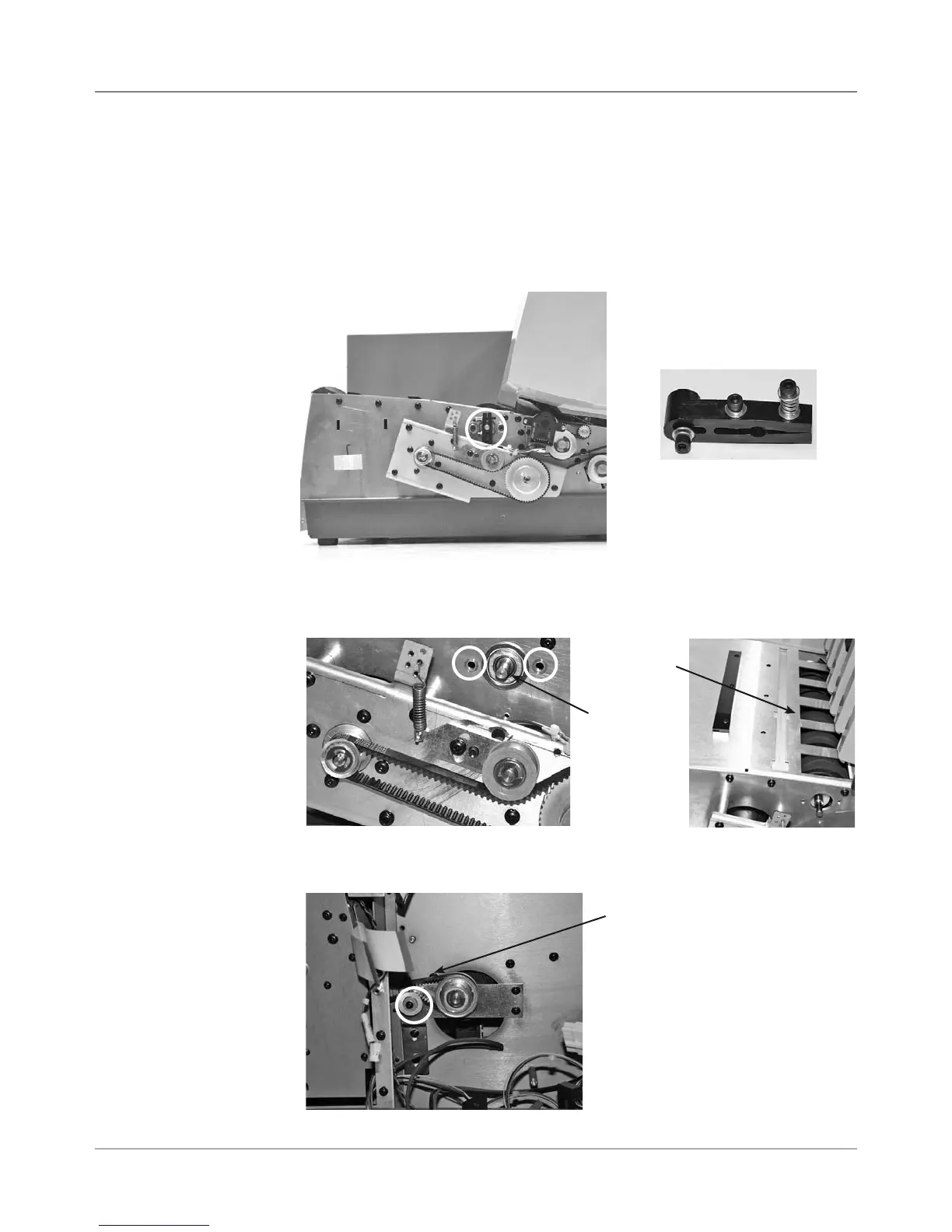
4. On operator side, remove brake assembly (circled in photo below) by
loosening two allen screws and removing one.
5.16 Feed
Roller
Assembly
Brake Assembly Removed
5. On operator side, remove two allen screws for feed roller shaft bearing
(circled in photo). Remove bearing. Shaft and black rollers drop down.
6. On non-operator side, loosen and remove feed belt drive idler (circled in
photo). Then remove feed roller drive belt.
Feed
Roller
Shaft
Feed Roller Drive Belt
Dropped
Rollers



 To Next Page