DA50S/DA55S/DA70S/DA75S AddressRight™ Printers Service Manual
5-21
Removal & Replacement • 5
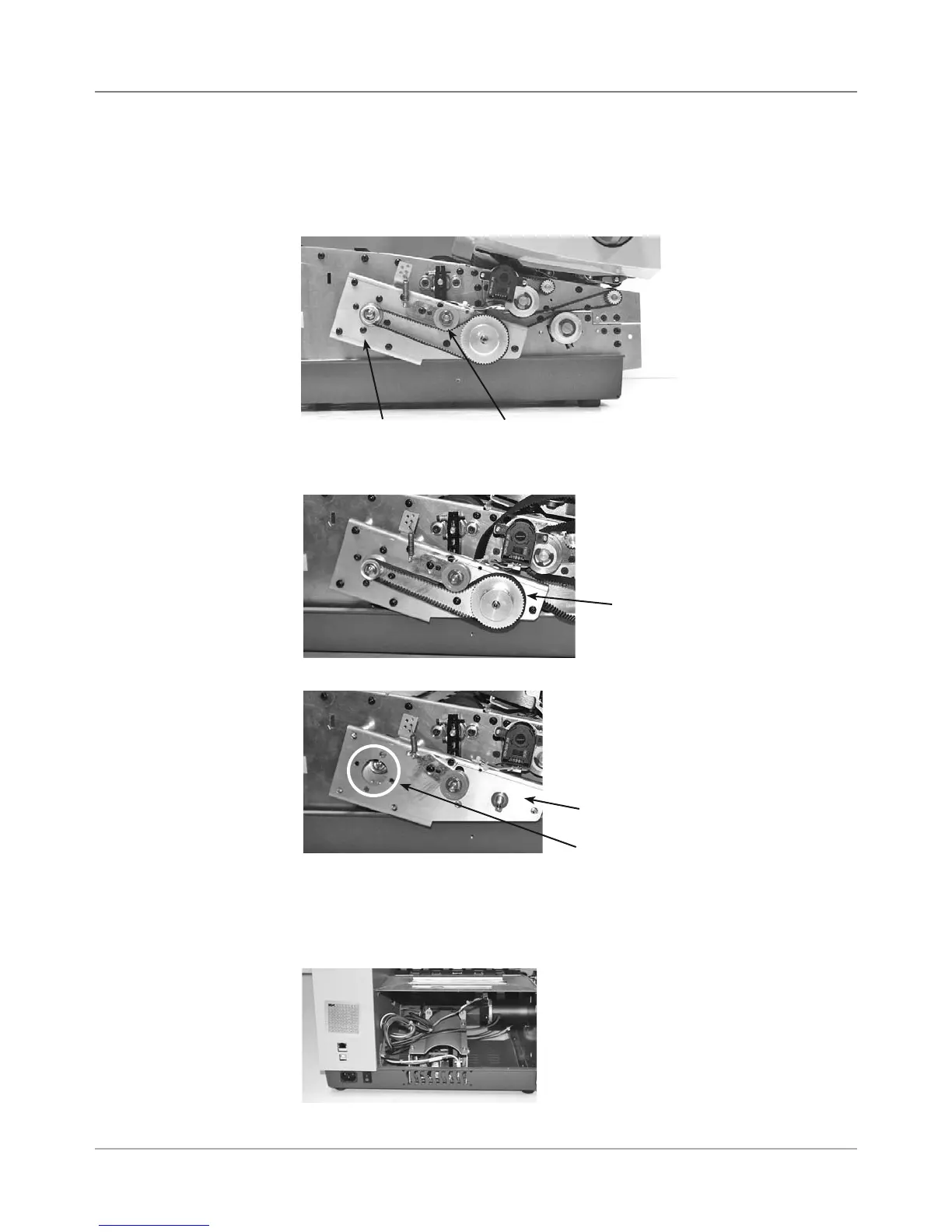
DA70S/DA75S (WS71/WS76) Parts Removal
1. Remove operator lower side cover (see section 5.11).
2. Loosen idler and rotate to relieve pressure (tighten to keep belt loose).
3. Remove motor drive belt.
5.17 Motor
Drive Belts
and Main
Motor
Main Drive Idler
4. Remove large metal pulley (see photo below) and nylon washer used for
motor drive belt (5/16” allen used). Remove motor drive belt.
Large Metal Pulley
and Motor Drive Belt
Motor Drive Belt Plate
6. Remove four allen screws (circled in photo below) holding motor to motor
drive plate.
7. Remove input side lower cover.
8. Back out motor through opening in input side.
5. Remove six phillips screws holding motor drive belt plate (see photo below).
Motor Drive
Plate
Motor Mount Screws



 To Next Page