DA50S/DA55S/DA70S/DA75S AddressRight™ Printers Service Manual
5-13
Removal & Replacement • 5
DA50S/DA55S (WS51/WS56) Parts Removal
5.10 Encoder
and Operator
Side Drive Belt
1. Remove operator side cover (see section 5.2).
2. Remove main processor board/grounding sheet assembly (see section
5.4).
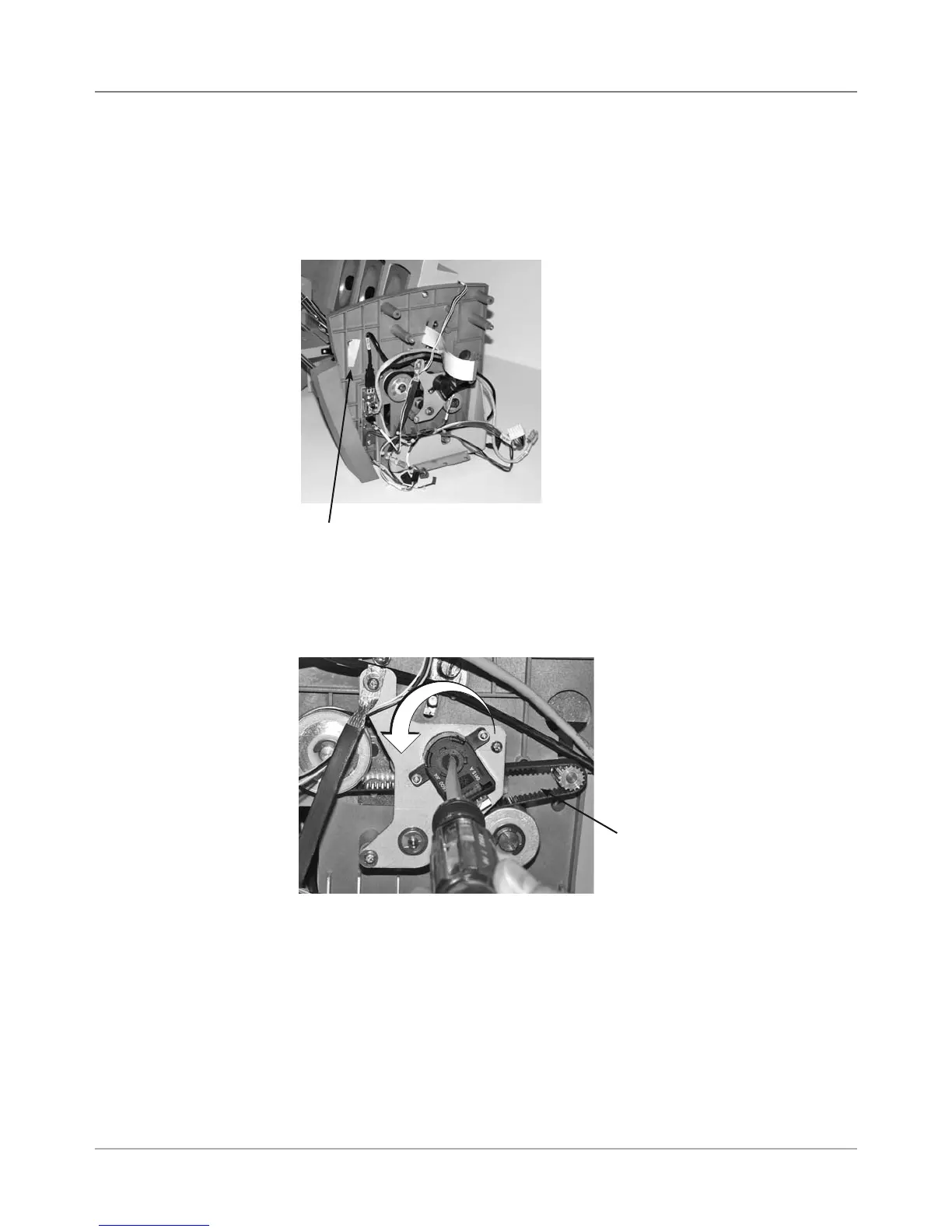
3. Remove allen wrench taped to operator side chassis.
4. Turn encoder disc lock screw counter-clockwise from two-dot stop to
one-dot stop. The screw recesses and exposes the hole where the allen
wrench goes in on top.
Allen Wrench for Encoder
Taped to Inside Chassis
5. Rotate the drive main drive belt which rotates the encoder. This allows
you to find the allen head screw that tightens the encorder on the shaft.
Turning Encoder Disc
Lock Screw to Allow
Loosening of Encoder
Main Drive Belt



 To Next Page