5-24 SV61831 Rev. A DA50S/DA55S/DA70S/DA75S AddressRight™ Printers Service Manual
5 • Removal & Replacement
DA70S/DA75S (WS71/WS76) Parts Removal
1. Remove non-operator side cover (see section 5.11).
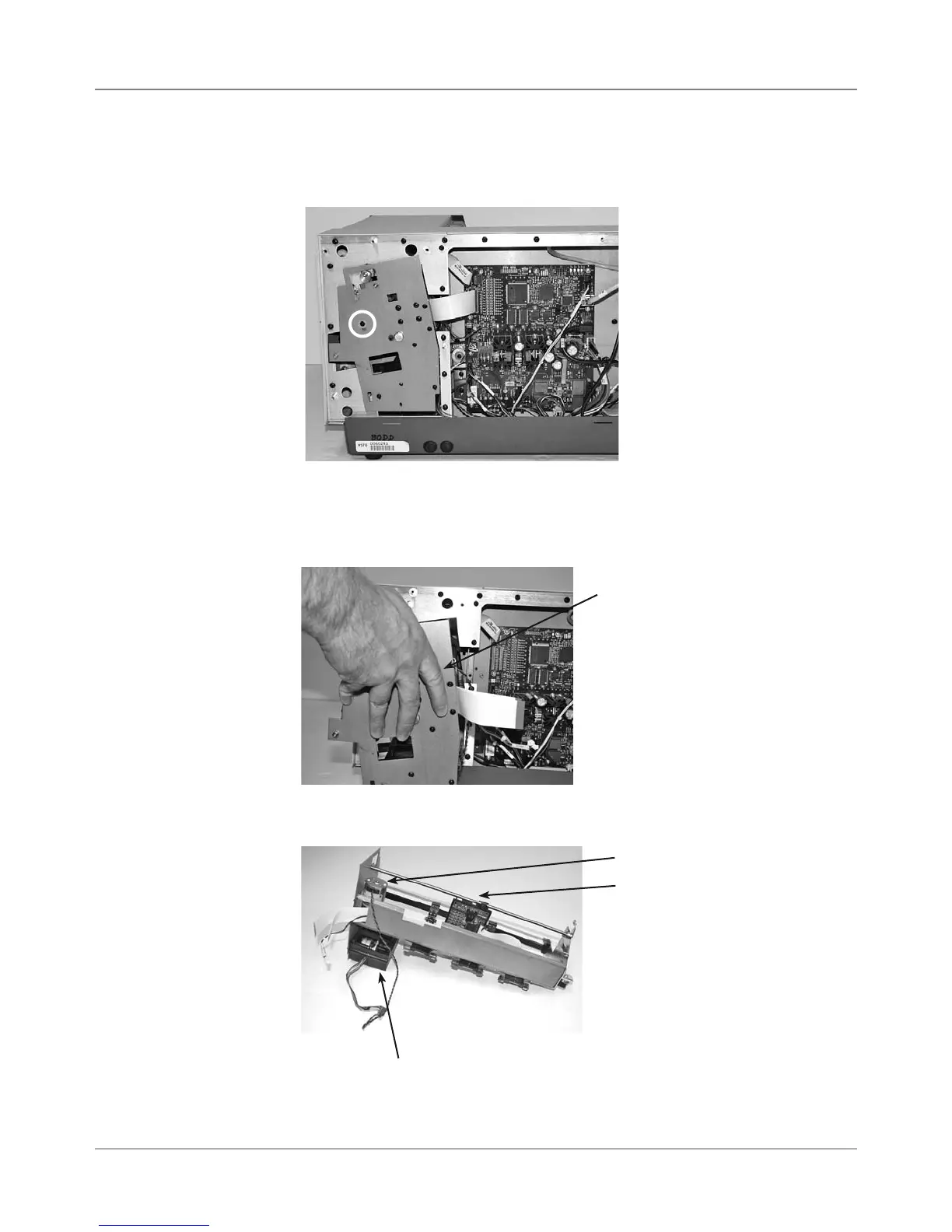
2. Remove phillips screw with nylon washer (circled below) holding u-channel.
5.20 Shuttle
Head Motor,
Print Head
Board,
Shuttle Head
Drive Belt
5. Remove print head, motor, and print head board as necessary from u-
channel assembly.
U-Channel Assembly
Print Head Board
Print Head Motor
Print Head
3. Unfasten J3 and J4 flat gray cables, J18 sensor harness, J5 (motor har-
ness), and J6 from main board.
4. Slide out u-channel assembly from non-operator side access.



 To Next Page