2. Press and hold the reset, Stop/Resume and the Feed/Cancel buttons simultaneously until the
left LED on the front panel turns solid green.
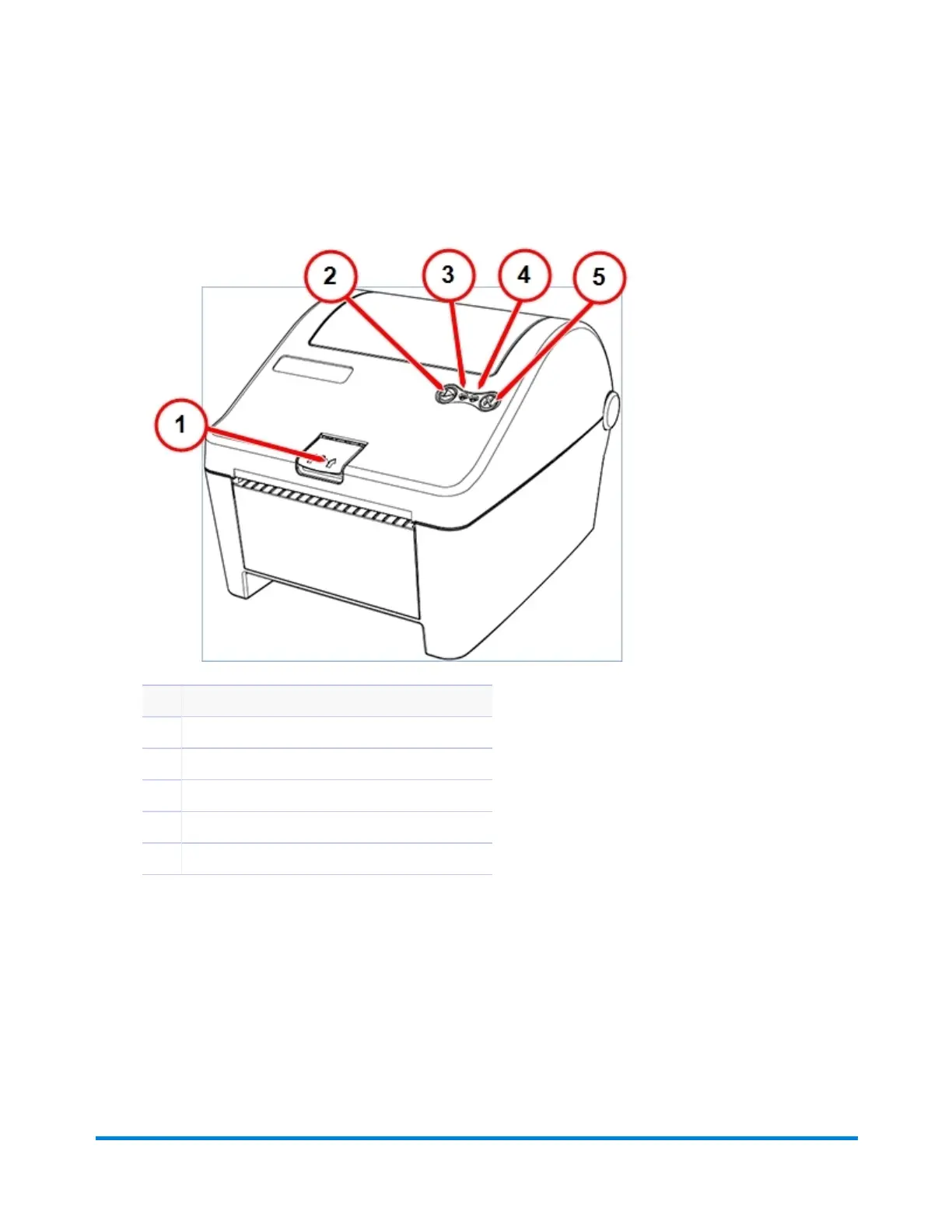
Item Description
1 Cover latch release
2 Stop/Resume
3 Power LED (green)
4 Error LED (red)
5 Feed/Cancel
3. Open the printer’s top cover and feed the label so that it is ¼ inch out of the printer.
4. Press and hold the Stop/Resume and the Feed/Cancel buttons simultaneously until the transport
rollers begin to move the media. Immediately release both buttons when the media begins to
move. The media should advance one label and the left LED should be solid green.
Troubleshooting
Pitney Bowes Operator Guide June 2018 202












 To Next Page