ATR401 - User manual 21
Example: an extruder will keep command output % on heating elements
even in case of sensor failure.
8.6 Soft-Start
At switch-on the controller follows a rising gradient expressed in units (ex.
Degree / Hour) to reach the setpoint. The chosen rising gradient in Unit /
hour must be set on parameter 85 ; at next switch-on the controller will
execute Soft-Start function. Automatic and manual Tuning function cannot
be enabled if Soft-Start function is active.
8.7 Memory Card (optional)
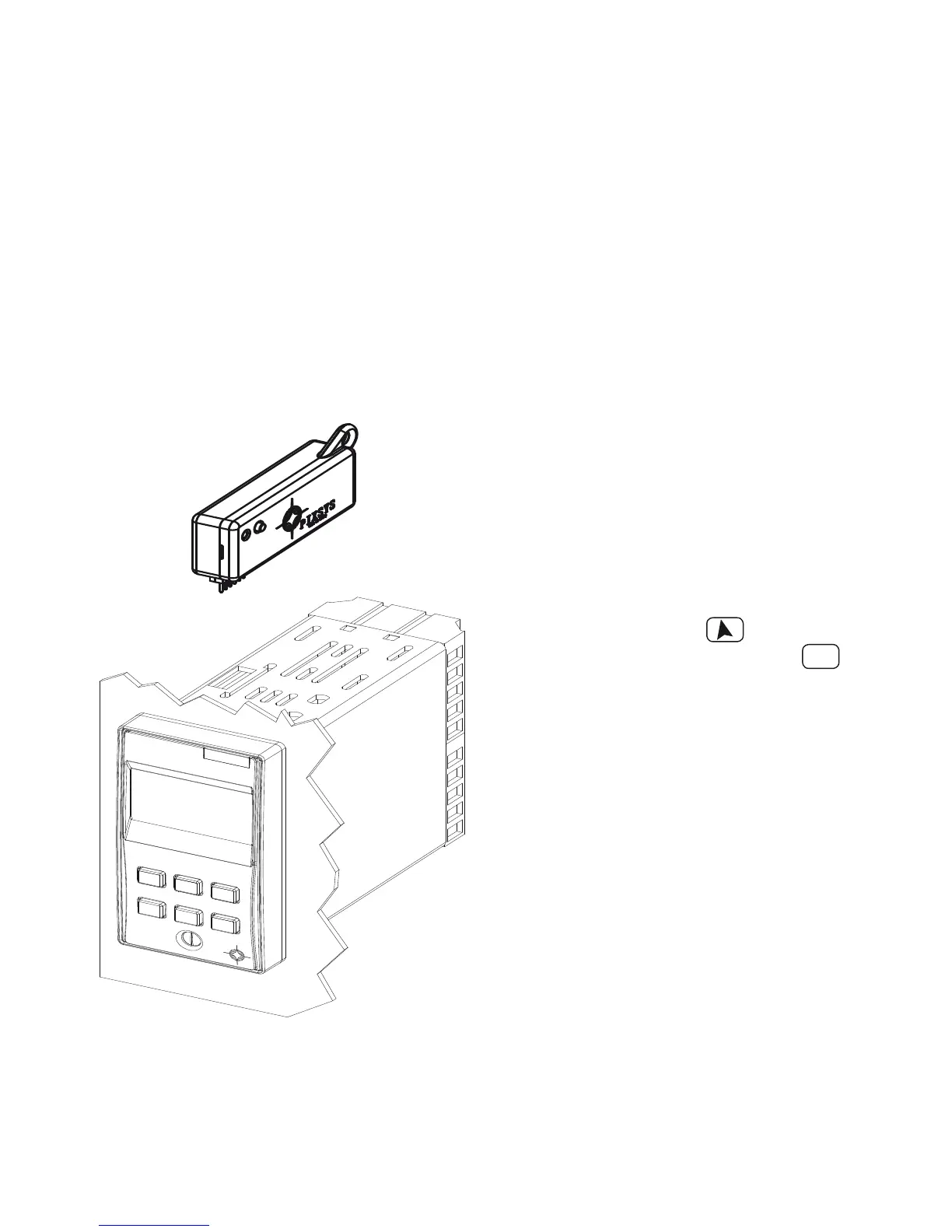
Parameters and setpoint values can be easily copied from one controller to
others using the MEMORY CARD (2100.30.003). Two modes are available:
• With the controller connected to
the power supply:
Insert Memory card when the
controller is o .
At switch-on display 1 visualizes
and display 2 visualizes
(only if correct values are stored on
Memory). Pressing display 2
visualizes Con rm with
FNC
.
Controller loads news values and
restarts.
• With the controller not connected
to power supply:
The memory card is equipped
with an internal battery with an
autonomy of about 1000 operations
(button battery, replaceable).
Insert the memory card and press
the programming button.
When writing the parameters, led
turns red and on completing the
procedure it turns to green.
It is possible to repeat the procedure without any particular attention.
NB: parameters may be copied only on controllers of the same model! When
trying to copy parameters on a controller with di erent code, the LED will
remain red.


 To Next Page