Adding a Virtual COM Port
56 EP Series Ultra HD LCD Displays User Guide
Adding a Virtual COM Po rt
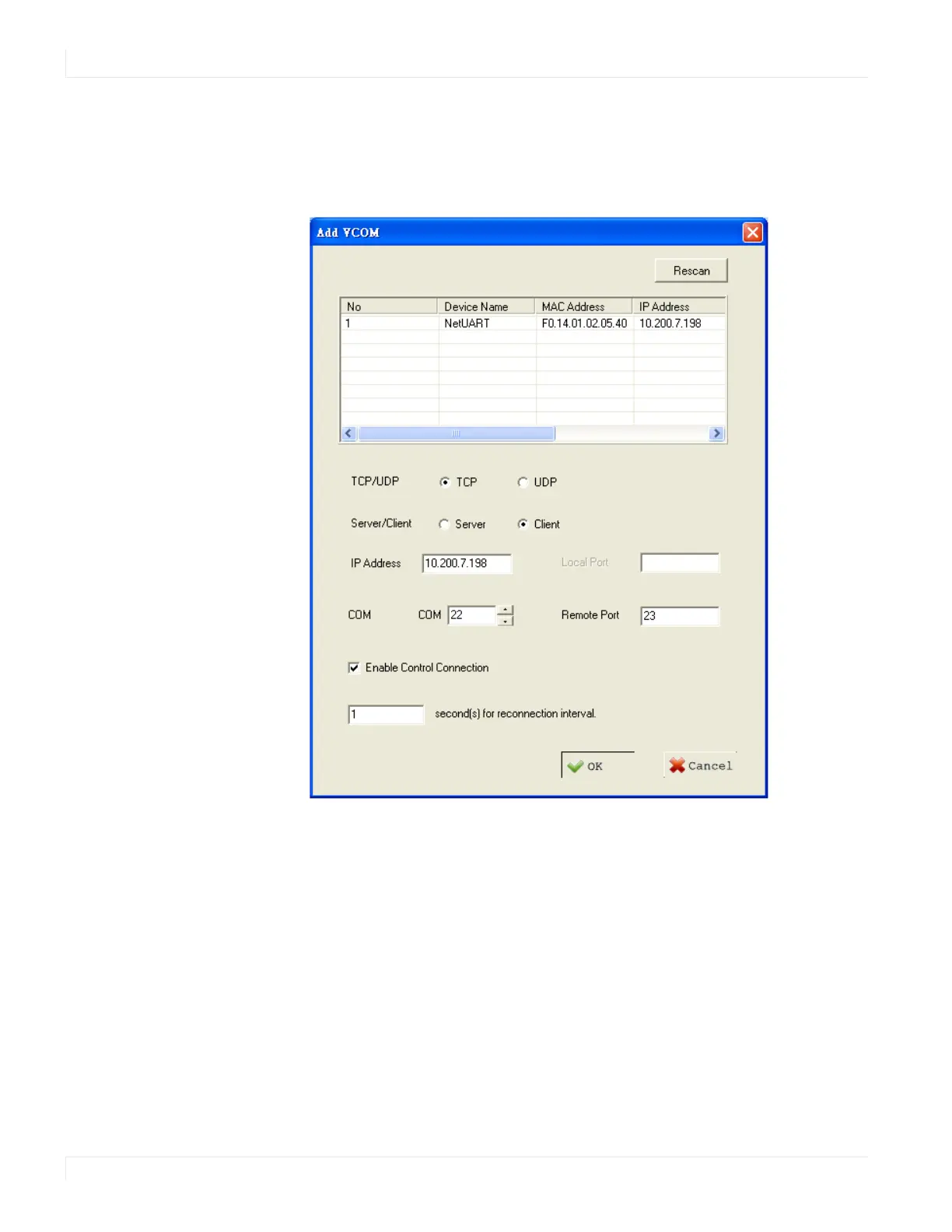
To add a virtual COM port, click the Add icon on the COM Mapping page to open the
following dialog window.
Select the display you want to control from the table and accept defaults, as shown.
Make a note of the COM number assigned to the new VCOM port. Click OK to create
the new port. The new port appears in the COM Mapping table.



 To Next Page