TCP Mode, UDP Mode and UART
EP Series Ultra HD LCD Displays User Guide 63
TCP Mo de, UDP Mo de and UART
For normal operation, you will not need to change any settings on these pages. If you
do need to change information, Planar’s Technical Support Department will provide
you with more information.
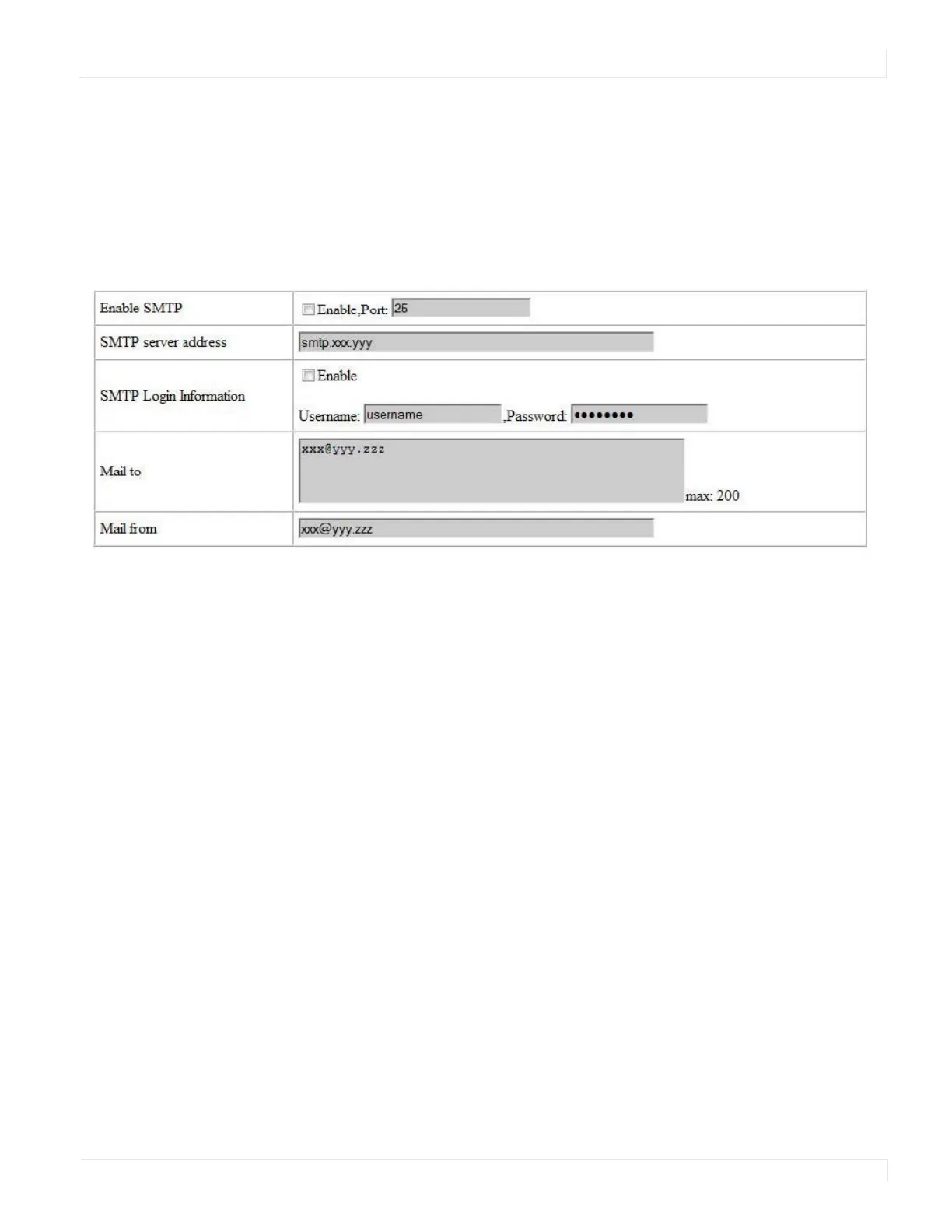
SMTP
Your network administrator must provide information for the following fields:
•Enable SMTP - Make sure this checkbox is checked. Port 25 is the default.
•SMTP Server Address - Name or IP address of the mail server.
• SMTP Login Information - If required, check the ENABLE box and enter a
username and password.
• Mail to - Enter the destination email addresses. Separate multiple addresses
with a semi-colon.
Mail from - Enter the email address from which you want to send alerts.



 To Next Page