FIG-1
FIG-2
A
B
1/8
A
-
+
42
RESET
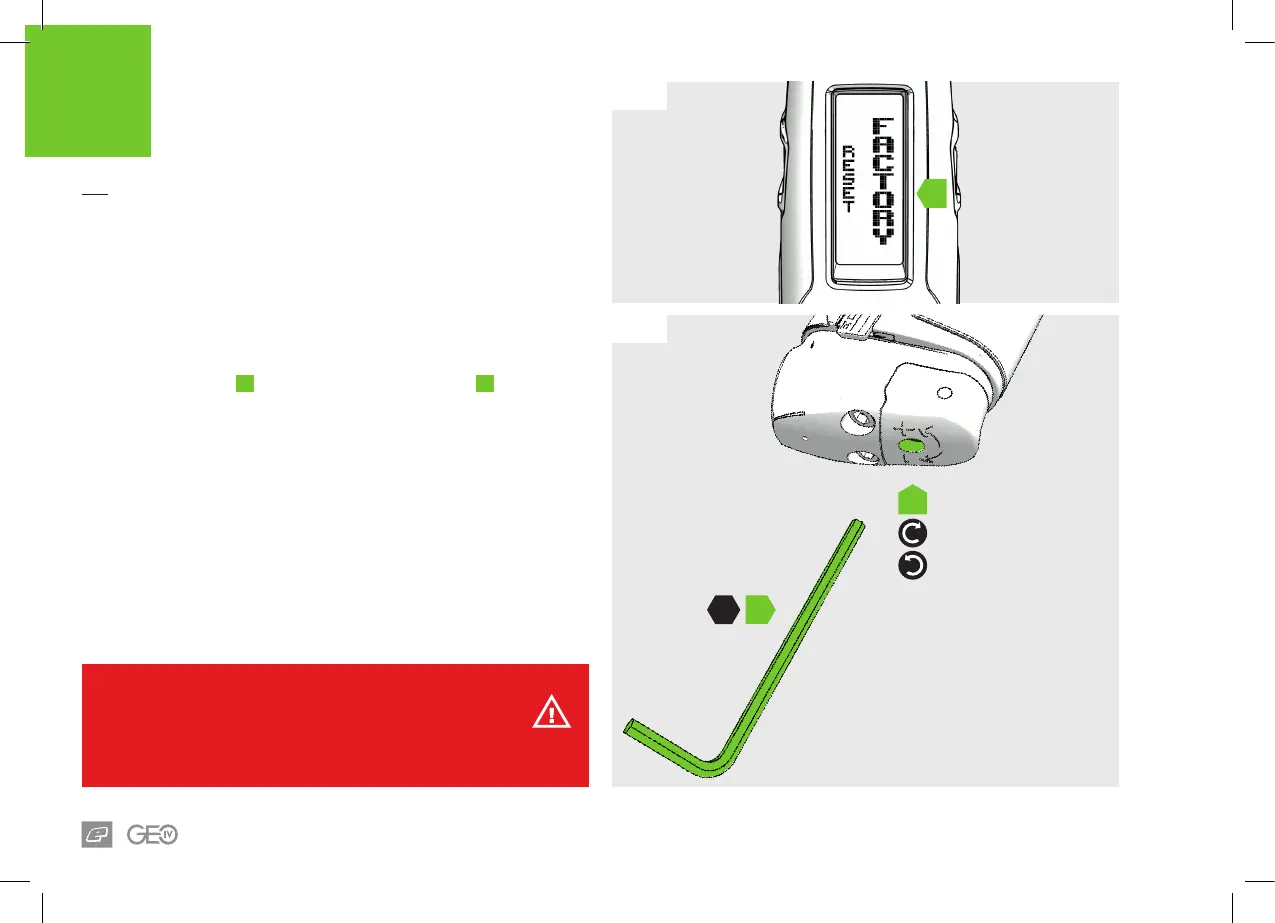
FACTORY RESET
Follow these steps in order to reset the GEO 4 to the way that it left
the factory.
FIG-1
Navigate to the RESET item in the HARDWARE MENU and select the
FACTORY option. See page 35.
FIG-2
Using the 1/8 hex key
A
turn the velocity adjuster screw
B
3 turns
clockwise from it’s fully screwed-out position.
WARNING!
Do not turn the adjuster screw in too far. This will prevent the marker from ring.















 To Next Page