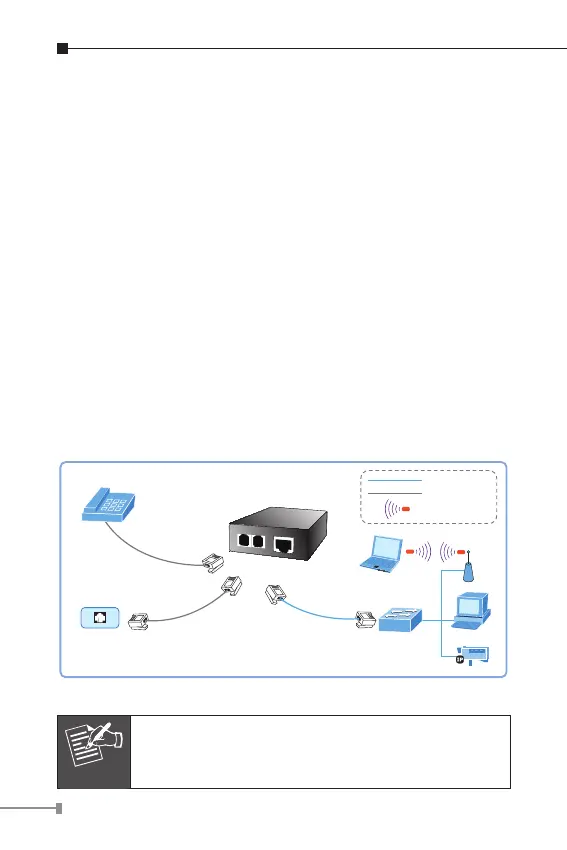
3.2.2 Connecting Multiple PCs to an Ethernet LAN
Refer to the following procedures to setup the VC-201A / VC-
204 to an Ethernet LAN.
1. Set the VC-201A / VC-204 to be CO or CPE mode from the
DIP switch at the rear panel.
2. Power on the VC-201A / VC-204 by connecting its power
source.
3. Power LED will illuminate.
4. Connect VDSL line from another VDSL device to VDSL port of
the VC-201A / VC-204.
5. LNK LED will illuminate.
6. Connect telephone to the PHONE port.
7. VC-201A: Connect Ethernet port to Ethernet Switch (or Broad
-
band Router) via regular Cat. 5, 5e or 6 cables.
VC-204: Connect per Ethernet port to each network device via
regular Cat 5, 5e or 6 cables.
VC-201A
VDSL
Phone
Phone
Fast Ethernet
Switch
RJ-11 Phone Jack
RJ-45
Cat.5 Twisted Pair Cable
RJ-11 Line Cord
RJ-11 Line Cord
TP
b/g
b/g
2.4GHz 802.11b/g
b/g
Telephone wire
100Base-TX UTP
Figure 3-5: Connecting Multiple PCs to an Ethernet LAN
Please refer to your Ethernet device User’s Manual
for the device’s set up information.



 To Next Page